# The Intract Vision

#### Premise

Web3 is complex to understand, expensive to explore, and challenging to navigate. Yet, web3 offers a revolutionary landscape for everyone to unlock value by becoming early adopters of a new & digital economy.

1. Are you an **early adopter struggling to find new projects to increase your chances** of the $$$ drops?
2. Or a **trader stuck at identifying the next 100x** opportunities to invest in?
3. Or **a newbie getting scammed on Twitter** and unable to earn max yield from DeFi?

<figure><img src="https://1417713319-files.gitbook.io/~/files/v0/b/gitbook-x-prod.appspot.com/o/spaces%2FFbYrsePpo65gcDGDIMKA%2Fuploads%2FOGlpFqtj9oR9y3ICX83c%2Fimage.png?alt=media&amp;token=cdecb893-87a3-4f9c-be75-99155589aa5f" alt=""><figcaption></figcaption></figure>

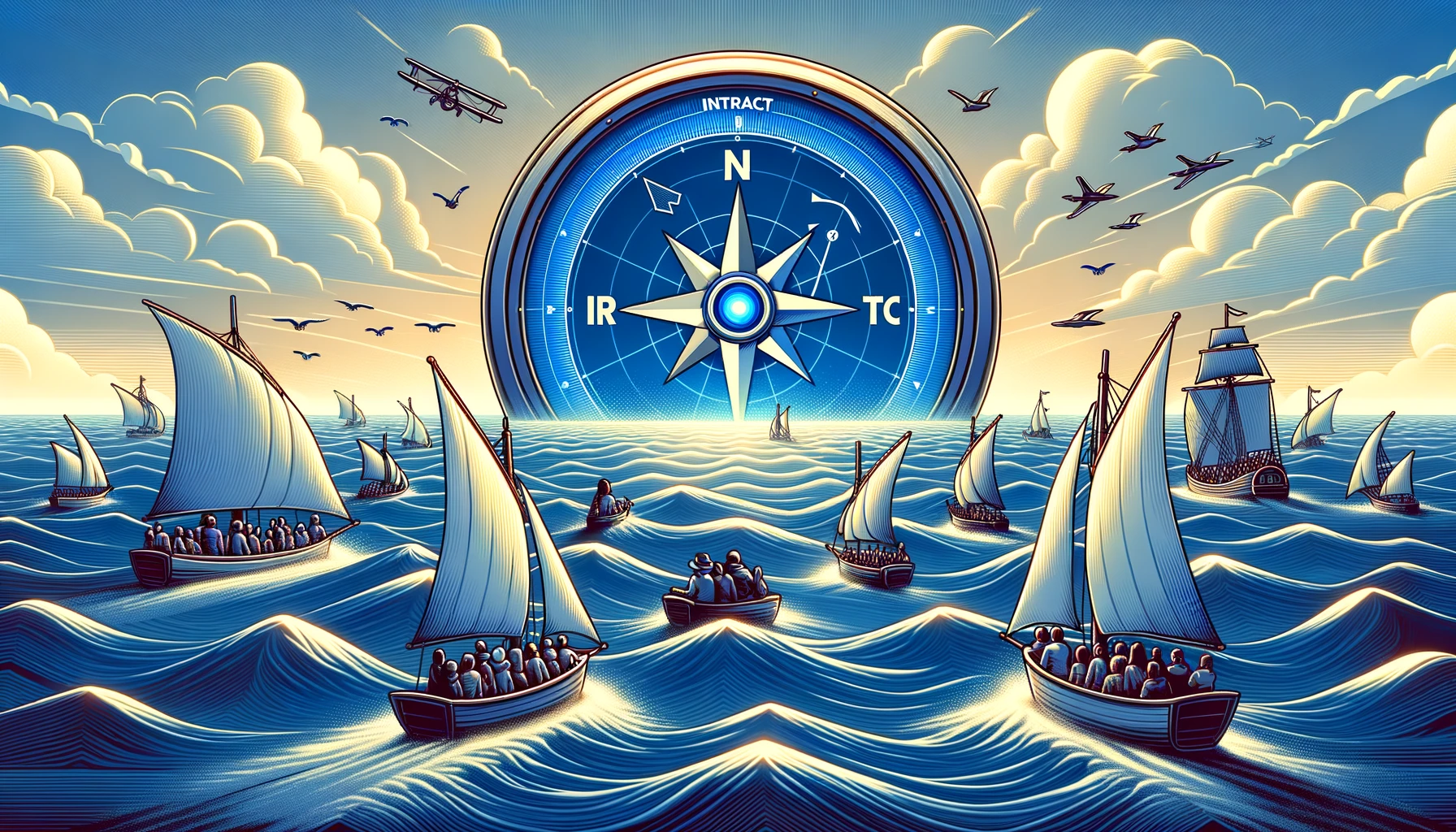
**Intract : Your personal web3 navigator**

<figure><img src="https://1417713319-files.gitbook.io/~/files/v0/b/gitbook-x-prod.appspot.com/o/spaces%2FFbYrsePpo65gcDGDIMKA%2Fuploads%2F2GIWTtD2MjUAJUtBicwU%2Fimage.png?alt=media&amp;token=707d8c6d-5441-4207-8fee-28ed640cb4d4" alt=""><figcaption></figcaption></figure>

Intract is building the first-ever value navigator for web3, to assist you in building a personalised exploration journey of the new web for you

1. **Tells us your goals** - earn $100K from drops OR learn web3 from scratch OR get 40% APY
2. **Set your budget & time constraints** - 15 mins a day OR $1K budget OR $4 in daily gas fees
3. **Pick from curated web3 journeys** - become early adopters of trending ecosystems OR learn about best practices for wallet safety OR define degen yield & gambling strategies

Moreover, Intract is peppered with the **latest web3 alpha, daily rewards, gamified leaderboards, social networking** & much more to keep it fun & interactive!


# The Intract Team

Learn about the core members here

**Founders**

1. [**Abhishek**](https://www.linkedin.com/in/abhishekanita/)**, Block Architect Supreme:** Writing code to sculpt the Intract app&#x20;
2. [**Apurv**](https://twitter.com/apurvkaushal)**, Hype Machine:**  Building web3 communities & crafting stories for the new web

**Majority Investors**

1. [**Alpha Wave**](https://www.alphawaveglobal.com/): $10B Fund, Early backers of Animoca Brands, SpaceX & more
2. [**BitKraft**](https://www.bitkraft.vc/): $830M Fund, Early backers of Epic Games, yGG & more
3. [**Gumi Crypto**](https://www.gumi-cryptos.com/): $110M Fund, Early backers of 1inch, OpenSea & more
4. **Other notable investors** - Polygon, MoonPay, DeVC, Tokentus, AngelList, Web3 Studios&#x20;


# The Intract Edge

What are we building that sets us apart?

1. **Alpha assemble**: A single app to aggregate all the Crypto twitter, telegram & discord alpha. Along with a repository of all official quests from across platforms.

2. **Actionable info**: Get no BS crypto content that is highly actionable and rich with guided tutorials.

3. **Personalised guide**: Receive personalised recommendations of next steps to do (for e.g. which community to interact with) basis your goals & on chain footprint leaderboard.

4. **Win fair**: Win rewards via official community quests resistant to sybil attacks, raffle tampering & reward delays.

5. **Zero hassle timely support**: Facing any txn issues while you quest? Our intelligent support system will help resolve these issues right on the web app.

6. **Gamified experience:** Tune in to weekly Intract community challenges and win always (gems, loot boxes etc.)


# Product Overview

Key components of Intract today

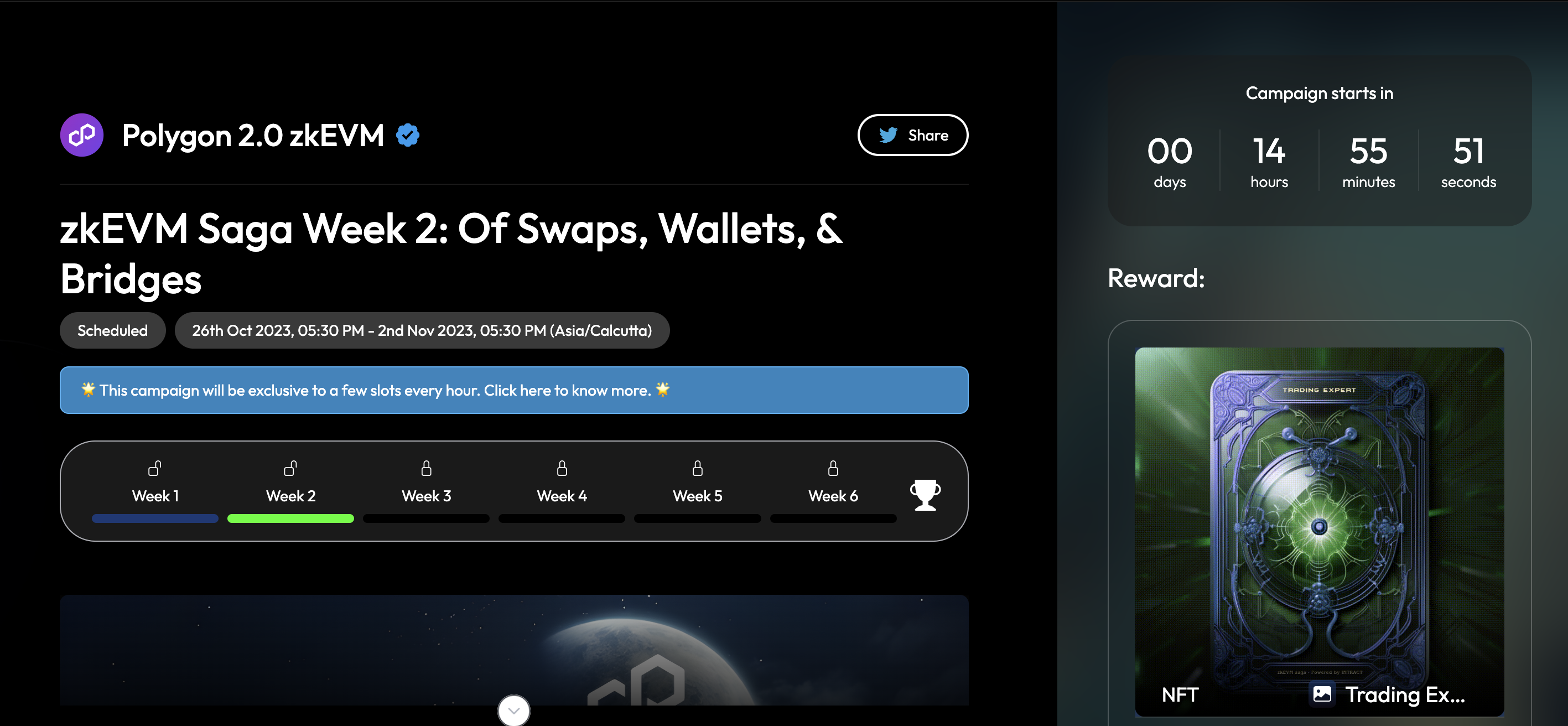
1. **Partner Quests:** Engage with partner DeFi,gaming & NFT communities to receive token, NFT & stables reward.

   <figure><img src="https://1417713319-files.gitbook.io/~/files/v0/b/gitbook-x-prod.appspot.com/o/spaces%2FFbYrsePpo65gcDGDIMKA%2Fuploads%2FJkjJxbtaPSWBK6dcx6LU%2Fimage.png?alt=media&amp;token=ecda90c1-10a7-4dc8-b70d-2ec69fa866ff" alt=""><figcaption></figcaption></figure>

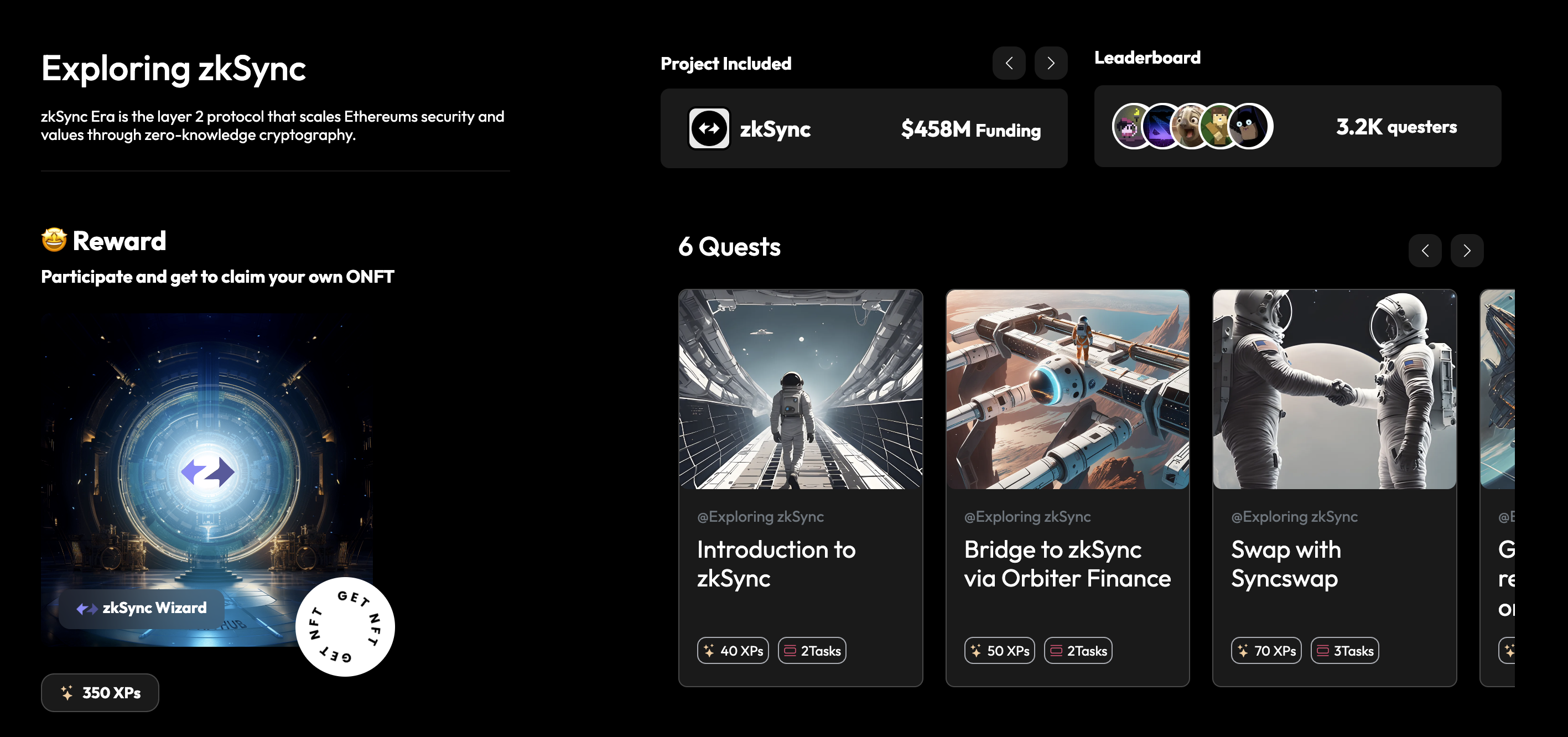
2. **Alpha Hub:** Engage early with trending web3 narratives, vetted by the best of CT to mint POAP NFTs on upcoming ecosystems (Base, Scroll, Linea etc.)

   <figure><img src="https://1417713319-files.gitbook.io/~/files/v0/b/gitbook-x-prod.appspot.com/o/spaces%2FFbYrsePpo65gcDGDIMKA%2Fuploads%2FrNcIz9RTm8731tWz0A46%2Fimage.png?alt=media&amp;token=77d53b8e-cb5c-4267-988e-1d7158f09ca1" alt=""><figcaption></figcaption></figure>

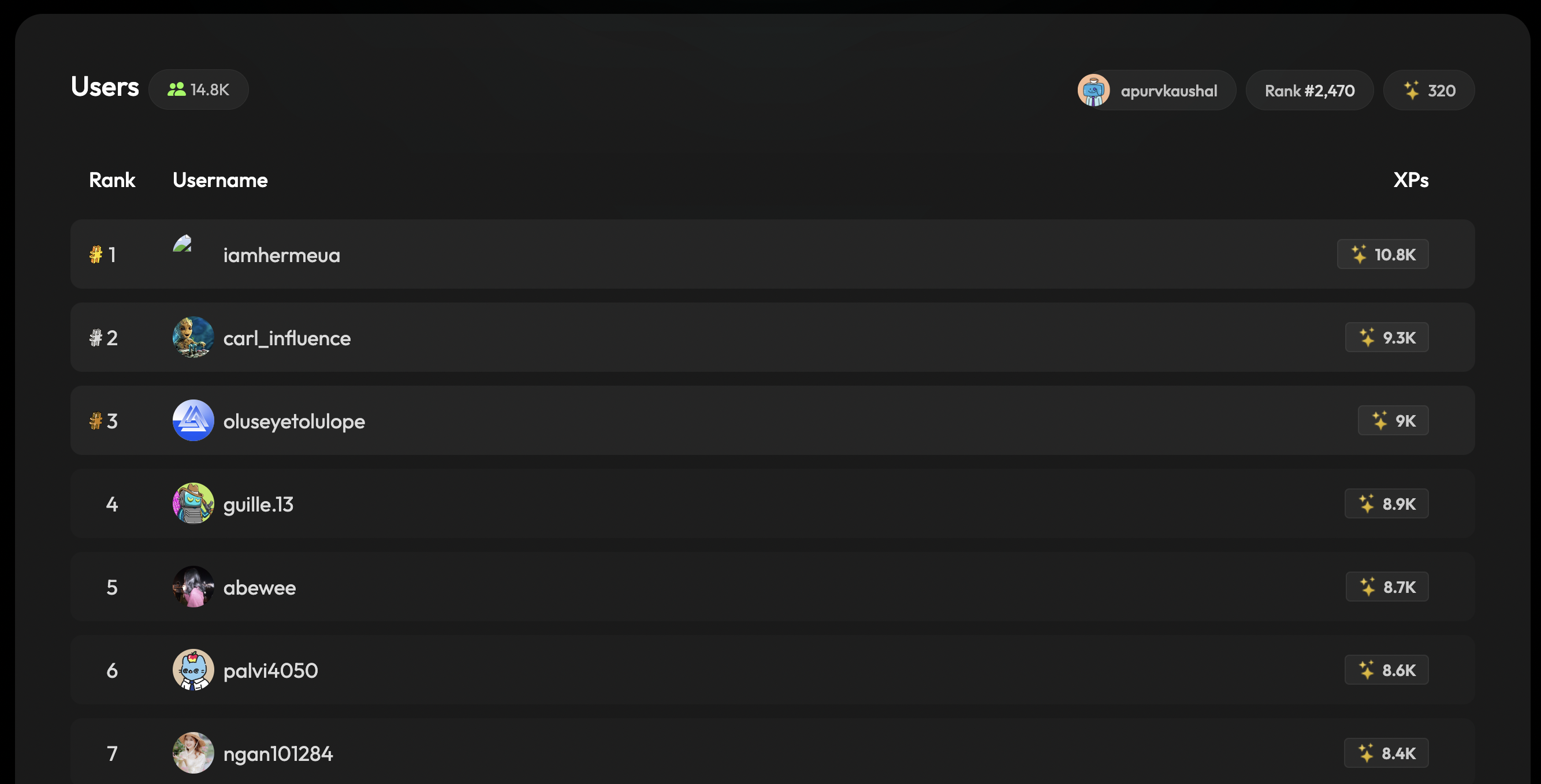
3. **Intract Challenges:** Compete regularly in periodic leaderboard challenges to win "guaranteed" cash rewards.

   <figure><img src="https://1417713319-files.gitbook.io/~/files/v0/b/gitbook-x-prod.appspot.com/o/spaces%2FFbYrsePpo65gcDGDIMKA%2Fuploads%2FTfncGHAaVvW4SEZ2B2Fk%2Fimage.png?alt=media&amp;token=b029450f-6281-4df6-b564-eed44818bed7" alt=""><figcaption></figcaption></figure>


# Product Roadmap

The long road ahead

**Nov' 23**

1. **Personalised early adapter guides:**  Get tailored recommendations around which on chain tasks to perform to become OGs in upcoming ecosystems.

2. **Earn n Burn Gem Economy:** Earn loot boxes & gems via daily activity & referrals. Trade them to win lottery tickets, get access to alpha groups etc.

3. **Swaps & Bridges:** Bridge & swap tokens easily on Intract through our Socket aggregator integration (live across major EVM chains)&#x20;

**June'24**

1. **Alpha Feed:** a single bite sized "actionable" web3 newsletter aggregating the best of crypto creators & on chain data.

2. **Intract Academy:** a curated learning experience designed for web2 users exploring web3 communities.

3. **Intract Reward Store**: a store for users to claim bumper token, NFT, stables & IRL rewards (gift cards, conference passes etc) by burning gems.

**Aug'24 onwards**

1. **TON app:** tap your way to glory on our mini app. Do Intract quests to earn multipliers
2. **Proof of Humanity:** prove your humanity by verifying simple credentials & get an edge over bots during reward distribution


# Partner Stories

A dossier highlighting some of our renowned partnership efforts

**Intract Quests** with industry veterans & leaders

1. **Linea DeFi Voyage:** Trend setting exploration of DeFi opportunities on Metamask & other 80+ projects (quest link [here](https://intract.io/linea)).

2. **Polygon zkEVM Saga**: \~450k users successfully minted "proof of early participation" NFT in the L2 ecosystem by Polygon Labs (announcement [here](https://link.intract.io/aQdwSF)).

3. **Mode Sunrise**: \~50k participants for the Mode Sunrise quests on Intract with an exclusive reward of Mode Senitel NFT (quest [here](https://www.intract.io/quest/65c36454dd4a54312dd9742d)).

4. **Islamic Coin Airdrop**: \~100k ISLM token distributed to Intract questers from one of the largest (\~400M funded) blockchain ecosystems (quest [here](https://link.intract.io/nR9AXU)).

**Key Community Talks** hosted by Intract for businesses

1. [L2 Ecosystem roundtable](https://link.intract.io/3qhf3y) with Linea, Scroll, Mantle & others&#x20;
2. [NFT Growth roundtable](https://link.intract.io/uSRAqA) with Cool Cats, Nouns DAO, Worlds of Women & others
3. [DeFi marketing roundtable](https://link.intract.io/32Dedb) with GMX, KyberSwap, Carbon & others

Loved by your **Favorite crypto creators**

1. [Web3 research tools](https://link.intract.io/CrHTGg) quest by Stacy Muur
2. [Linea DeFi alliance](https://link.intract.io/gmqEWR) by Adizor


# FAQ & Troubleshooting

Guide to some commonly asked questions

1. [Support Doc](https://intract-io.notion.site/Intract-Quests-Campaigns-FAQ-6ac66e1a71374f0b9d1f90fe92c7928f?pvs=4): the FAQ guides around Intract & some of our big ecosystem campaigns such as Polygon zkEVM&#x20;
2. [Reward Policy](/faq-and-troubleshooting/reward-policy): transparent guide on distributing rewards to Intract quest winners&#x20;
3. [Gems Economy](/faq-and-troubleshooting/gems-economy): learn about Intract gems, ways to earn them & burn them for rewards


# Reward Policy

Understand how we distribute rewards for quests

This policy aims to provide a clear understanding of how Intract distributes rewards for Web3 quests.

1. **What types of rewards can I get on completing Intract quests?**

   You can be awarded with XPs, project tokens, stables, NFTs , secret code & white list rewards on Intract (decided by the partner project). Intract may additionally give out surprise "loot box" rewards.

2. **What are the possible eligibility criteria projects can set on Intract to define winners?**&#x20;

   Partner projects can choose between first come first serve (FCFS), lucky draw or unlimited reward criteria when setting up quests.&#x20;

3. **Will the rewards be directly claimable on the Intract platform always?**

   Depends on the quest & the partner project. But we are setting up processes to **ensure most rewards get distributed directly** on the Intract app. The following type of quests may not directly disburse rewards on Intract app:

   1. Quests with tasks requiring manual admin approval (screen shots etc.)
   2. Quests with tasks where projects define custom leaderboard (basis their platform data )&#x20;
   3. Quests where the partner project has decided to distribute reward manually via their community channels or via [Intract discord server](https://link.intract.io/pFEcxW)

4. **How are lucky draw winners selected?**

   We have currently set up an off chain random picker algorithm to decide quest winners in case of lucky draw. Here are a few additional salient details:

   1. Every user who completed the quest is entered into the lucky draw
   2. We are using a thoroughly randomised logic in line with standardised sampling methods ([learn more](https://www.mongodb.com/docs/compass/current/sampling/)).
   3. In case rewards are being distributed manually in our server & one winner has left the server,  a second random picking is executed using the same logic to ensure only the connected users are in the selection.
   4. Principles of the Raffle System:
      * Equal opportunity for every participant
      * Designed to scale effortlessly as the user base grows
      * Ensures unbiased selection through:
        * Regular quality audits of our code
        * Continuous monitoring to prevent unintended biases

5. **I am facing some issues wrt to my reward. What to do next?**

   Apologies for the inconvenience! Please raise a ticket through our website chat bot for quick resolution.

6. **What are some of the proposed future upgrades to make reward distribution fairer & more transparent?**
   1. **Platform-driven Direct Distribution:**
      1. Collaborating with communities to allow more rewards to be disbursed directly via Intract.
   2. **Innovative Ideas:**
      1. **Loot Boxes**: These are instant redemption boxes containing rewards that users can open upon completing quests & achievements (unlike traditional raffles where users have to wait for campaign to end & get rewarded).
      2. **Upgraded Bot Detection:** Implementing a robust bot & sybil detection system (basis their questing & on chain behaviour) to weed out bot actors when picking winners.
      3. **Platform chatbots**: Resolving reward related queries right from the web app (no need of discord tickets).


# Gems Economy

Role of gems within the Intract ecosystem

1. **What are gems?**

   Gems are the virtual currency of Intract. Users can earn gems via platform actions & redeem them for useful perks.

2. **Why have gems been introduced?**

   Gems have been introduced to gamify the Intract experience of it's users. It also acts as a good testing ground to understand the possibilities of tokenomics models within the Intract community.

3. **What are the ways to earn gems?**

   As of today there are 3 major ways to earn gems

   1. Via refer to earn program&#x20;
   2. Via streaks
   3. Via achievements

   We will keep on adding more avenues to earn gems in the future.

4. **What perks do I get for acquiring gems?**

   Acquiring gems will hold one or many of the following Intract perks

   1. Guaranteed $ rewards
   2. Token drops
   3. Participation bumper raffle
   4. Streak Repair
   5. Free NFT mints

   We will keep on adding more avenues to burn gems in the future.

5. **How is the earn & burn mechanism for gems decided?**

   Given we are just starting, we are taking an iterative framework to refine the gem economy gradually with small experiments. We are open to community suggestions around best way to use gems, please reach out to us on discord.


# About Intract

* **What is Intract ?**\
  Intract is a web3 growth platform to help you educate new users and build community engagement. We are backed by marquee web3 investors such as Matrix, gCC, BITKRAFT, MoonPay, Alpha Wave, Tokentus, Web3 Studios, among others. Explore our social media profiles to gain a deeper understanding of our platform .\
  🌐 :[Website](https://intract.io/)

  🐦 :[Twitter](https://twitter.com/IntractCampaign)<br>
* **What is the current user count on Intract’s platform?**\
  The Intract platform currently boasts a user base of over 10 million verified on chain users<br>
* **How many users can one expect in a campaign on the Intract platform?**\
  \- The number of users in a campaign varies widely and is contingent on factors such as campaign complexity, ease of the campaign , and the size of the reward pool\
  \
  \- Expectations can range from as low as 1000 users to as high as 1 million, with the actual number depending on the specific attributes of each campaign<br>
* **How can you obtain co-marketing support to boost my campaign on Intract ?**\
  Advancing through the tiers of the [Intract Credit System](https://intract-io.notion.site/Intract-Credits-System-45100387bd5e41ab831a13197576858d) enables you to secure co-marketing support<br>
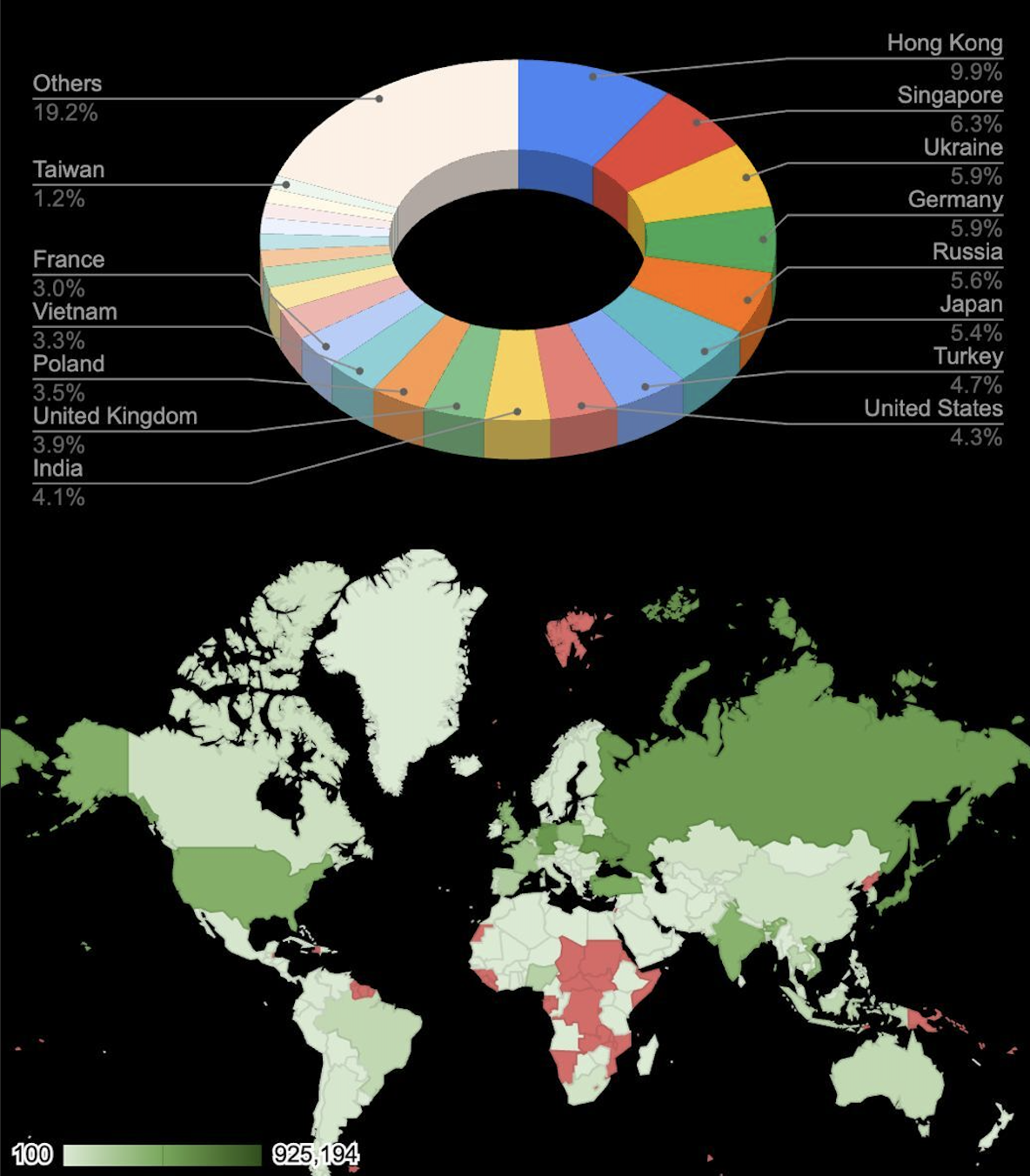
* **What is the geographical distribution of users on the Intract platform?**\
  Take a peek at where our amazing users come from with this easy-to-follow pie chart that shows you just how many come from each part of the world. It highlights all the different places our platform has made a home

<figure><img src="https://1417713319-files.gitbook.io/~/files/v0/b/gitbook-x-prod.appspot.com/o/spaces%2FFbYrsePpo65gcDGDIMKA%2Fuploads%2FHDBRbXF2ngPXhDxXH9nD%2FUntitled.png?alt=media&amp;token=525ad939-b99e-4a07-8d3e-8911f8abdbea" alt=""><figcaption></figcaption></figure>


# Product Guide

{% content-ref url="/spaces/hlgaDZTRrg2LILRmXJso" %}
[Broken mention](broken://spaces/hlgaDZTRrg2LILRmXJso)
{% endcontent-ref %}


# Intract Brand Assets

These assets are designed to ensure uniformity and clarity in the presentation of our brand across various platforms.

<figure><img src="https://1417713319-files.gitbook.io/~/files/v0/b/gitbook-x-prod.appspot.com/o/spaces%2FFbYrsePpo65gcDGDIMKA%2Fuploads%2F5ZHlZ0Z3l6w50QfwzMcP%2FIntract%20logo%20symbol.png?alt=media&amp;token=45ac0c1d-344a-43c0-8140-ed1b431e4282" alt="" width="188"><figcaption></figcaption></figure>

<figure><img src="https://1417713319-files.gitbook.io/~/files/v0/b/gitbook-x-prod.appspot.com/o/spaces%2FFbYrsePpo65gcDGDIMKA%2Fuploads%2FCkvkW3cUoV0vBbFo2FL1%2FIntract%20logo.png?alt=media&amp;token=506c277b-17ce-47ae-baab-6da8edc57671" alt="" width="375"><figcaption><p><br></p></figcaption></figure>

<figure><img src="https://1417713319-files.gitbook.io/~/files/v0/b/gitbook-x-prod.appspot.com/o/spaces%2FFbYrsePpo65gcDGDIMKA%2Fuploads%2FUrdCJrReoWerDFRcSReI%2FThumbnail.png?alt=media&amp;token=5f50125b-3ad3-4a43-bafa-06438540b4e8" alt="" width="375"><figcaption></figcaption></figure>


# Best practices for Quest Creation

* **What are the different types of Quests ?**\
  \
  Quests depend on the kind of tasks that you want to get completed. The tasks can be anything ranging from -
  * **Social Quests:** Social media likes, follows, RTs, Content Engagement
  * **Community Quests:** Community engagement & Community activation
  * **Exploration (Learning) Quests:** Quizzes, educational course completions, competitions, website visits, platform exploration
  * **On-chain Quests:** On-chain activities, Wallet connections, Mint NFT, etc. Quests, thus focus on building brand awareness, education, & boosting adoption for a Web3 project or protocol\ <br>
* **What are the best practices to create a quest ?**<br>
  * **Provide subtle guidance for users** \
    a. Keep the description self explanatory , you can even add video link in the description b. Description of the tasks should be easy to understand \
    c. Avoid any type of spelling mistakes
  * **Number of tasks per quest** \
    a. Do not have too many tasks in one single quest\
    b. We recommend to keep 5 - 7 tasks in one campaign
  * **Reward System** \
    a. Give per user a decent reward \
    b. As per our best practices you should give a min. reward of 10 $ per user
  * **Onchain tasks** \
    **a**. Give a clear and brief description for the task \
    b. Test all your on chain tasks before launching the quest \
    c. Check the Landing URL page is in place
  * **Banner of the quest**\
    a. It should be minimalistic and readable\
    b. We recommend to include the logo of your project and Intract <br>
  * **How to increase the engagement of users on your quest ?**<br>
    * Launch at least 1 quest in a week to keep the users engaged&#x20;
    * Make an announcement in your discord channel and an announcement tweet on your twitter to get more traction over your quest&#x20;
    * Include one retweet task of quest announcement in your quest&#x20;


# General FAQs

* **How to get your campaign approved and remove the red banner ?**\
  At Intract, we implement a sanity check for campaigns launched on our platform to ensure that users are presented with legitimate opportunities\
  Our team is responsible for approving campaigns, and we have a turnaround time (TAT) of 24 hours following the launch of the campaign from the project's side<br>
* How to sign up on Intract ?\
  \- Go to [app.intract.io](http://app.intract.io/) and sign up\
  \- Go to[ intract.io ](https://www.intract.io/)and For Projects > Launch Projects and sign up<br>
* **Where to find Intract logo ?**\
  \- To access the Intract logo, please refer to our brand guide. You can download the logo and other brand assets from the following doc - [Intract Brand Assets](https://docs.intract.io/for-project/intract-brand-guide)<br>
* **What Is Intract Trust Badge ? How to get the Intract Trust Badge ?**\
  \- **Intract Trust badge** is referred as the green checkmark against your community name \
  \- This acts as a form of trust and legitimacy on our platform \
  \- You can get the trust badge by being on hight levels with [Intract's Credit System ](https://intract-io.notion.site/Intract-Credits-System-45100387bd5e41ab831a13197576858d)<br>
* **What is the recommended banner size for a campaign?**\
  Use an image / GIF with 1920 x 1080 pixels and under 2MB<br>
* **Which chain networks does Intract support?**\
  **- For ERC20 Reward** - Polygon, Mumbai, Arbitrum, BSC, Fuse, Fuse testnet\
  \- **For NFT Reward** -  Polygon, Mumbai, zkEVM, zkEVM testnet, BSC, Arbitrum, Base, Base Goerli, Linea, Zksync era mainnet, Zksync era testnet, opBNB, Scroll Sepolia<br>
* **Which wallets are supported on Intract?**\
  Intract supports EVM-based wallets and WalletConnect<br>
* **Despite completing Twitter tasks , why there is no increase in followers of twitter account or likes on tweets?**\
  At times, the lack of visible changes on Twitter, despite completing twitter tasks, can be due to the bugs with Twitter APIs<br>
* **Where can I find leaderboards for communities and specific campaigns?**\
  \- For Community Leaderboard: Visit [www.intract.io](https://www.intract.io/) > Explore > Communities\
  \- For Campaign Leaderboard: Login to [app.intract.io](http://app.intract.io/), go to Campaigns, select the campaign, and click on Leaderboard<br>
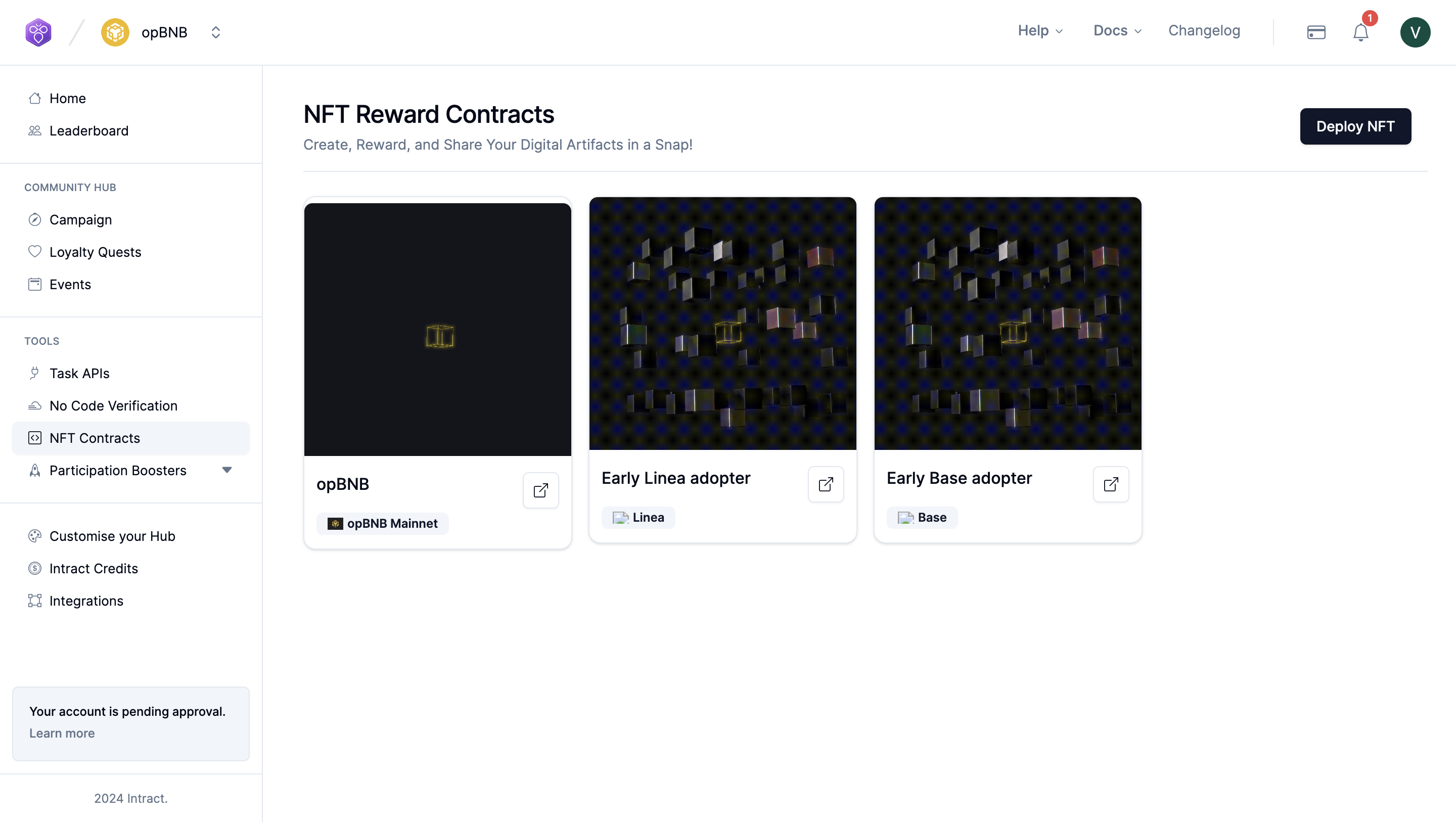
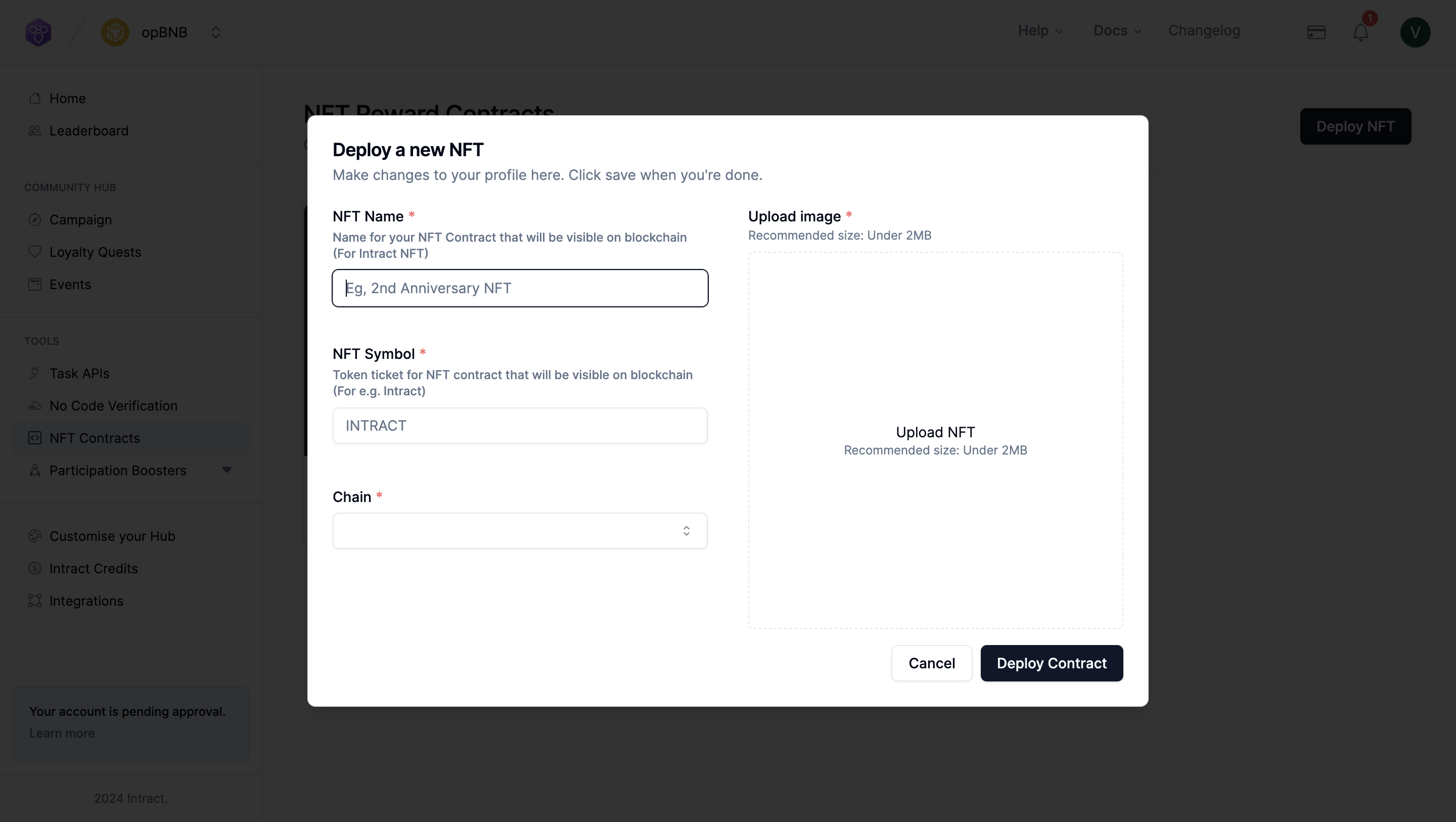
* **How to deploy an NFT ?**\
  \- Visit [app.intract.io](http://app.intract.io/)\
  \- On the left panel of the dashboard , click on **Deploy NFT**\
  \- Choose **Launch new NFT**\
  \- Fill in the required details, including the NFT image (can be a GIF)\
  \- Click on Launch Contract > Start transaction\
  \- Complete the transaction to deploy your NFT<br>
* **How to verify on-chain tasks on Intract?**\
  **a.  API Integration** \
  **b. Proof of Work :** \
  \- There arre 2 types of PoW tasks \
  &#x20;a. Upload file for admin to review - supports PDF , JPEG , PNG , TXT \
  &#x20;b. Upload text for admin to review - supports texts<br>
* **How to create a campaign from scratch ?**\
  **-** Login to your workspace in [app.intract.io](http://app.intract.io/)\
  **-** On left panel of the dashboard , go to the **Campaign** section\
  \- On top right side , click on Create campaign > Create from scratch<br>
* **What is the difference between Test Mode and Preview ?**\
  **Preview Mode** - It allows you to preview the visual representation of the campaign i.e. to be able to see how the campaign will look like once its live on the platform \
  \
  **Test Mode** - It allows you to test the campaign i.e. to perform all tasks and test them before the campaign goes live on the platform <br>
* **What all can be edited in an active campaign ? How can you edit the campaign ?**\
  **You can edit the following in an active campaign :**\
  \- Links of social tasks ( eg - twitter , discord , telegram )\
  \- Campaign name \
  \- Campaign Description \
  \
  **Steps to Edit an active campaign :**\
  **-** On left panel of the dashboard , go to the **Campaign** section\
  \- Click on the campaign you wish to edit\
  \- On top right , you will find a bar four of icons\
  \- Click on the second icon i.e. Edit Campaign\
  \- Now you can edit your active campaign&#x20;
* **What all changes cannot  be done in an active campaign ?** \
  **- Banner Image** \
  **- End Date of the campaign** \
  **- Addition of a new task** \
  **- Deleting an existing task**&#x20;
* What action is behind ' Login ' in Metrics section ?\
  Login in Metrics Section mean that the user landed on the campaign page

\
\
[<br>](https://www.notion.so/intract-io/Rough-2f172c1c0b5949748591bc0ba20686fb?pvs=4#9074bfc34f404e8e8aa52ccfdbab8ad4)


# All about Rewards

* **What are the different methods of Reward Distribution?**\
  a. **Lucky Draw** - A "Lucky Draw" is a random selection process where users have a chance to win the camping reward\
  \
  b.  **Leaderboard** - A "Leaderboard" involves ranking users based on the number of XPs they have earned to win the campaign reward\
  \
  c.  **FCFS (First Come First Serve)** - First Come First Serve" means that users who are earliest to complete the campaign wins the reward<br>
* **How to allocate different reward types in the same campaign?**\
  **-** Navigate and Select the ' Rewards Details ' \
  \- Select the combination of rewards you want to distribute ( for eg. ERC20 tokens and Discord role )\
  \- Fill in the required details \
  **Note : The reward distribution method for both the reward types and number of winners remain the same.**<br>
* **How to allocate Discord Role as a reward?**\
  **-** On left panel of the dashboard , navigate ' Integrations '\
  \- Scroll down > Other Integrations\
  \- Connect Discord\
  \- Now you will be able to give Discord Role as a reward<br>
* **How to Submit Reward if the reward is distributed in ERC20 tokens ?**\
  \-  Choose reward method, chain, token, and number of winners.\
  \- Click "Directly Launch" and confirm by clicking "Confirm and Continue"\
  \- Approve tokens to complete the process<br>
* **How to distribute reward in your own token?**\
  \- Ensure your token is on a supported chain\
  \- You need to add you **Custom Token** in your workspace <br>
* **How to add / delete your custom token in your workspace ?**\
  **- To add your custom token**\
  \- Login to your workspace in [app.intract.io](http://app.intract.io/)\
  \- On left panel of the dashboard , go to the **Tools Section** > **Custom Tokens**\
  **-** Click on **Create Token** \
  **-** A pop - up will appear on the screen , fill in all the required details \
  \- Click on **Add Token**&#x20;

  * Your request for your custom token will go under the ' **Under Review '** tab
  * The TAT for approval of your custom token is 24 hours for sanity check
  * Once the team checked your token , it will reflect under ' **Approved / Rejected ' tab**

  \
  **- To delete your custom token** \
  **-** Login to your workspace in [app.intract.io](http://app.intract.io/)\
  **-** On left panel of the dashboard go to Tools Section > Custom token\
  \- Under the ' Actions ' tab , click on the ' Delete ' button


# Integrations

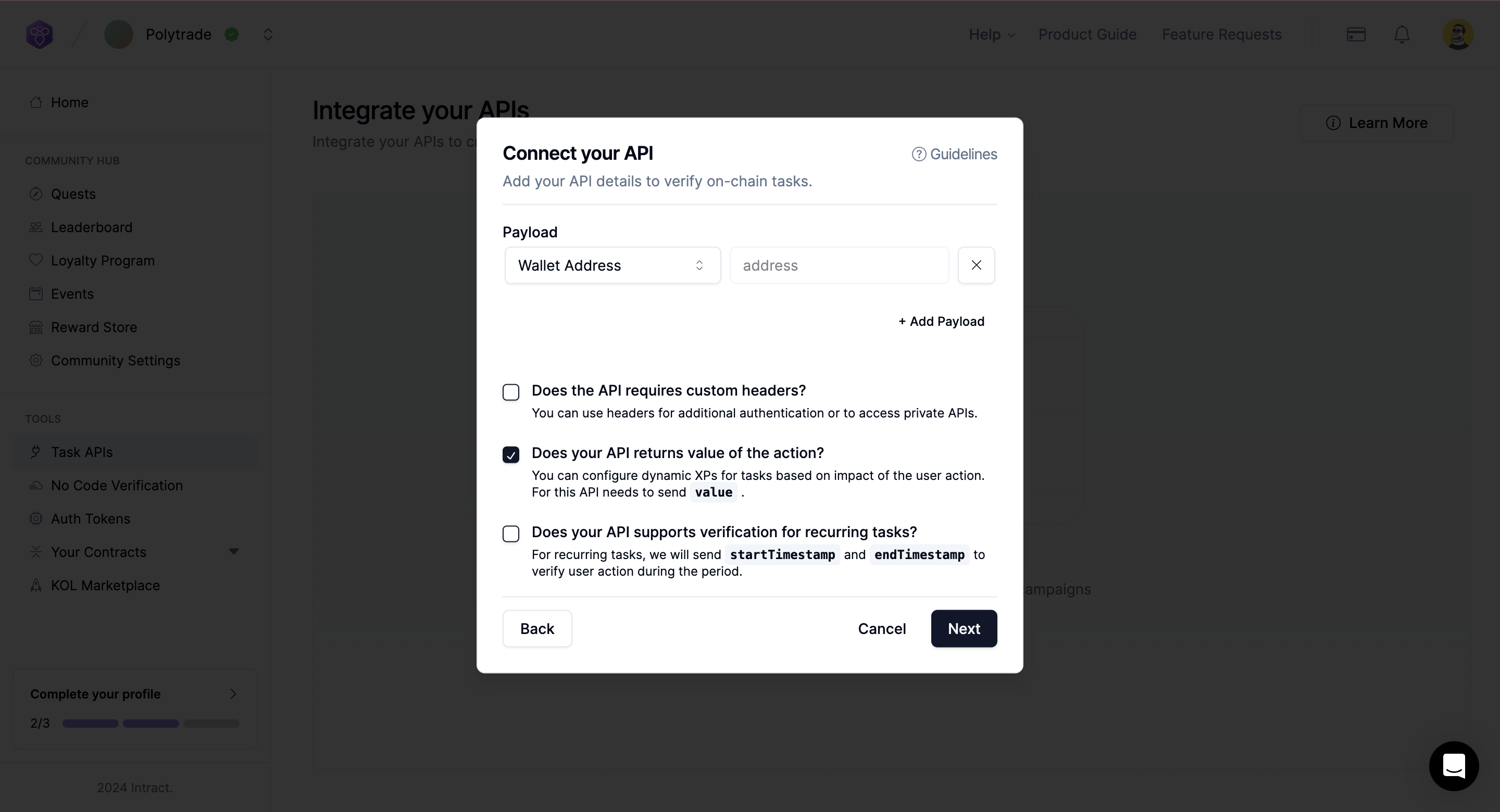
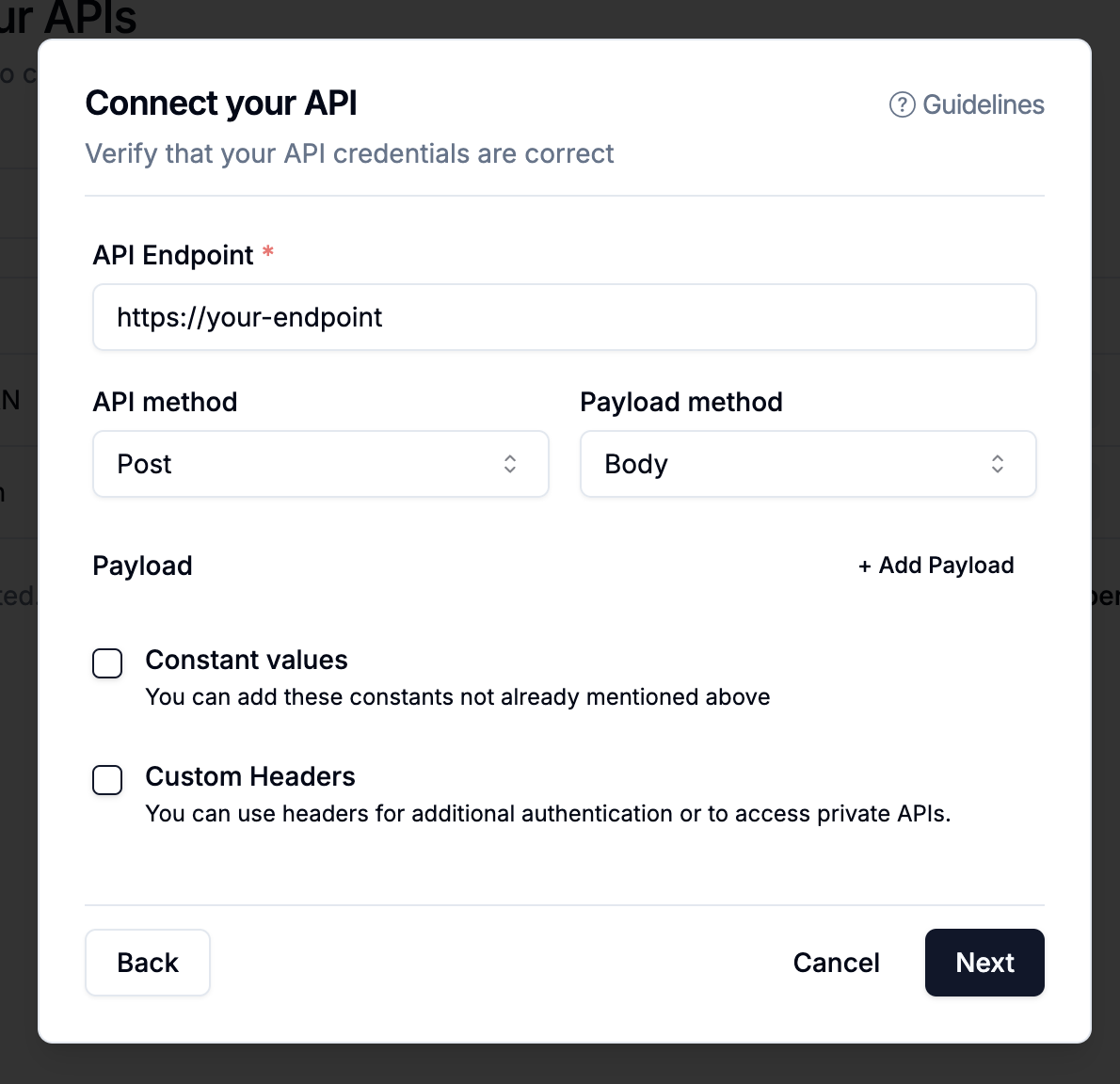
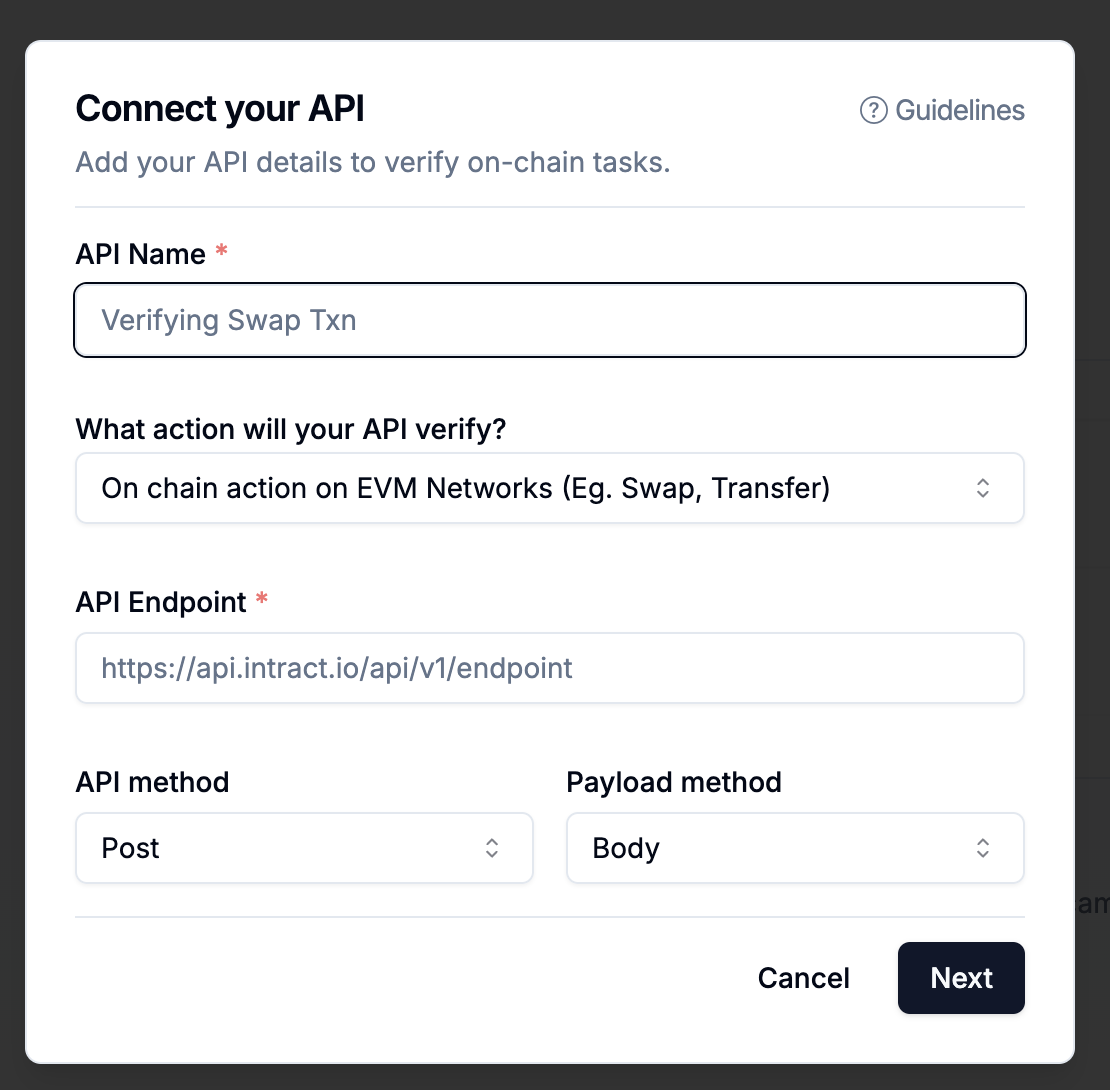
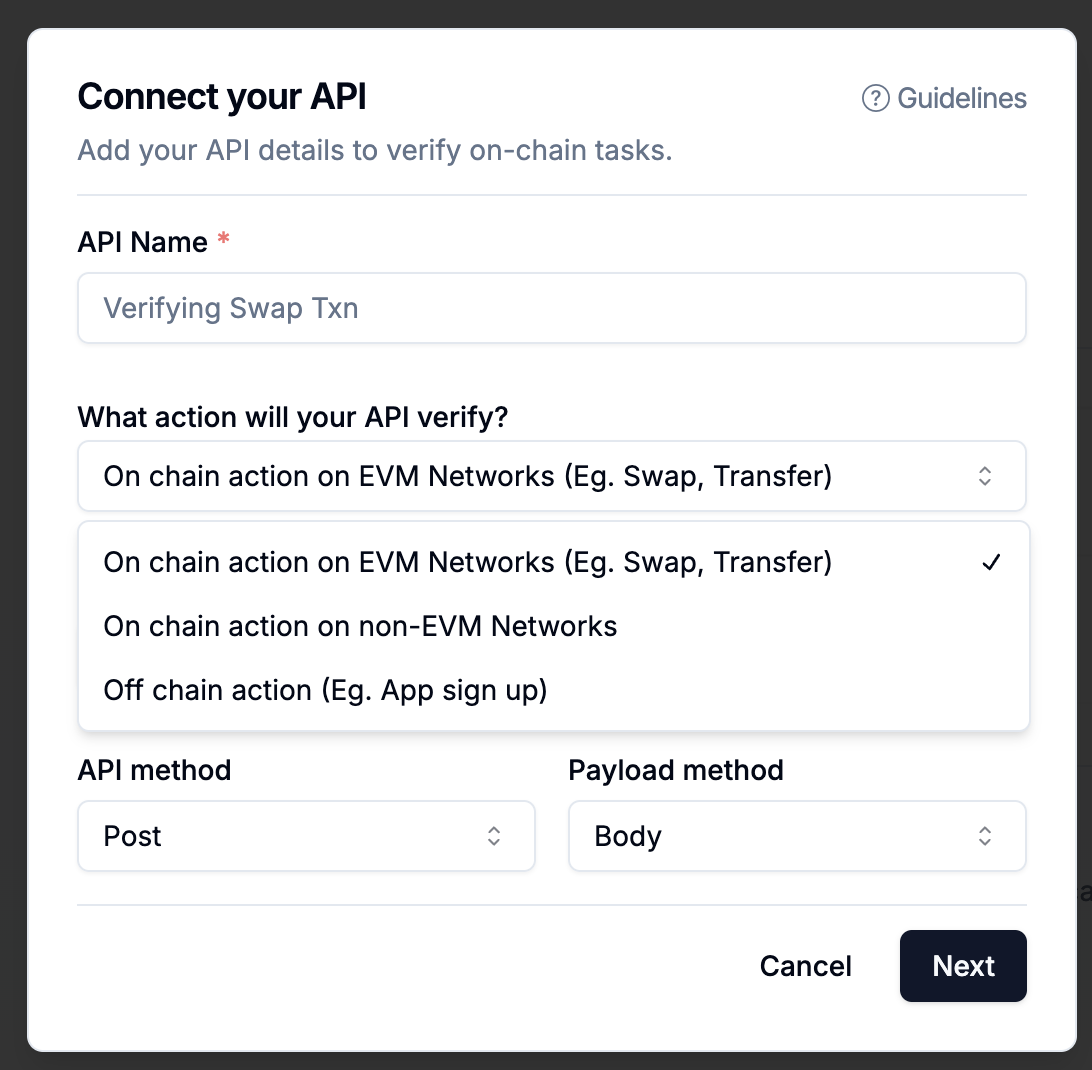
* **How to create , edit or delete API in your workspace ?**\
  **- To create new API** \
  **-** Login to your workspace in [app.intract.io](http://app.intract.io/)\
  \- On left panel of dashboard , go to the **Tools Section > Integrate APIs**\
  **-** On top right of the dashboard , click on **Create API**\
  **-** A pop - up will appear on the screen\
  \- Fill in all the required details \
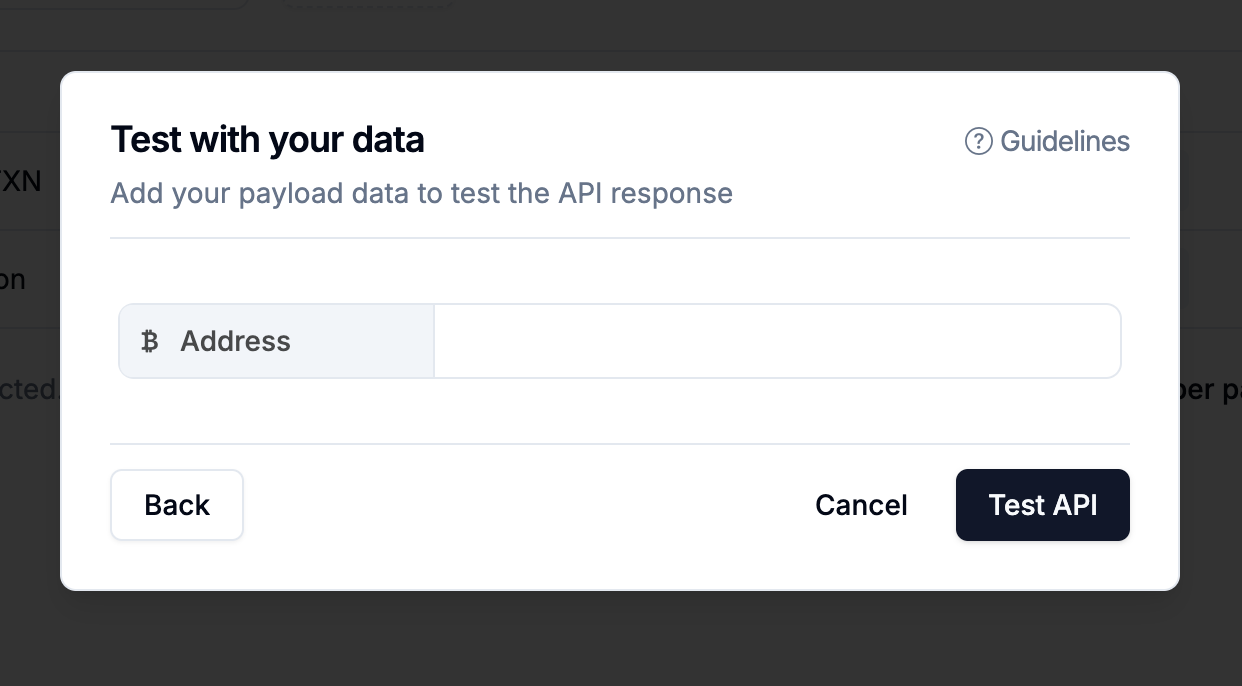
  \- Click on **Proceed > Test API**\
  **-** See if the response comes **Valid Schema**\
  **-** Select the **Create API** button\
  \- Your API will go into the ' **Submitted** ' stage and will move to the ' **Approved** ' stage which has a TAT of 20 mins\
  \
  **- To edit / delete an existing API** \
  **-** Go to you workspace dashboard > **Tools Section** > **API Tasks**\
  **-** Under the ' Actions ' column , click on the three dots\
  \- You will find options to edit / delete your existing API and to delete the same\
  \
  Note : Please refer to this [document](https://intract-io.notion.site/Create-your-OWN-API-based-template-3cf655ee00e34d27bd230f1fa6deee1e) for creation of API endpoint&#x20;
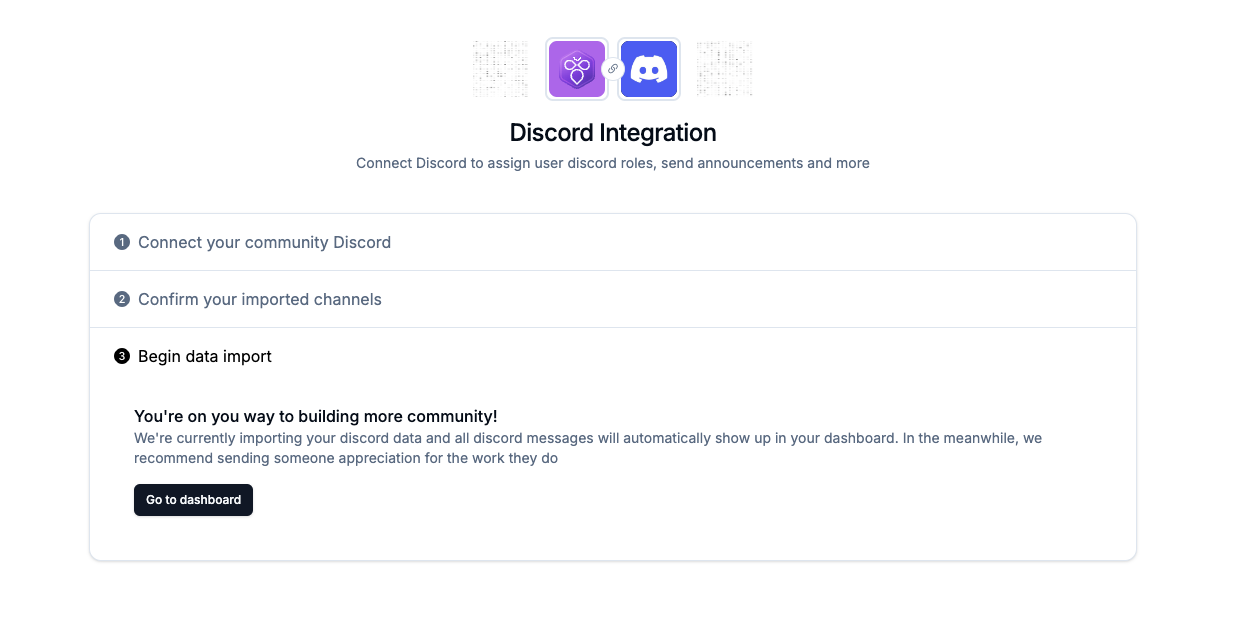
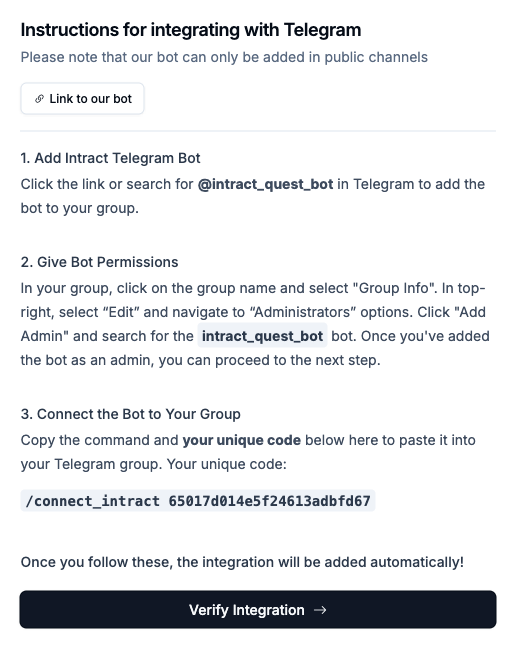
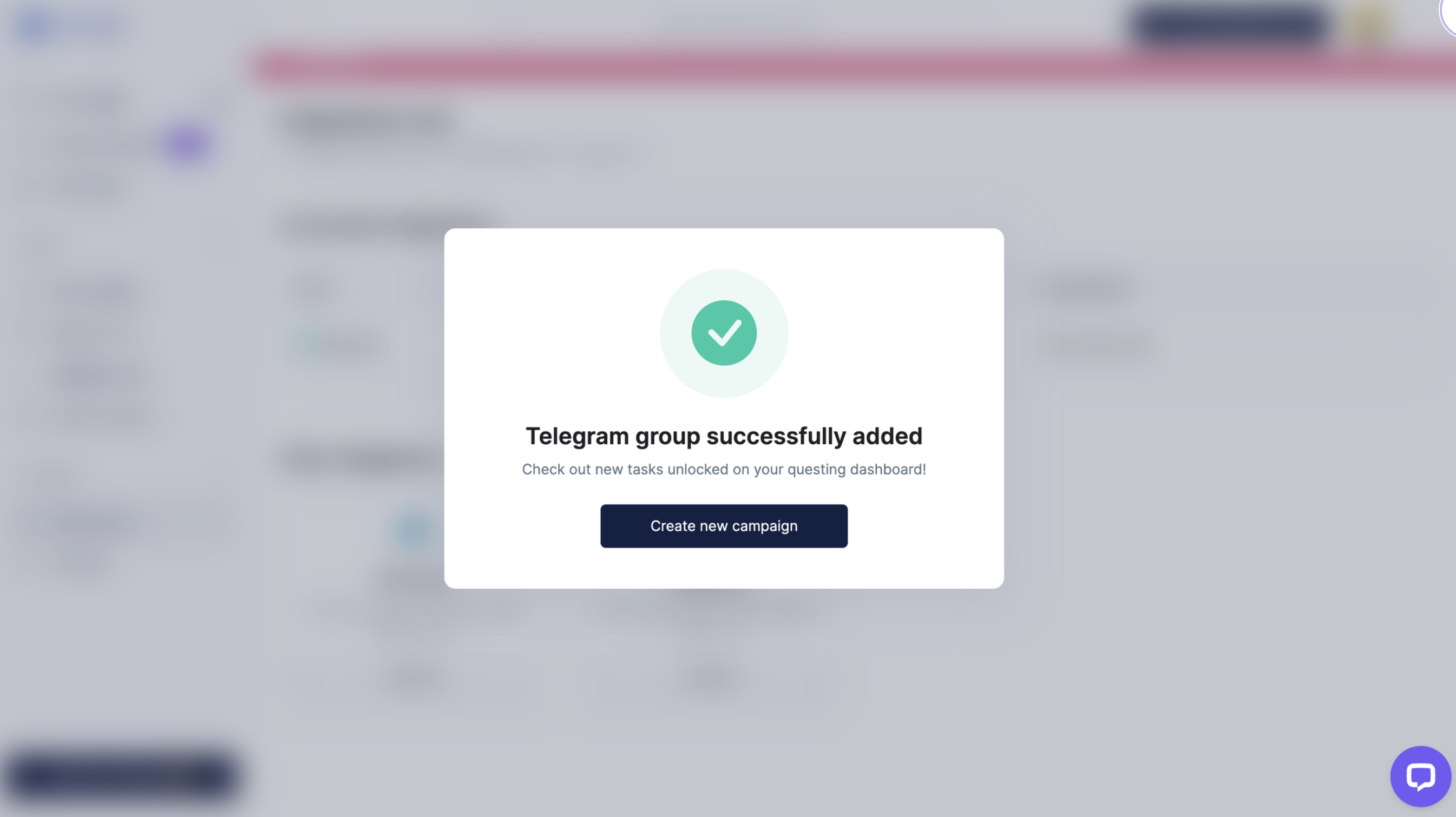
* **How to integrate Discord and Telegram in your workspace ?**\
  **-** On left panel of the dashboard , navigate ' Integrations '\
  \- Scroll down > Other Integrations\
  \- Follow all the required steps\
  \- Once all the steps are completed , you can find you integration under ' Connected Integrations '


# Official Links

Stay up to date with web3 alpha & earning opportunities

1. **Announcements on Twitter**: <https://link.intract.io/rfkaRz>
2. **Website for community to discover airdrops:** <https://link.intract.io/S7bcSe>
3. **Website for dApps to create quests**: <https://link.intract.io/RHvplk>
4. **Alpha telegram:** <https://t.me/IntractCommunity>
5. **Growth Podcasts:** <https://open.spotify.com/show/40sCgrg26jFDN3i3WsHB5D>


# Crypto Dictionary

Your one-stop to catch up on all beginner crypto terms!

> Want to make it big in crypto? Join us at [Intract Academy](http://intract.io/academy) - where we’ve helped users earn thousands of $$$, and learn how to earn from scratch! 💪

{% hint style="info" %} <mark style="color:purple;">**Recommended usage:**</mark>**&#x20;we've added sections so you can explore and discover interesting terms you didn't know of! Or use the '**<mark style="color:purple;">**Search**</mark>**' option on the top right corner to navigate through terms you'd like to know about.**<br>

<mark style="color:purple;">**Note (!):**</mark>**&#x20;we keep updating this dictionary with all the latest crypto buzzwords, so consider 'bookmarking' it on your browser, so you can revisit!**
{% endhint %}

## **Community & Slang**

* **HODL:** Holding crypto for the long term, despite market fluctuations. (Originated from a typo of "hold").
* **FUD (Fear, Uncertainty, and Doubt):** Negative information spread to manipulate markets.
* **Shilling:** Aggressive promotion of a crypto project, often biased.
* **Whale:** Individual with large crypto holdings that can impact markets.
* **WAGMI (We're All Gonna Make It):** Optimistic belief in the future success of crypto.
* **Bullish:** Positive outlook on the future price of a crypto.
* **Bearish:** Negative outlook on the future price of a crypto.
* **REKT:** Lost a lot of money on a crypto investment (slang term).
* **Moon:** Slang for a crypto price going up very quickly.
* **Diamond Hands:** Holding crypto even through price drops (opposite of paper hands).
* **NGMI (Not Gonna Make It):** Pessimistic belief about the future success of crypto (opposite of WAGMI).
* **Flippening:** Hypothetical scenario where Ethereum overtakes Bitcoin in market cap.
* **DeFi Summer:** Period of rapid growth in the DeFi market (e.g., 2020).
* **GM (Good Morning):** Informal greeting in the crypto community.

## **Basics**

* **Blockchain:** A public record book for transactions, secure and decentralized (no single owner).
* **Cryptocurrency (Crypto):** Digital money like Bitcoin or Ethereum, used for payments or investment.
* **Wallet:** Stores your crypto securely, like a digital bank account.
* **Exchange:** Platform to buy, sell, and trade cryptocurrencies.
* **NFT (Non-fungible token):** Unique digital certificate of ownership for digital items (art, music, etc.).
* **dApp (decentralized application):** App built on a blockchain, not controlled by a single entity.

## **Transactions**

* **Mining:** Adding transactions to the blockchain for rewards (crypto-specific).
* **Staking:** Locking up your crypto to earn interest or rewards.
* **Gas Fee:** Transaction fee on a blockchain network (varies based on traffic).
* **Airdrop:** Free tokens or coins distributed to crypto wallets for promotion.

## **Security & Scams**

* **Phishing Attack:** Deceptive attempt to gain access to your crypto wallet.
* **Rug Pull:** When developers abandon a project after taking investors' money (common in DeFi scams).
* **Ponzi Scheme:** Investment scam that pays returns using new investors' money.
* **Seed Phrase Recovery:** Process of recovering your crypto wallet using your seed phrase.
* **Multi-Signature Wallet:** Requires multiple approvals for transactions (more secure).
* **Cold Storage:** Storing your seed phrase securely offline (e.g., metal wallet).

## **Ownership & Security**

* **Seed Phrase:** Secret words to access your crypto wallet, keep it safe and private!
* **Cold Wallet:** Offline device for secure crypto storage (hardware wallet or paper wallet).
* **Hot Wallet:** Online wallet for easy access to your crypto (but less secure).
* **Public Key:** Address to receive crypto (like a bank account number).
* **Private Key:** Secret key to access and spend your crypto (like your ATM PIN).

## **Trading & Value**

* **Fiat:** Traditional currencies like USD or EUR.
* **Volatility:** Price fluctuations of cryptocurrencies (can be high).
* **ATH (All-Time High):** Highest price a crypto has ever reached.
* **ATL (All-Time Low):** Lowest price a crypto has ever reached.
* **FOMO (Fear Of Missing Out):** Anxiety about missing out on a profitable opportunity.
* **DYOR (Do Your Own Research):** Never invest blindly, research projects before investing.

## **Web3 & Metaverse**

* **Web3:** The next iteration of the internet, aiming for decentralization and user ownership.
* **Metaverse:** A network of interconnected virtual worlds where users can interact.
* **DAO (Decentralized Autonomous Organization):** Community-run organization on a blockchain.
* **DeFi (Decentralized Finance):** Financial services built on blockchain, without traditional intermediaries.
* **Play-to-Earn:** Games where players can earn crypto through gameplay.
* **P2P (Peer-to-Peer):** Direct transactions between users without a central authority.

## **Technical**

* **Smart Contract:** Self-executing code on a blockchain, automatically triggers actions when conditions are met.
* **dApp Protocol:** Set of rules that govern how a dApp functions.
* **Consensus Mechanism:** Process for verifying transactions on a blockchain (e.g., Proof-of-Work, Proof-of-Stake).
* **Scalability:** Ability of a blockchain to handle a growing number of users and transactions.
* **Interoperability:** Ability of different blockchains to communicate with each other.
* **Fork:** A split in a blockchain creating two separate versions.
* **ICO (Initial Coin Offering):** Crypto fundraising event where new coins are sold to investors.

## **Trading & Analysis**

* **Order Book:** List of buy and sell orders for a crypto on an exchange.
* **Limit Order:** Order to buy or sell at a specific price.
* **Market Order:** Order to buy or sell at the best available price.
* **Stop-Loss:** Order to automatically sell a crypto if the price falls below a certain point.
* **Technical Analysis (TA):** Using charts and historical data to predict price movements.
* **Fundamental Analysis (FA):** Evaluating the underlying value of a crypto project.
* **ROI (Return on Investment):** Profit or loss on a crypto investment.

## **Advanced Concepts**

* **DeFi Lending:** Borrowing and lending crypto through DeFi platforms.
* **Yield Farming:** Earning rewards by staking or lending crypto in DeFi protocols (high risk).
* **Liquidity Pool:** Pool of crypto assets used to facilitate trading on decentralized exchanges (DEXs).
* **NFT Utility:** Additional features or benefits associated with owning an NFT (e.g., access to exclusive content).
* **Play-to-Earn Mechanics:** Ways players earn crypto in play-to-earn games (e.g., battling, breeding, quests).
* **DAO Governance:** Process by which DAO members vote on proposals to make decisions.

## **Emerging Trends**

* **Soulbound Tokens (SBTs):** Non-transferable NFTs representing aspects of your digital identity.
* **SocialFi:** Integration of social media and DeFi, allowing users to earn rewards for social interactions.
* **Regenerative Finance (ReFi):** Using blockchain to support sustainable environmental practices.
* **Web Monetization:** Rewarding content creators directly through micropayments on websites.
* **Zero-Knowledge Proofs (ZKPs):** Cryptographic technique for proving information true without revealing the details.
* **Layer 2 Scaling Solutions:** Blockchain protocols built on top of existing blockchains to improve scalability.

## **Environmental Concerns**

* **Proof-of-Work (PoW):** Consensus mechanism used by Bitcoin, criticized for high energy consumption.
* **Proof-of-Stake (PoS):** More energy-efficient consensus mechanism used by Ethereum 2.0.
* **Carbon Footprint:** Total amount of greenhouse gas emissions associated with an activity (e.g., crypto mining).
* **Sustainable Blockchain Initiatives:** Efforts to reduce the environmental impact of blockchain technology.

## **Regulation & Governance**

* **KYC (Know Your Customer):** Regulations requiring verification of user identity for financial transactions.
* **AML (Anti-Money Laundering):** Regulations to prevent money laundering using cryptocurrencies.
* **Decentralized Governance:** Decision-making processes within DAOs and other blockchain projects.
* **CBDCs (Central Bank Digital Currencies):** Digital versions of fiat currencies issued by central banks.

{% hint style="info" %} <mark style="color:purple;">Note (!):</mark> **This is not an exhaustive list, but a great starting point for understanding common crypto and web3 terms. The space keeps evolving, so stay curious!**
{% endhint %}


# Welcome to Intract

Home for you & the next billion users to unlock the value of web3

We're thrilled to have you join our community dedicated to enhancing your web3 experience. At Intract, we prioritise your project's success above all else. Whether you're here to engage with our bot-free community, leverage our no-code verification tools, or tap into our extensive network of over 12 million users and 1,000+ KOLs, we're here to support you every step of the way!

Explore our platform to discover how our comprehensive support, advanced analytics, and global reach can elevate your campaigns. Best of all, creating quests on Intract is completely free—no hidden fees or charges.

<figure><img src="https://1130498538-files.gitbook.io/~/files/v0/b/gitbook-x-prod.appspot.com/o/spaces%2FKGgeahEPgCyenKG4Y7ib%2Fuploads%2FqXZs4Ts8Eu9HKfnsvZ77%2Fimage%20(1).png?alt=media&amp;token=694b7377-0906-48c8-9188-3dd42538a8c6" alt="" width="375"><figcaption></figcaption></figure>


# Why Intract?

Using Intract can really boost your web3 growth and engagement. These are just a few ways how.

1. **Bot-Free Community**: [Connect with a genuine community](https://app.intract.io/proof-of-humanity) without bots and sybils and make the most of their cross-chain and social data for smarter insights.
2. **Free Credits worth $10,000**: Unlock the power of Intract Credits to supercharge your web3 campaigns for Free!
3. **No-Code Verification**: Easily manage your campaigns with simple, no-code verification tools that make everything smoother.
4. **Wide Reach**: Reach out to over 12 million users and collaborate with 1,000+ KOLs to expand your influence.
5. **Comprehensive Support**: Get dedicated marketing and campaign support to help you optimize your strategies and achieve your goals.
6. **Advanced Analytics**: Dive deep into detailed analytics for both on-chain and social tasks, gaining valuable insights and tracking performance effectively.
7. **Global Presence**: Engage with users from more than 250 countries, ensuring diverse and global participation in your campaigns.

And here’s the best part—creating quests on Intract is completely free! Unlike other platforms that charge for OATs or require a monthly fee, we’re here to support your growth without any hidden costs.


# Set up your Community Hub

## **Create an Account:**

* If you don’t have an account yet, you’ll need to create one.
* Provide your email address and set a password to register.

<figure><img src="https://1130498538-files.gitbook.io/~/files/v0/b/gitbook-x-prod.appspot.com/o/spaces%2FKGgeahEPgCyenKG4Y7ib%2Fuploads%2FcG4BI9gIckMRwegQA1E6%2FScreenshot%202024-11-18%20at%209.00.27%E2%80%AFAM.png?alt=media&amp;token=dc36f76a-2ac6-4a54-8854-84ce36ce1ed9" alt=""><figcaption><p>Registering on Intract</p></figcaption></figure>

Also, add your project name and Twitter, and choose your current token status to get onboarded and fully access our features. Note: If you can find a Referral Code, add it for special benefits!

<figure><img src="https://1130498538-files.gitbook.io/~/files/v0/b/gitbook-x-prod.appspot.com/o/spaces%2FKGgeahEPgCyenKG4Y7ib%2Fuploads%2FvkjiGvUF7RwArLgFZObU%2FScreenshot%202024-11-18%20at%209.06.37%E2%80%AFAM.png?alt=media&amp;token=2ddc936a-efd5-41b1-9698-7280da3c7afb" alt=""><figcaption><p>Set up your Community Profile</p></figcaption></figure>

## Set Up Your Account:

After registering, you'll be directed to your community hub dashboard. Make sure you confirm your email. (no need in case you signed up via google or discord).

<figure><img src="https://1130498538-files.gitbook.io/~/files/v0/b/gitbook-x-prod.appspot.com/o/spaces%2FKGgeahEPgCyenKG4Y7ib%2Fuploads%2FBaVTE8EC2ixYWFCRpsVm%2FScreenshot%202024-09-30%20at%2011.59.17%E2%80%AFPM.png?alt=media&amp;token=2a73c944-ca65-459e-9eb3-f7f2fa265846" alt=""><figcaption><p>Verify your Email</p></figcaption></figure>

To **access your Intract Credits worth 10K** and **get your project verified with Intract**, you need to validate your information. This step is super important because without it, you won't be visible on our page.&#x20;

Sure, you can create and launch quest campaigns, but without verification, they'll only be reachable via a direct link.

Access the bottom-left corner to set up your account.

<figure><img src="https://1130498538-files.gitbook.io/~/files/v0/b/gitbook-x-prod.appspot.com/o/spaces%2FKGgeahEPgCyenKG4Y7ib%2Fuploads%2FpleYv1PxGqjYsJTuXc9c%2FScreenshot%202024-10-01%20at%2012.18.38%E2%80%AFAM.png?alt=media&amp;token=e3504522-9bf1-4b0c-8fbe-796d67b5ef9d" alt=""><figcaption><p>Validate your Information</p></figcaption></figure>

You will be prompted to add these details:

1. **Profile:** Add your name, role, and how you got to know about Intract (Twitter, Discord, Friends, and more).

<figure><img src="https://1130498538-files.gitbook.io/~/files/v0/b/gitbook-x-prod.appspot.com/o/spaces%2FKGgeahEPgCyenKG4Y7ib%2Fuploads%2FTx3WdLVIFbKtMJeZ0Cvz%2FScreenshot%202024-10-01%20at%2012.47.09%E2%80%AFAM.png?alt=media&amp;token=21898577-f6ab-4175-8339-0d14ac1887ef" alt=""><figcaption><p>Set up your Profile</p></figcaption></figure>

2. **Community:** Project logo, category, supported chain, and define your objective with Intract.  Are you aiming to acquire new users, engage with your community, or create a centralized community hub?

<figure><img src="https://1130498538-files.gitbook.io/~/files/v0/b/gitbook-x-prod.appspot.com/o/spaces%2FKGgeahEPgCyenKG4Y7ib%2Fuploads%2FGZRAI1eP9eSkIevxs42U%2FScreenshot%202024-10-01%20at%2012.51.38%E2%80%AFAM.png?alt=media&amp;token=993ffefb-f4d2-4ee3-b8eb-70c6b354e657" alt=""><figcaption><p>Set up your Community</p></figcaption></figure>

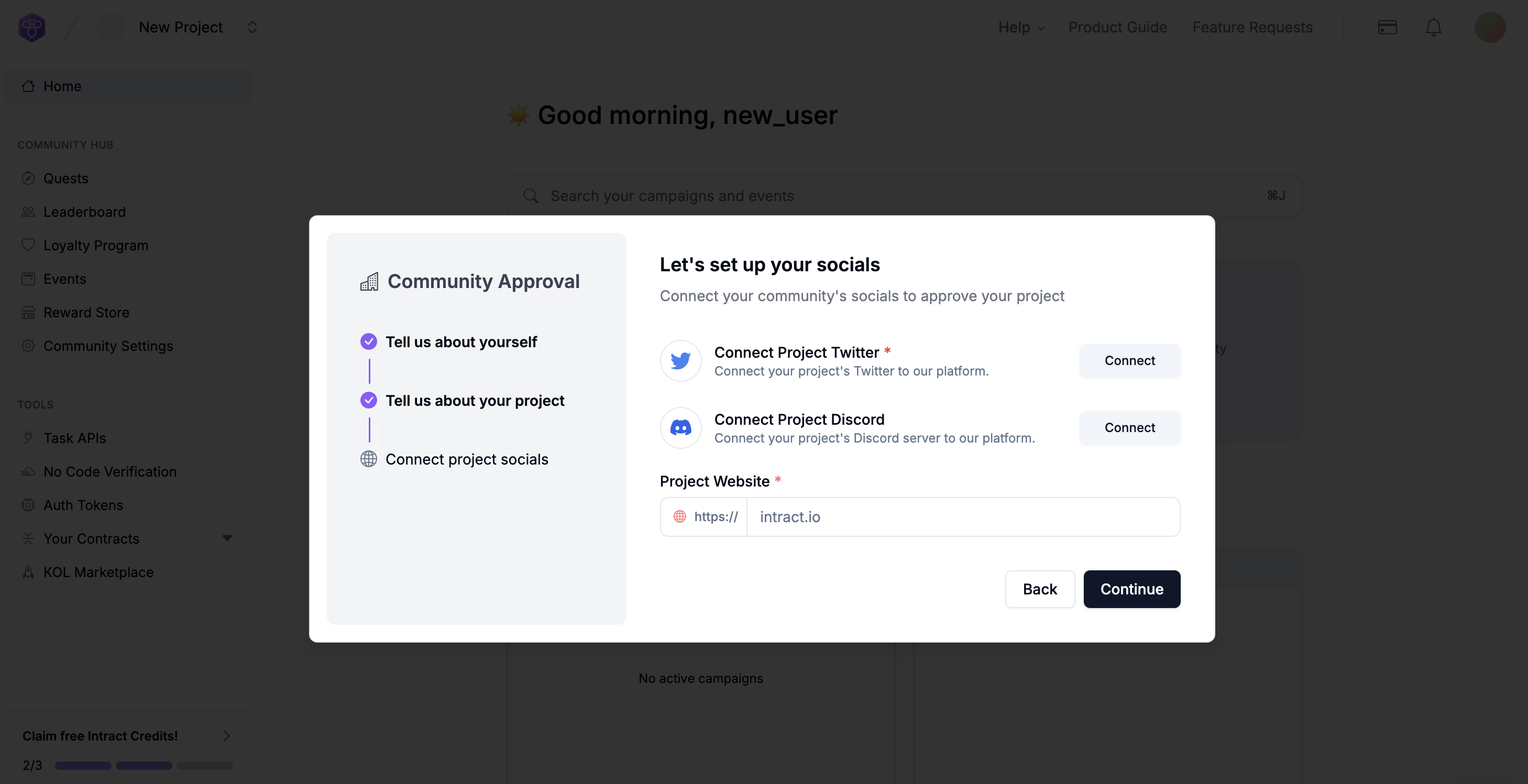
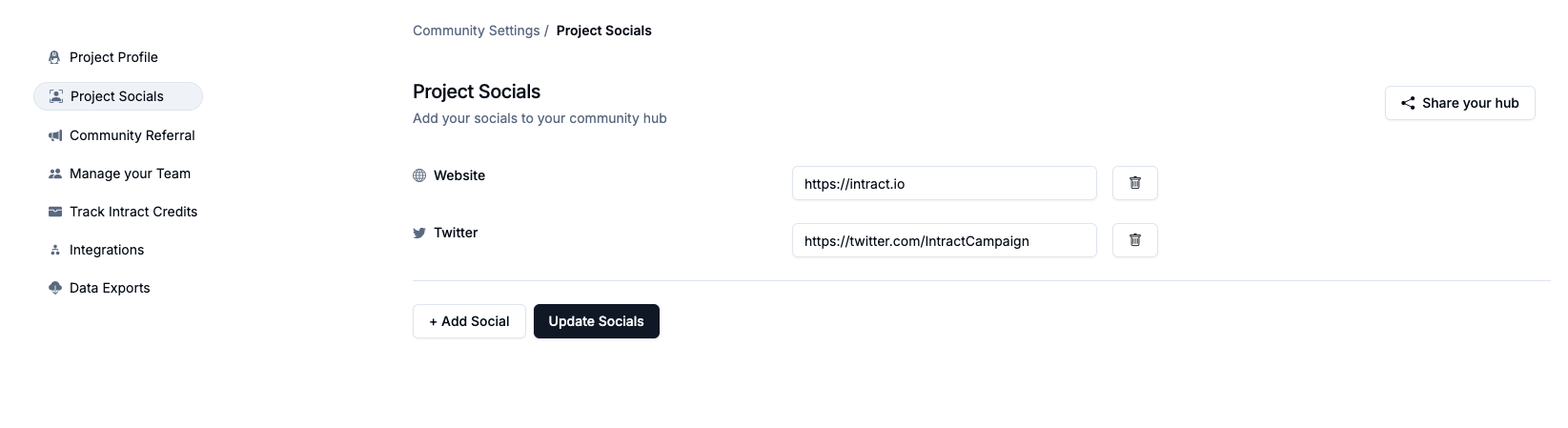
3. **Socials:** Connect your project's Twitter and Discord with Intract and add its Website.

<figure><img src="https://1130498538-files.gitbook.io/~/files/v0/b/gitbook-x-prod.appspot.com/o/spaces%2FKGgeahEPgCyenKG4Y7ib%2Fuploads%2FCFt4VHoDjaegXV4V0Wnl%2FScreenshot%202024-10-01%20at%2012.54.08%E2%80%AFAM.png?alt=media&amp;token=733340cd-861b-430f-a7a0-b94e2be619fd" alt=""><figcaption><p>Set up your Socials</p></figcaption></figure>

## **Submit and Get your Project Approved:**

Once you've completed all the necessary steps, hit the **Continue** button.

That’s it! You're all set up and ready to go. Our team will approve your project as soon as possible (usually within 24 hours).

<figure><img src="https://1130498538-files.gitbook.io/~/files/v0/b/gitbook-x-prod.appspot.com/o/spaces%2FKGgeahEPgCyenKG4Y7ib%2Fuploads%2FOY1WtXsZNE1ajKSNenRH%2FScreenshot%202024-10-01%20at%201.28.57%E2%80%AFAM.png?alt=media&amp;token=06a0ed42-2ad5-4361-aff7-4be56c1f1a4d" alt=""><figcaption><p>Get Approved Faster</p></figcaption></figure>

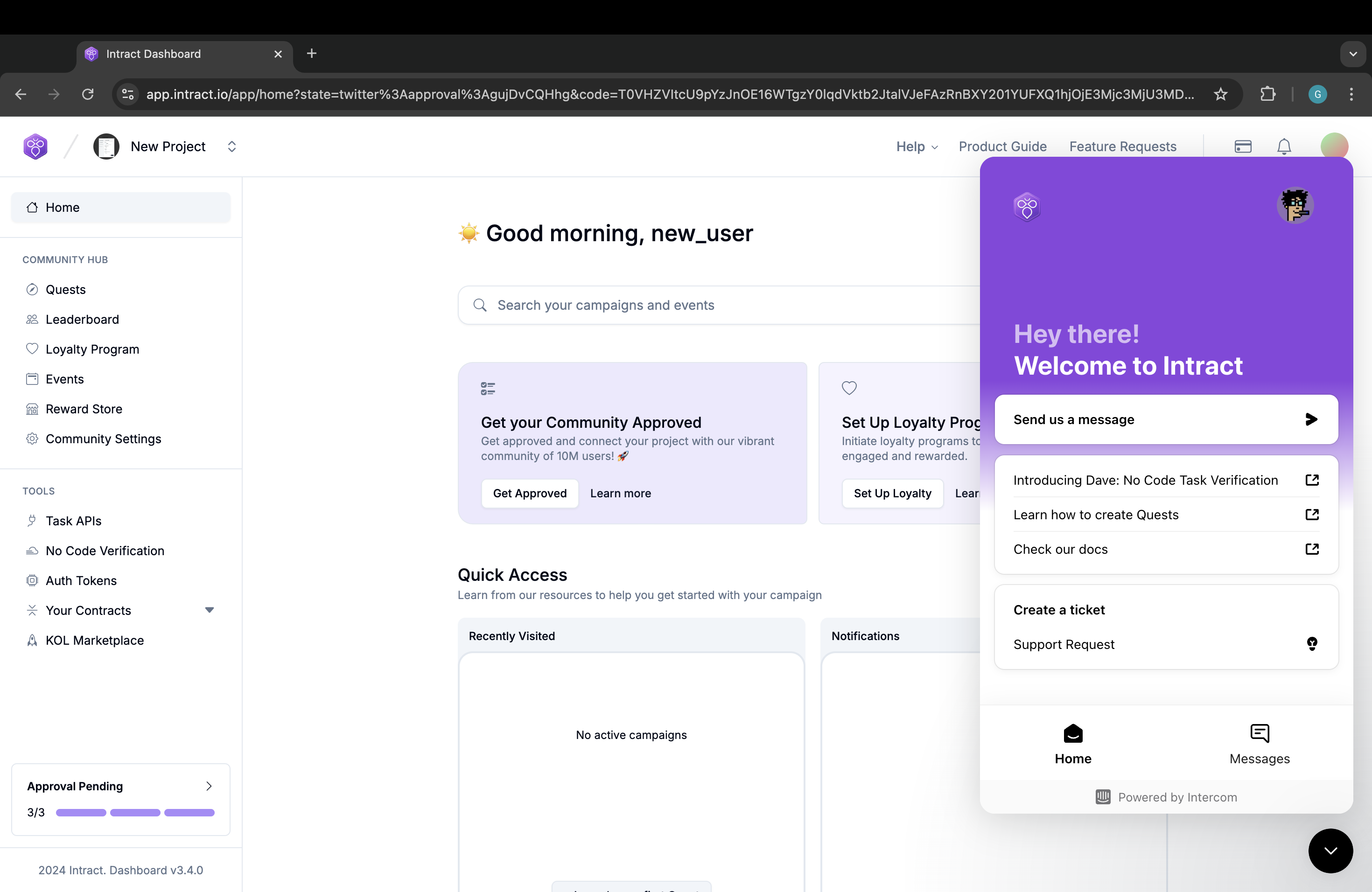
To get your project approved early, click on **Contact Us** and get in touch with us. You can:

1. Send us a message with your thoughts or questions

<figure><img src="https://1130498538-files.gitbook.io/~/files/v0/b/gitbook-x-prod.appspot.com/o/spaces%2FKGgeahEPgCyenKG4Y7ib%2Fuploads%2FAWmapwRVLPSCfpAoPt4I%2FScreenshot%202024-10-01%20at%201.32.11%E2%80%AFAM.png?alt=media&amp;token=e9b5dab8-4ca5-43c5-a46c-20d2e6b8d4bb" alt=""><figcaption><p>Reach out to Us</p></figcaption></figure>

2. Create a support request to get assistance on specific issues

<figure><img src="https://1130498538-files.gitbook.io/~/files/v0/b/gitbook-x-prod.appspot.com/o/spaces%2FKGgeahEPgCyenKG4Y7ib%2Fuploads%2F84NgomrNS3zHczlUKatI%2FScreenshot%202024-10-01%20at%201.38.57%E2%80%AFAM.png?alt=media&amp;token=aacc8a3a-af30-4960-94c3-b1923fa73d26" alt=""><figcaption><p>Create a Support Request</p></figcaption></figure>

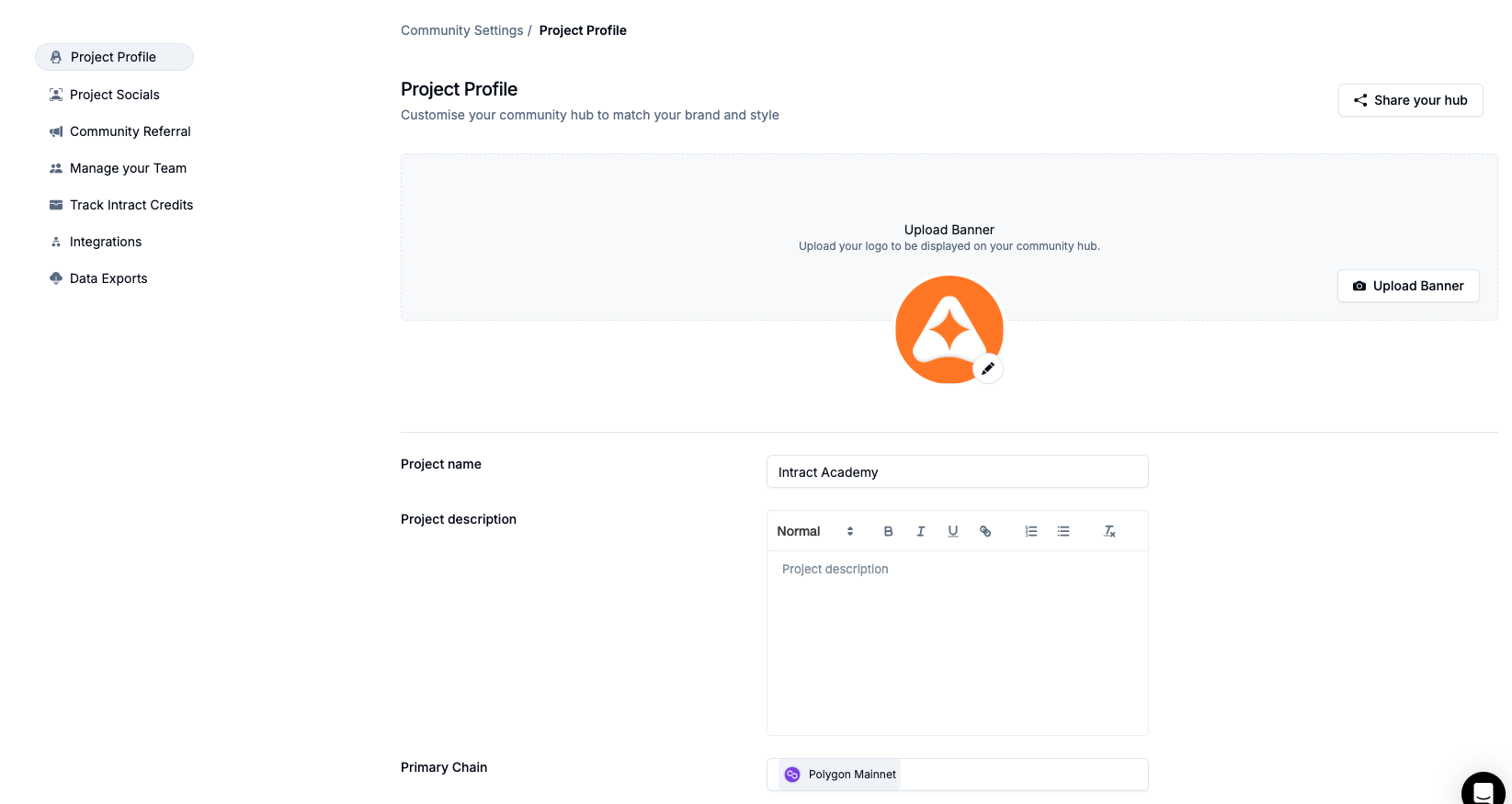
You can always make changes and edit your details in your community hub later by clicking on **Community Settings**. If you have any questions or need assistance along the way, feel free to reach out to our support team for help.&#x20;


# Community Hub Overview

Here's a walkthrough of your Community Hub and its key features:

{% embed url="<https://youtu.be/WeF-X9Iro-o>" %}

### Home

Our home offers quick and easy access to a wide range of resources, notifications, and guides. Designed to help you quickly get started, and pick up from where you left off during your last session.

### [Quests](/product-guide/community-hub-guides/quests)

Create campaigns designed to attract the maximum number of users to your product or platform. Engage with a community of over 12 million active users, Build awareness, acquire more users, or engage your existing users.

### [Leaderboard](/product-guide/community-hub-guides/leaderboard)

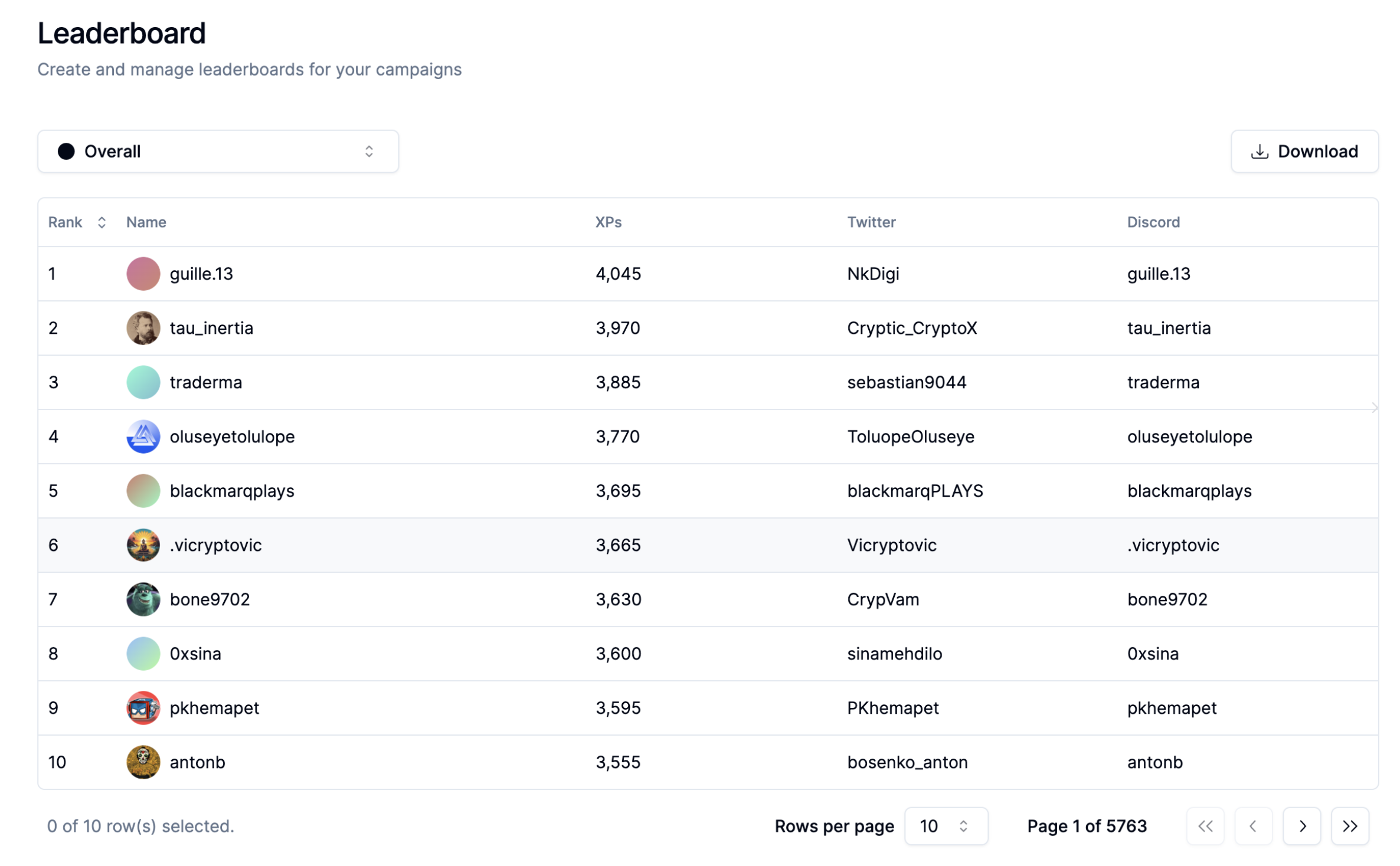
This feature includes a leaderboard which displays rankings in several categories. These can be overall rankings, or specific to a campaign, an event, or a loyalty program. You have the option to download all the data associated with the leaderboard.

### [Loyalty Programs](/product-guide/community-hub-guides/loyalty-program)

Create loyalty programs to engage with your existing users. You can set up recurring or non-recurring tasks for the users, with or without a validity period, providing full flexibility in how you handle user engagement.

### [Events](/product-guide/community-hub-guides/events)

Host events of any duration. You can set up quests as part of these events and even partner with other projects for user sharing. This feature provides an excellent opportunity for cross-promotion and user engagement.

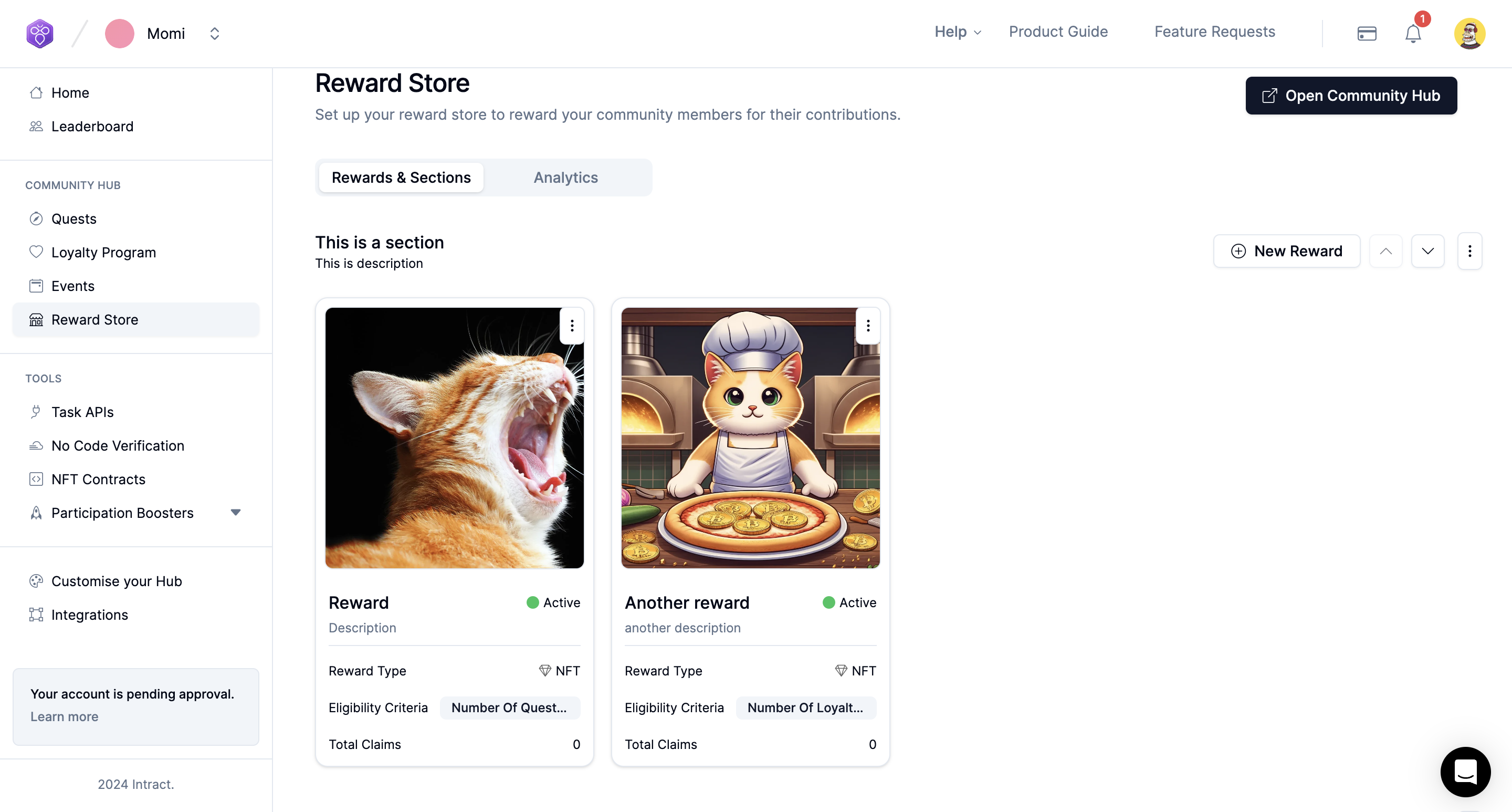
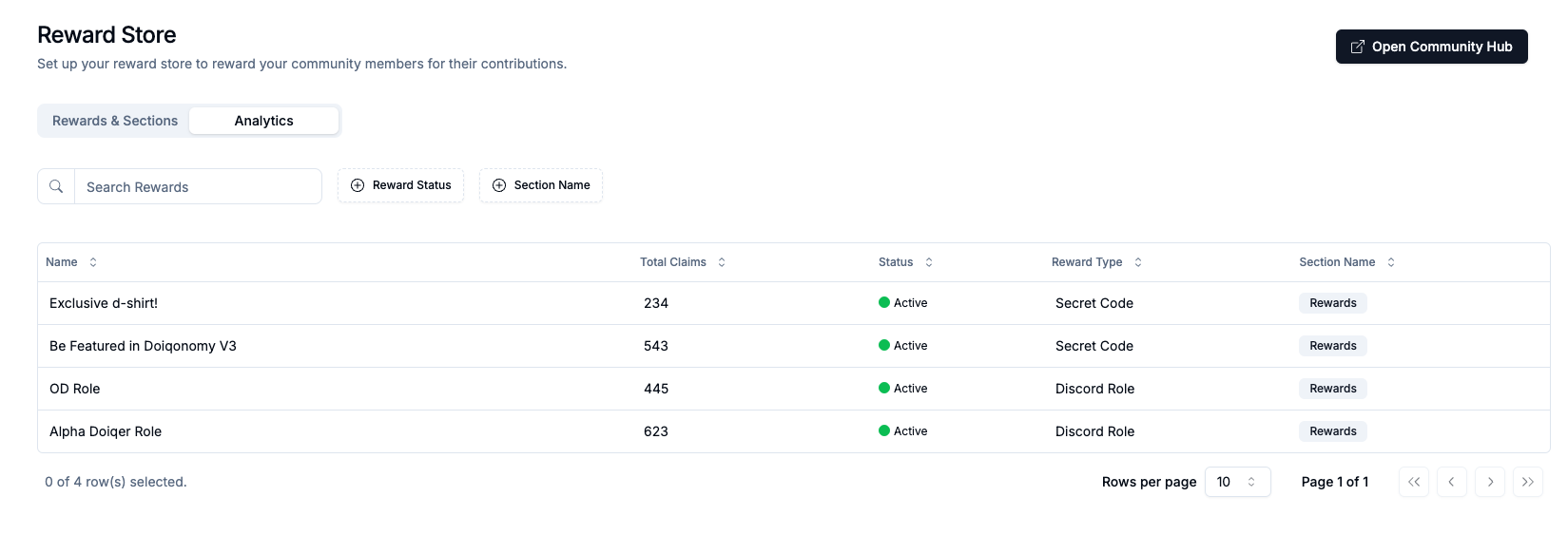
### [Reward Store](/product-guide/community-hub-guides/reward-store)

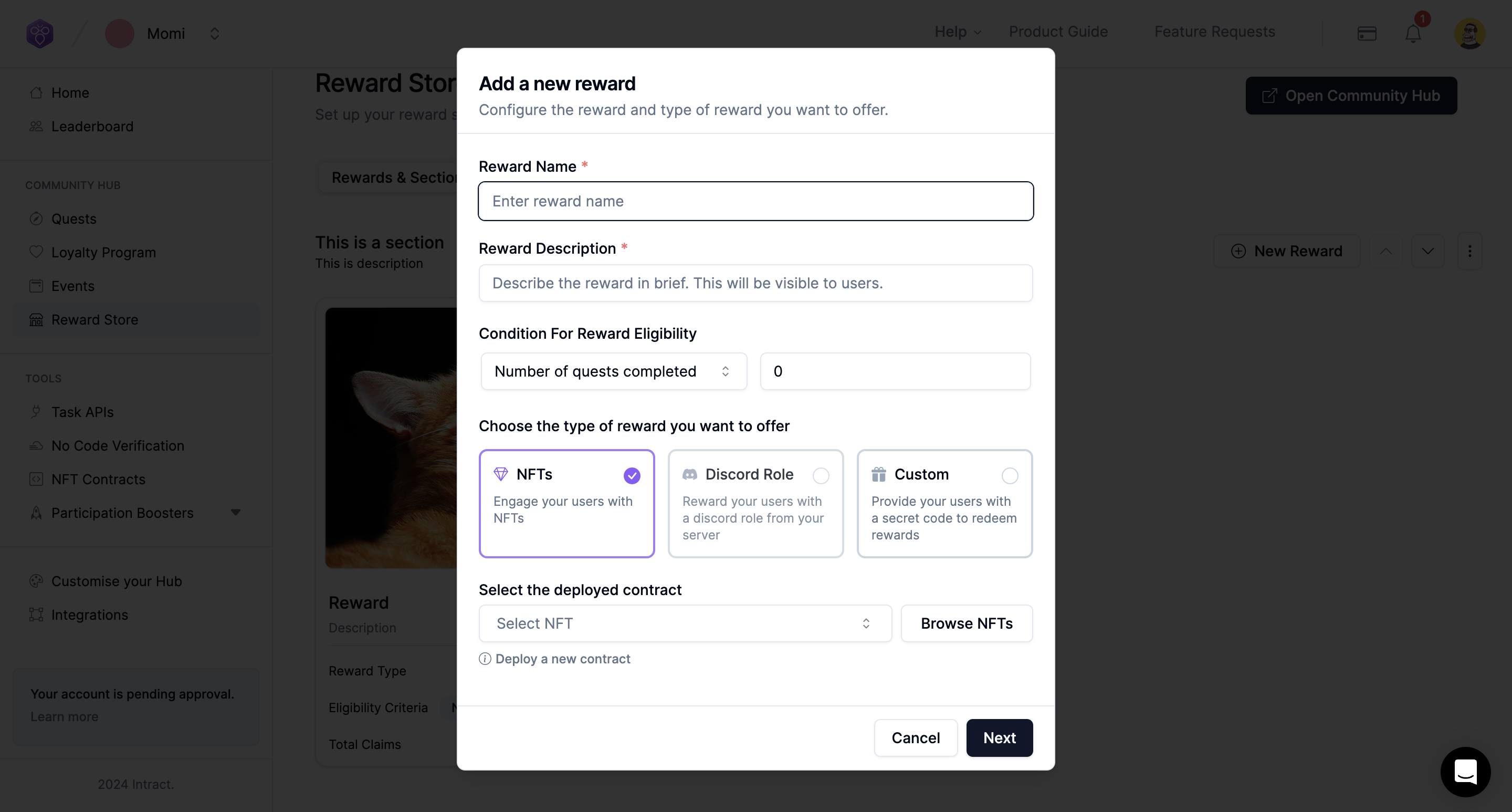
Incentivize your users beyond standard quest rewards. You can set up various rewards for users who complete a specific number of quests, loyalty tasks, referrals, and even specific quest completions.

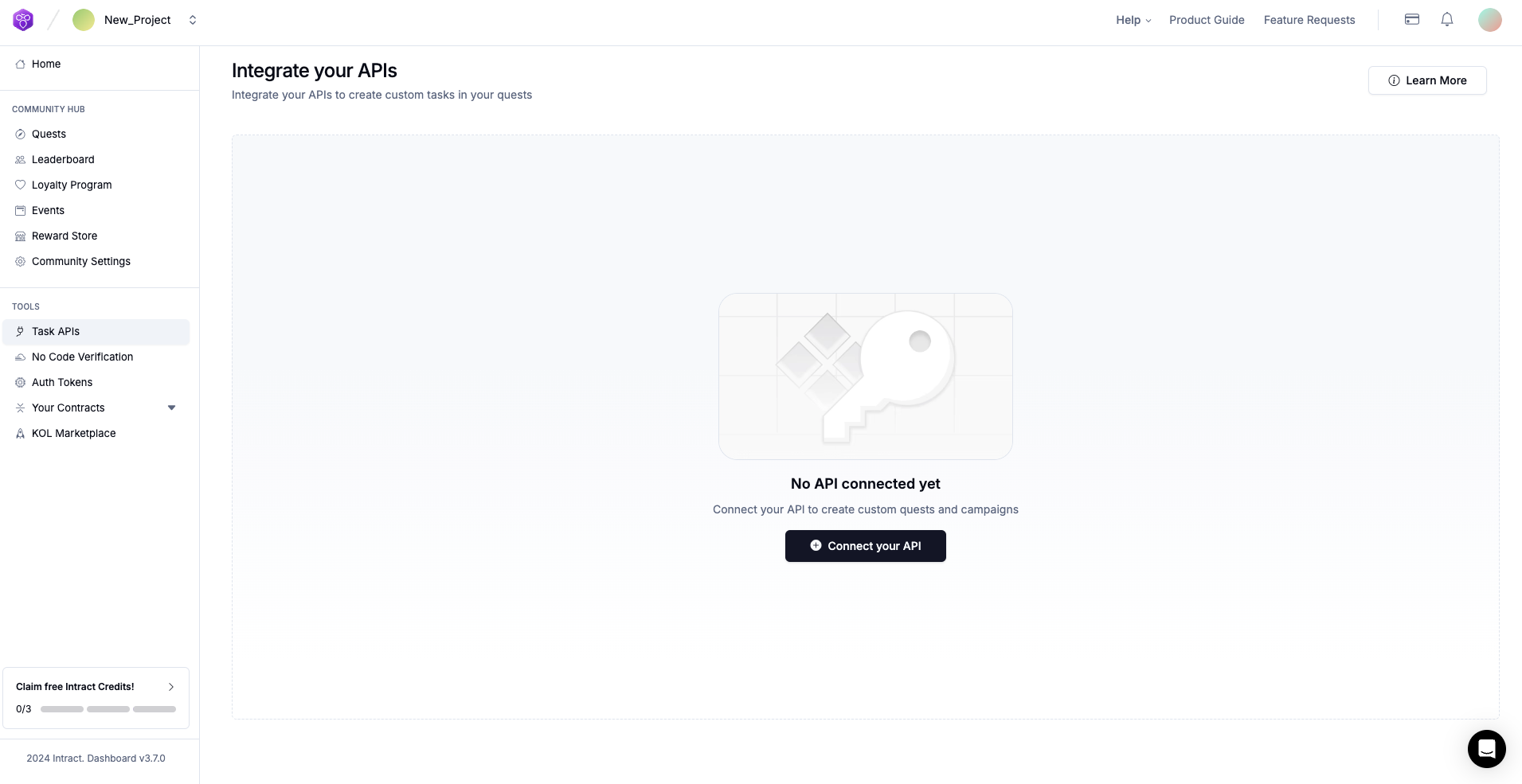
### [Task APIs](/product-guide/tools-guides/integrate-apis)

Add various APIs manually or using cURL. It's designed to make the task of verifying on-chain tasks as simple and straightforward as possible.

### [DAVE (No Code Verification)](/product-guide/tools-guides/dave-no-code-task-verification)

Verify on-chain tasks without the need for writing any code. This makes it an ideal tool for marketers or non-developers who want to set up on-chain task verification without the technical complexities typically involved.

### [NFT Contracts](/product-guide/tools-guides/your-contracts/nft-rewards-contracts)

Effortlessly create NFTs. These NFTs can then be used as rewards or shared with people as part of your promotional activities.

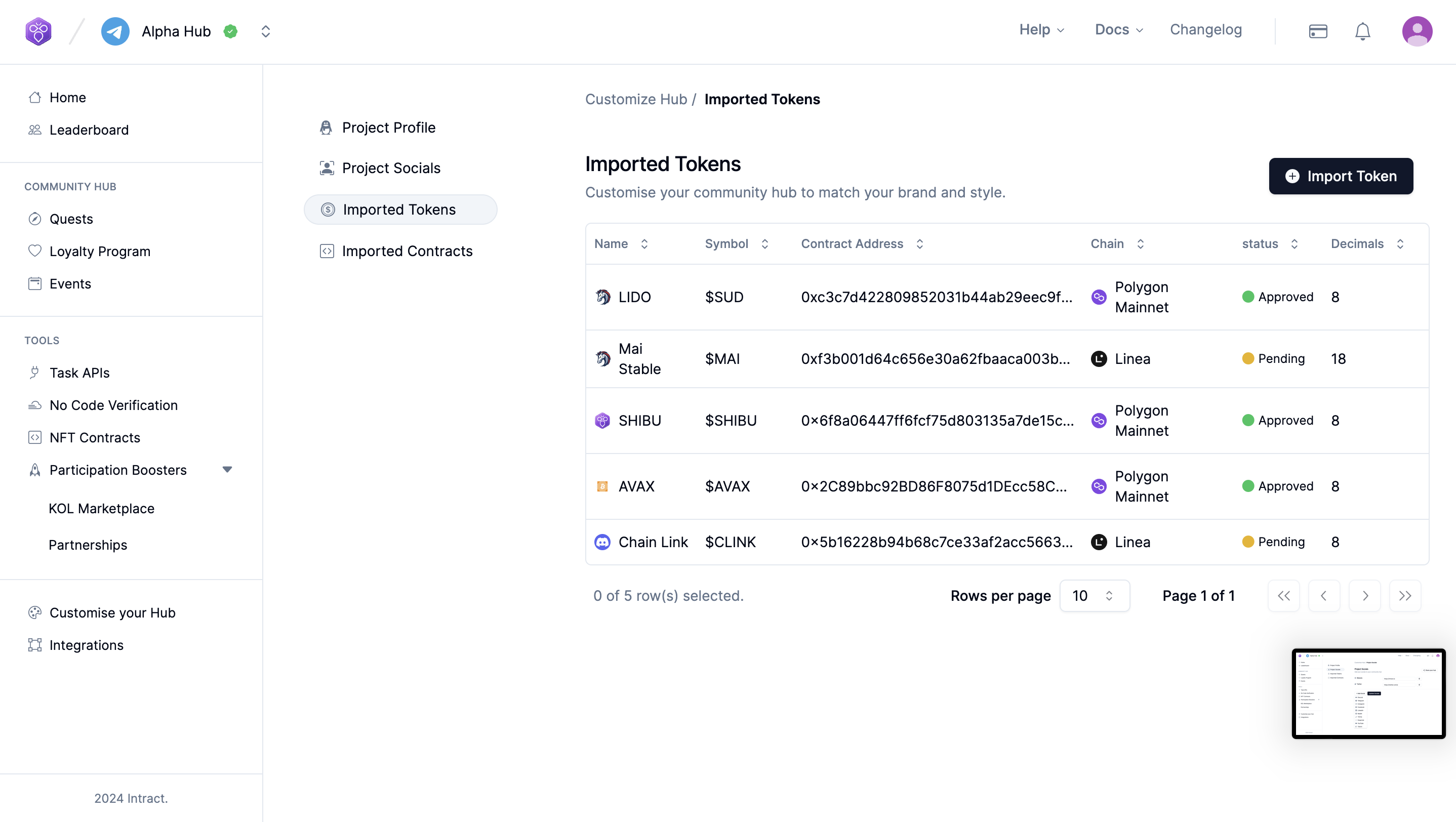
### [Imported Tokens](https://app.gitbook.com/o/SrcwIkxFz8ANP3gFXj5Z/s/KGgeahEPgCyenKG4Y7ib/~/changes/1/product-guides/home/imported-tokens)

Easily import tokens that are not currently available in our token menu. Once imported, you can manage them directly from your hub, giving you the flexibility to edit or remove them as needed.

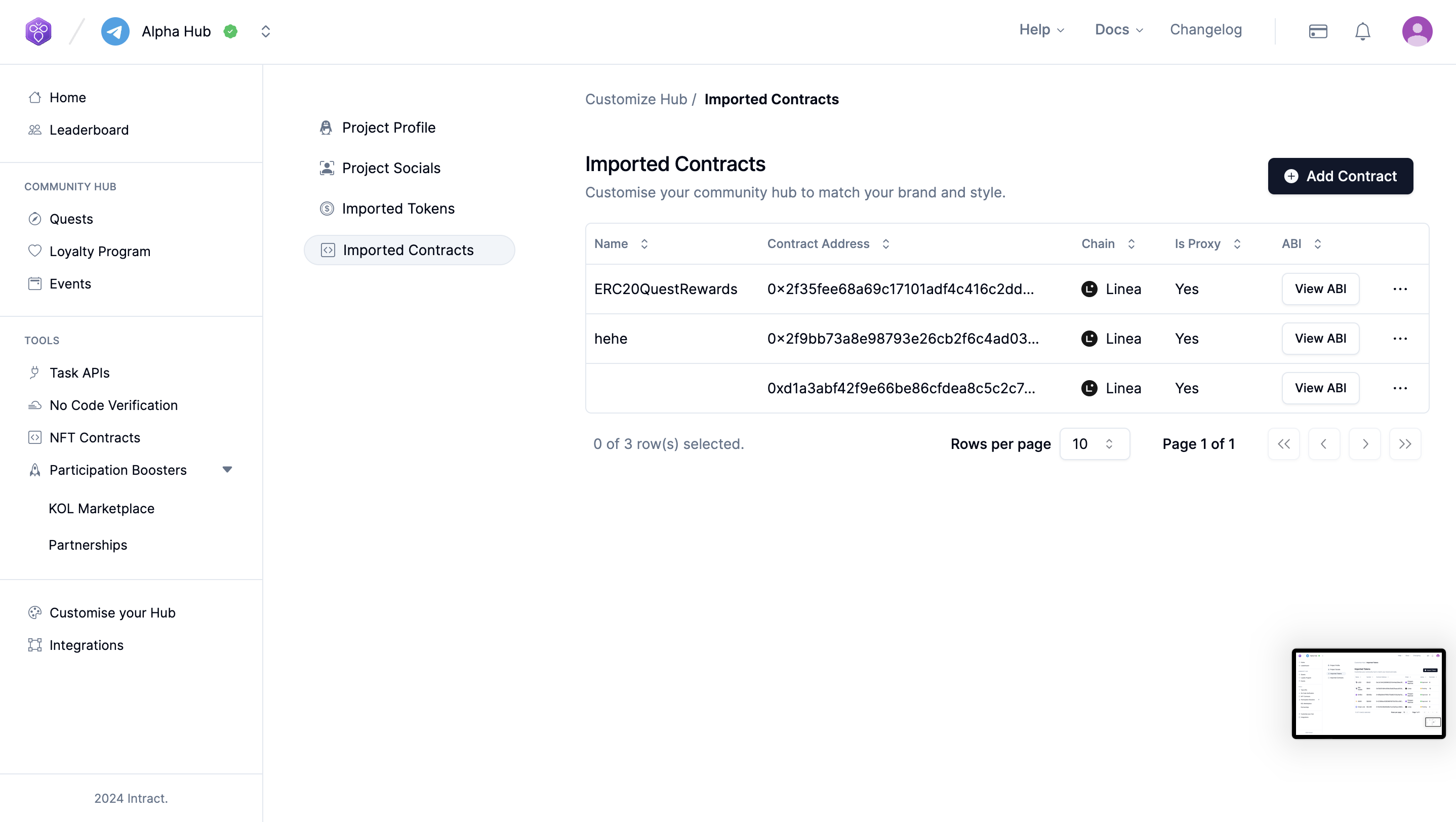
### [Imported Contracts](https://app.gitbook.com/o/SrcwIkxFz8ANP3gFXj5Z/s/KGgeahEPgCyenKG4Y7ib/~/changes/1/product-guides/home/imported-contracts)

Easily manage your imported contracts here. You can add new contracts, update existing ones, or view their ABIs. If a contract is no longer needed, simply delete it, giving you full control over the contracts linked to your project.

### [KOL Marketplace](/product-guide/community-hub-guides/kols-marketplace)

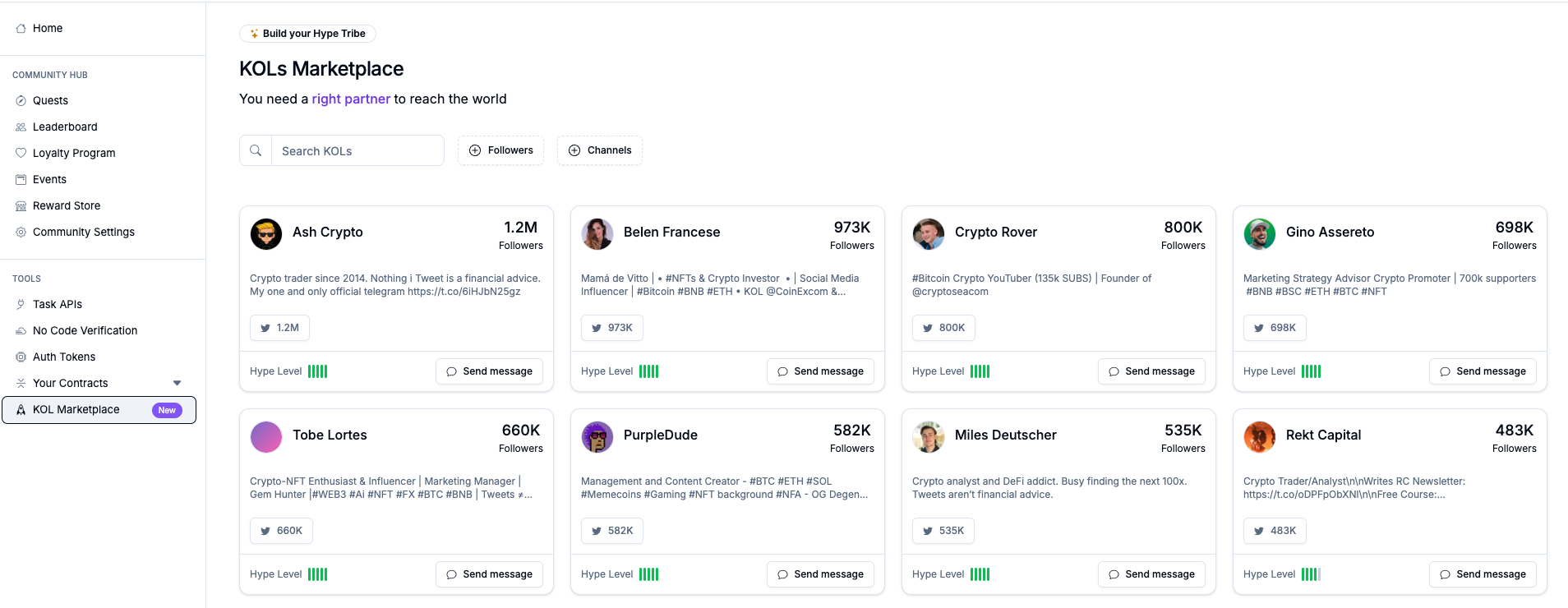
Collaborating with KOLs is now so easy with our KOL Marketplace. All you need to do is choose a KOL you wish to work with, send them a message, and we will handle the rest, making influencer marketing more accessible.


# Quests

Now that you've set up and verified your community, it's time to start growing and engaging your audience. If you haven't verified your community yet, please do so immediately. Users won't be able to view your campaign if it's not verified.

<figure><img src="https://1130498538-files.gitbook.io/~/files/v0/b/gitbook-x-prod.appspot.com/o/spaces%2FKGgeahEPgCyenKG4Y7ib%2Fuploads%2FB66pONNOUmbYfxQ26Pje%2FScreenshot%202024-10-24%20at%201.16.37%E2%80%AFPM.png?alt=media&amp;token=a890a07e-b3ec-4d1c-b495-d75f4561e5dd" alt=""><figcaption><p>Your Quests Dashboard</p></figcaption></figure>

Here's what you need to understand: A Quest is a set of tasks with specified rewards. Users can complete all tasks to be eligible for the reward.  So setting up tasks in itself is pretty simple.

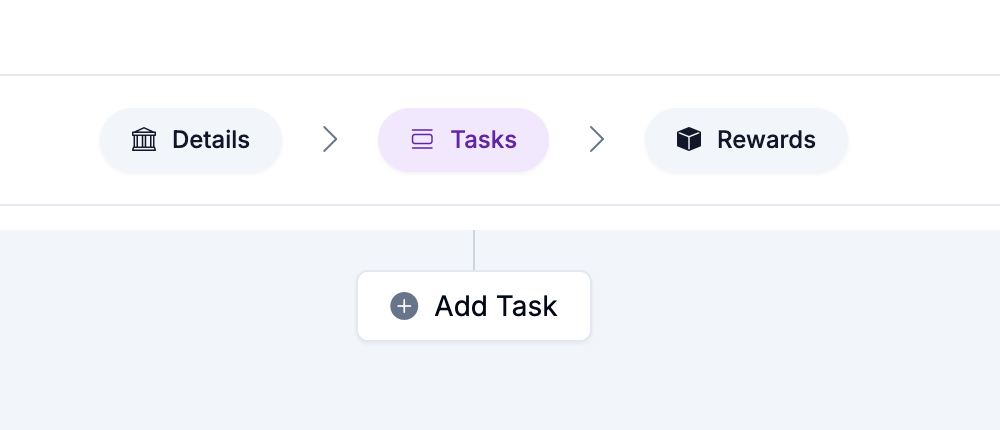
Creating a campaign includes three steps:

1. Filling in your campaign details.
2. Adding tasks
3. Setting Rewards.

When you do all of these you will be able to test your campaign or you can also directly launch campaign. It's totally up to you.&#x20;


# What are Quests?

tl;dr - Quests are a series of tasks designed to engage users. These quests incentivize participation by offering rewards such as tokens, NFTs, etc. They are widely used by projects and platforms to promote engagement, educate users, and build communities.

#### What exactly are Quests?

1. **Interactive Tasks**: Quests involve specific tasks that users must complete. Tasks range from simple actions like following a social media account or participating in a survey, to more complex activities like contributing to a project or creating content.
2. **Incentives**: Users earn rewards for completing these tasks. Rewards can include cryptocurrency tokens, NFTs, access to exclusive content, or participation in events. This encourages users to actively participate and contribute.
3. **Educational Component**: Many quests aim to educate users about aspects of a project or the web3 ecosystem. For instance, quests may guide users through setting up a crypto wallet, making transactions, or understanding dApp.

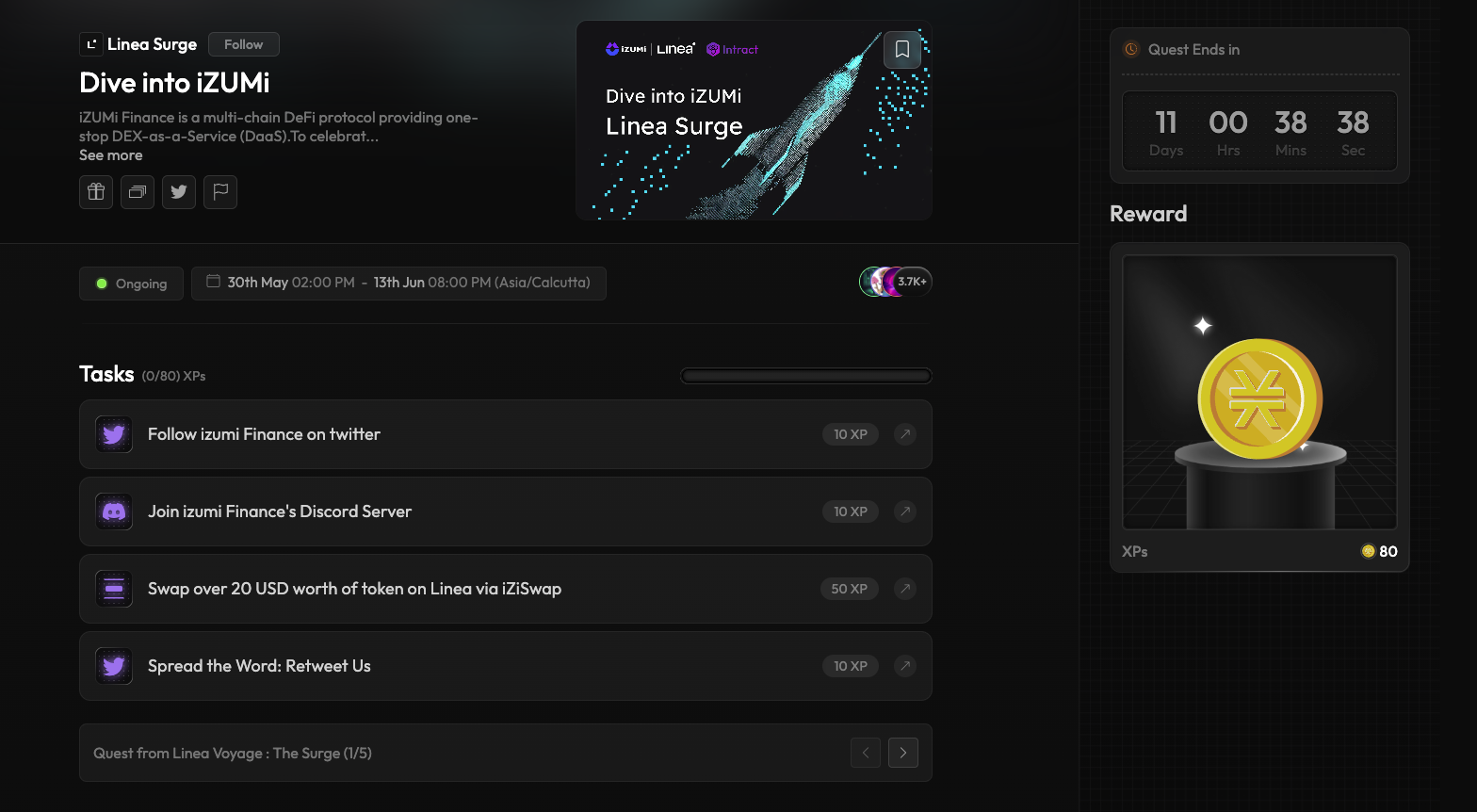
<figure><img src="https://1130498538-files.gitbook.io/~/files/v0/b/gitbook-x-prod.appspot.com/o/spaces%2FKGgeahEPgCyenKG4Y7ib%2Fuploads%2FFwvHb8UFgzy4PW96fdHp%2Fimage.png?alt=media&amp;token=59c6b5d3-36e2-4e33-a606-b68f856aa26e" alt=""><figcaption><p>An example of how a quest page on Intract looks like</p></figcaption></figure>

#### How Do Questing Platforms Work?

1. **Platform Structure**: Questing platforms provide a structured environment where projects create and list quests. They offer dashboards for project creators and participants.
2. **Quest Creation**: Projects design quests using platform tools. They define tasks, set rewards, and specify completion criteria. Platforms may offer templates or guidelines to assist in creating effective quests.
3. **User Participation**: Users join the platform and browse available quests. They select quests of interest and follow instructions to complete tasks. Platform tracks their progress and verifies task completion.
4. **Verification and Rewards**: After users complete tasks, platforms verify their actions. Verification can be manual or automated. Once verified, rewards are distributed, often directly to users' crypto wallets.
5. **Community Building**: Engaging users through quests helps projects build and sustain active communities. Participation fosters community spirit, loyalty, and ongoing engagement among users.

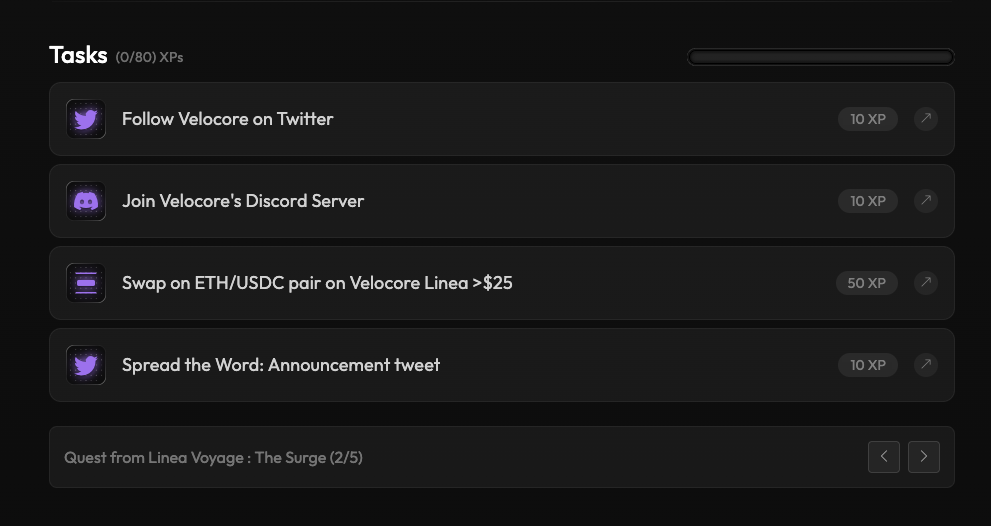
<figure><img src="https://1130498538-files.gitbook.io/~/files/v0/b/gitbook-x-prod.appspot.com/o/spaces%2FKGgeahEPgCyenKG4Y7ib%2Fuploads%2FvEGHtuQHqpRNwMUJ8I0c%2Fimage.png?alt=media&amp;token=17e00542-be4f-4602-8429-874f20cf548d" alt=""><figcaption><p>An example of tasks in a quest on Intract</p></figcaption></figure>

Using Intract can really boost your web3 growth and engagement. These are just a few ways how.

1. **Bot-Free Community**: [Connect with a genuine community](https://app.intract.io/proof-of-humanity) without bots and sybils and make the most of their cross-chain and social data for smarter insights.
2. **Free Credits worth $10,000**: Unlock the power of Intract Credits to supercharge your web3 campaigns for Free!
3. **No-Code Verification**: Easily manage your campaigns with simple, no-code verification tools that make everything smoother.
4. **Wide Reach**: Reach out to over 12 million users and collaborate with 1,000+ KOLs to expand your influence.
5. **Comprehensive Support**: Get dedicated marketing and campaign support to help you optimize your strategies and achieve your goals.
6. **Advanced Analytics**: Dive deep into detailed analytics for both on-chain and social tasks, gaining valuable insights and tracking performance effectively.
7. **Global Presence**: Engage with users from more than 250 countries, ensuring diverse and global participation in your campaigns.

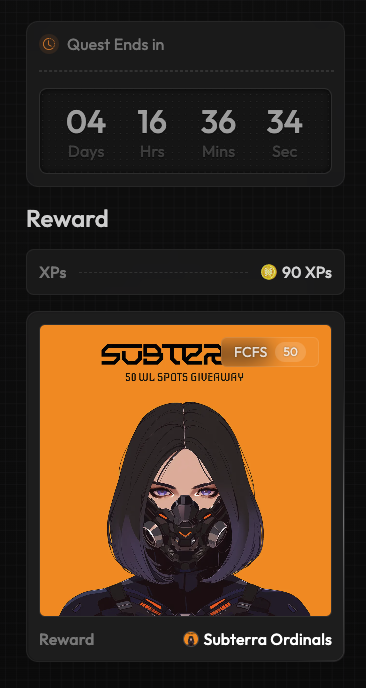
<figure><img src="https://1130498538-files.gitbook.io/~/files/v0/b/gitbook-x-prod.appspot.com/o/spaces%2FKGgeahEPgCyenKG4Y7ib%2Fuploads%2F9s3DxIKdeG06u9aEKhpD%2Fimage.png?alt=media&amp;token=c892dd83-7d97-46ed-b0f2-adfdac90d828" alt=""><figcaption><p>Example of a quest's reward on Intract</p></figcaption></figure>

And here’s the best part—creating quests on Intract is completely free! Unlike other platforms that charge for OATs or require a monthly fee, we’re here to support your growth without any hidden costs.


# Launching your Quests

First step in launching your quest would be to go to "Quests" section and hit the "Create Quest" button.&#x20;

<figure><img src="https://1130498538-files.gitbook.io/~/files/v0/b/gitbook-x-prod.appspot.com/o/spaces%2FKGgeahEPgCyenKG4Y7ib%2Fuploads%2FIQNexPhoD5AqcLbc4Iog%2FScreenshot%202024-10-11%20at%206.44.20%E2%80%AFPM.png?alt=media&amp;token=133e289d-a841-4770-a11b-c3fd1a9594e3" alt=""><figcaption></figcaption></figure>

Once you've clicked on it👇🏽

### **Add in your campaign details:**

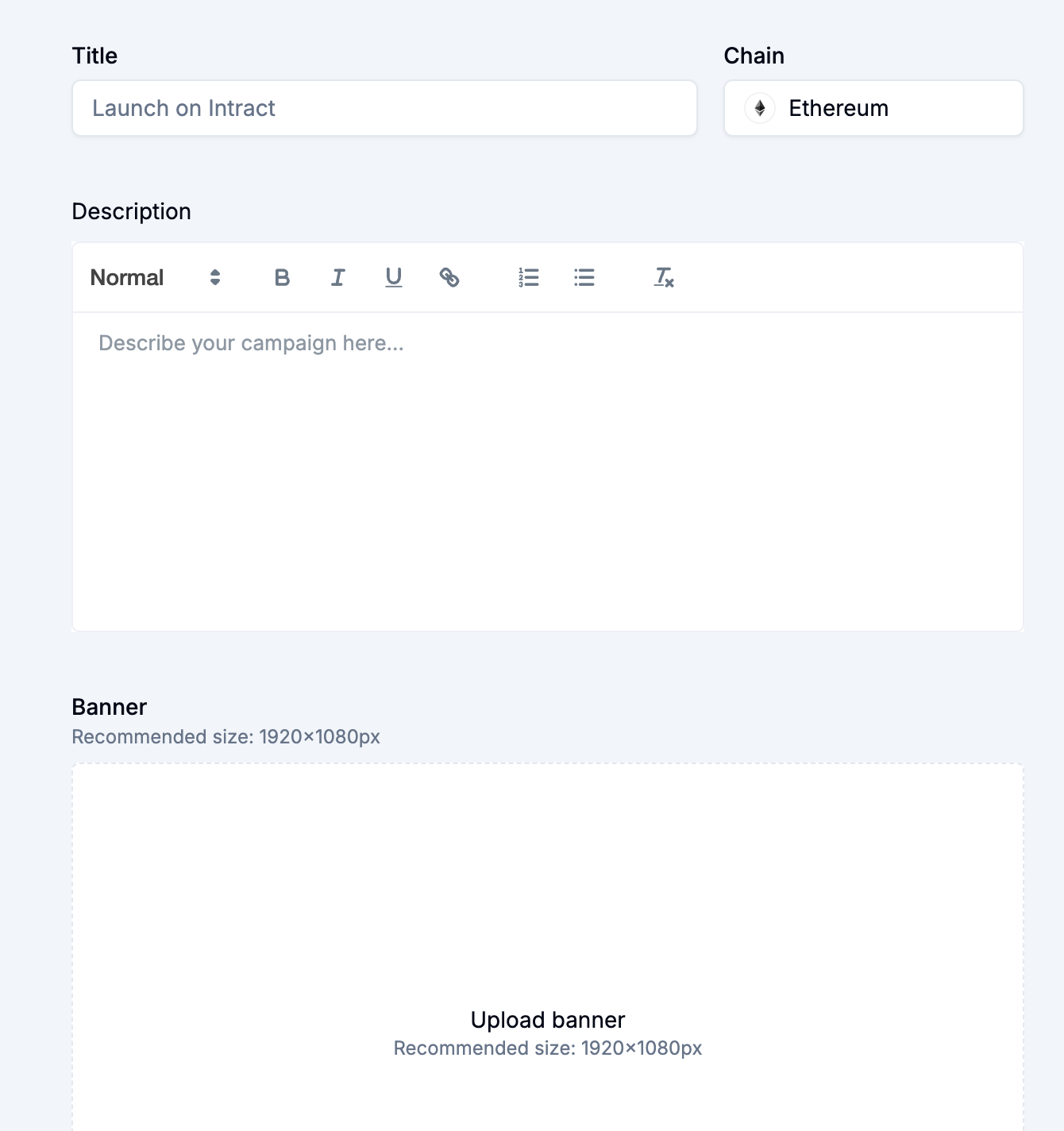
<figure><img src="https://1130498538-files.gitbook.io/~/files/v0/b/gitbook-x-prod.appspot.com/o/spaces%2FKGgeahEPgCyenKG4Y7ib%2Fuploads%2Fkb5AJR9V7Z4HIWMc8WER%2Fimage.png?alt=media&amp;token=2558701c-b851-49e8-8408-620f51914849" alt=""><figcaption></figcaption></figure>

1. Fill in your campaign title.
2. Pick your chain from the drop-down. If you can't find your chain, just [contact us](/product-guide/resources/contact-us). We'd be more than happy to help you out personally.
3. Describe your campaign. No need to get fancy here. Perhaps share a bit about your project, the campaign itself, or the rewards. These are just suggestions. If you want, you could even add a knock-knock joke.
4. Add your banner. Try to make it as cool as possible because, let's be honest, not everyone can resist judging a campaign by its cover. The recommended size is 1920\*1080px. Drag and adjust the image until you're satisfied with how awesome it looks.

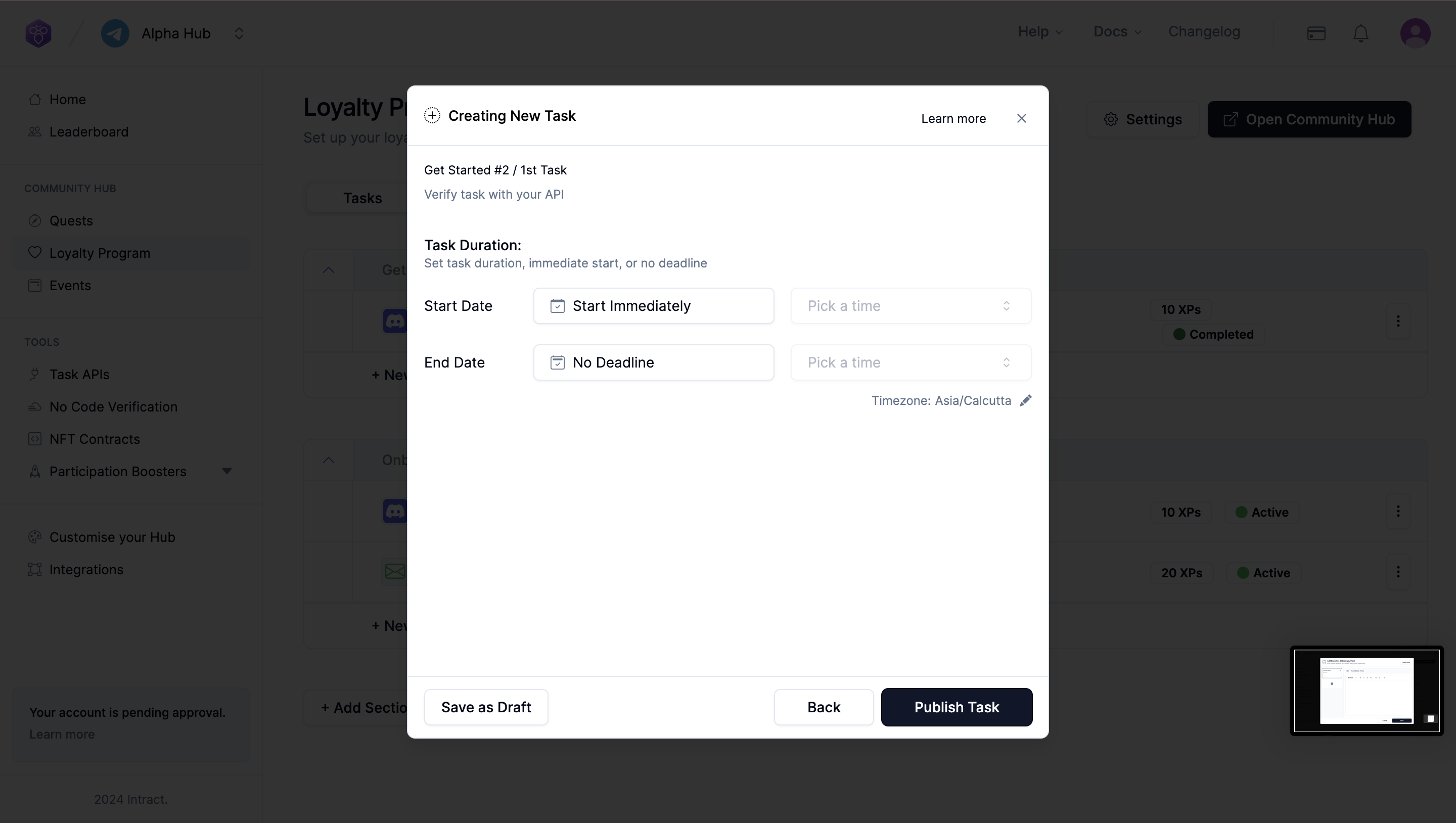
### **Set your campaign duration:**

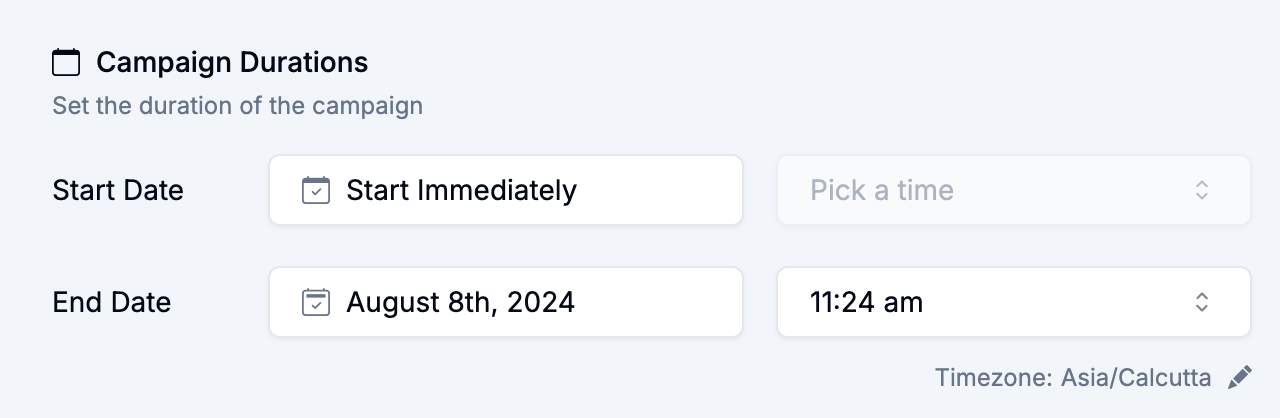
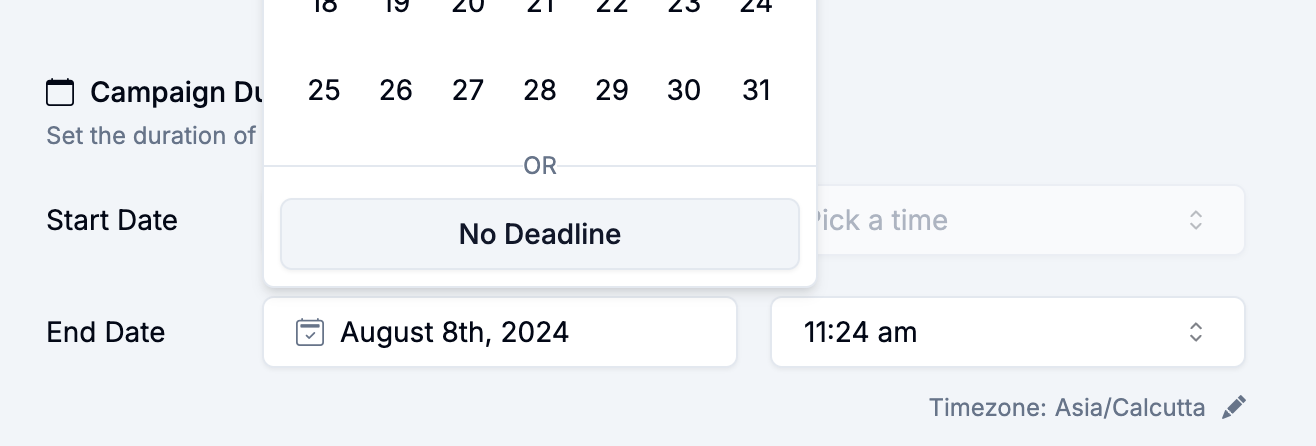
<figure><img src="https://1130498538-files.gitbook.io/~/files/v0/b/gitbook-x-prod.appspot.com/o/spaces%2FKGgeahEPgCyenKG4Y7ib%2Fuploads%2FRVrUhMsT1Wfe1YQU7Gtb%2Fimage.png?alt=media&amp;token=726d2053-342d-443d-a077-fc14e4c0fd24" alt=""><figcaption></figcaption></figure>

You can either let it start immediately as soon as you hit "launch campaign", or you can set a specific date and time for it to start. You can also set an end date or leave it open-ended if you wish.

## Configure Quest Referral:

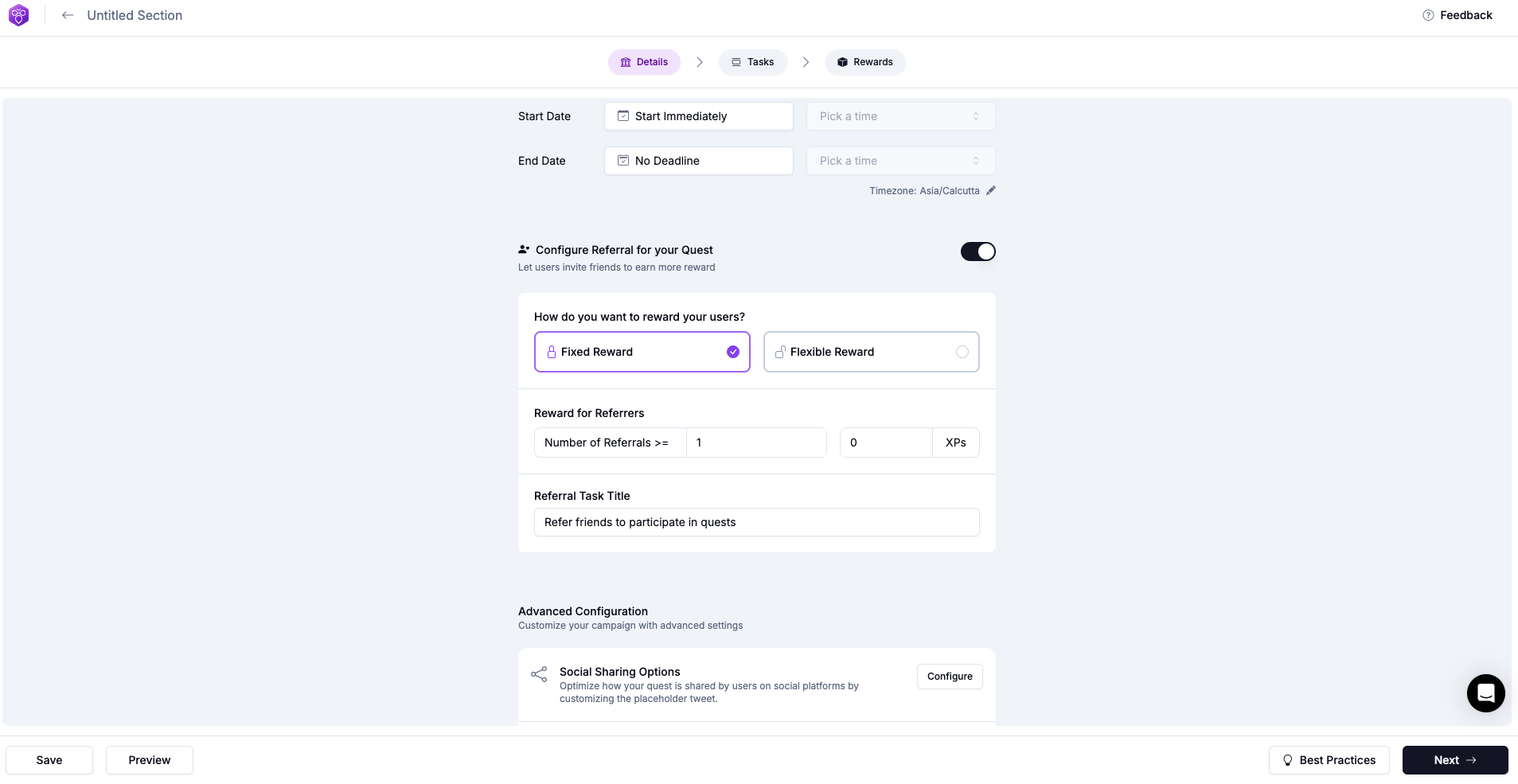
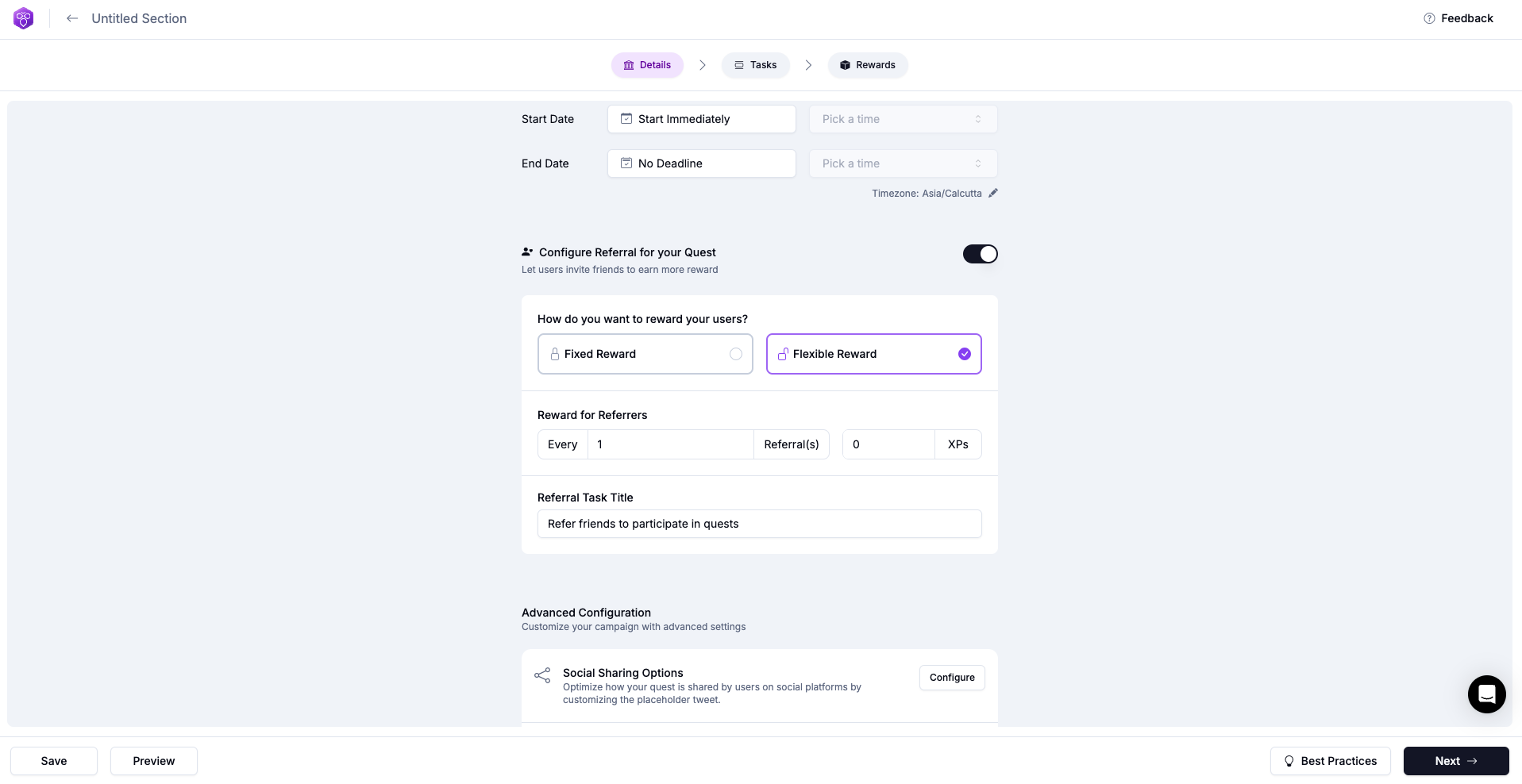
You can also allow users to invite friends to earn XPs. Configure between Fixed and Flexible Reward types and set the task title:

1. Fixed Reward: Give a set amount of XPs after a user refers a certain number of people.
2. Flexible Reward: Give more XPs as users refer more people.

<figure><img src="https://1130498538-files.gitbook.io/~/files/v0/b/gitbook-x-prod.appspot.com/o/spaces%2FKGgeahEPgCyenKG4Y7ib%2Fuploads%2F1cjQbYnuZman3PMGd2aH%2Fimage.png?alt=media&amp;token=22991d12-d500-4b73-8cd7-68e0f9b47a1c" alt=""><figcaption><p>Fixed Reward</p></figcaption></figure>

<figure><img src="https://1130498538-files.gitbook.io/~/files/v0/b/gitbook-x-prod.appspot.com/o/spaces%2FKGgeahEPgCyenKG4Y7ib%2Fuploads%2FHVhZLSSi3B5jMV5rLs11%2Fimage.png?alt=media&amp;token=d5cc106c-9070-41c5-b585-926facc2d0e5" alt=""><figcaption><p>Flexible Reward</p></figcaption></figure>

### Spotlight Text

<figure><img src="https://1130498538-files.gitbook.io/~/files/v0/b/gitbook-x-prod.appspot.com/o/spaces%2FKGgeahEPgCyenKG4Y7ib%2Fuploads%2FacO7lHNhvKfYnPHZHOal%2FScreenshot%202024-10-11%20at%206.54.26%E2%80%AFPM.png?alt=media&amp;token=30fedb2c-b53a-4462-9d59-43d45c0fa0f8" alt=""><figcaption></figcaption></figure>

If you want to include key messages, special instructions, or incentives, you can add them here. This information will be prominently displayed on your campaign page. Make sure to test how it looks in the campaign since there is no character limit. However, keep in mind that people tend to ignore larger texts in favor of smaller ones.

### Social Sharing Options

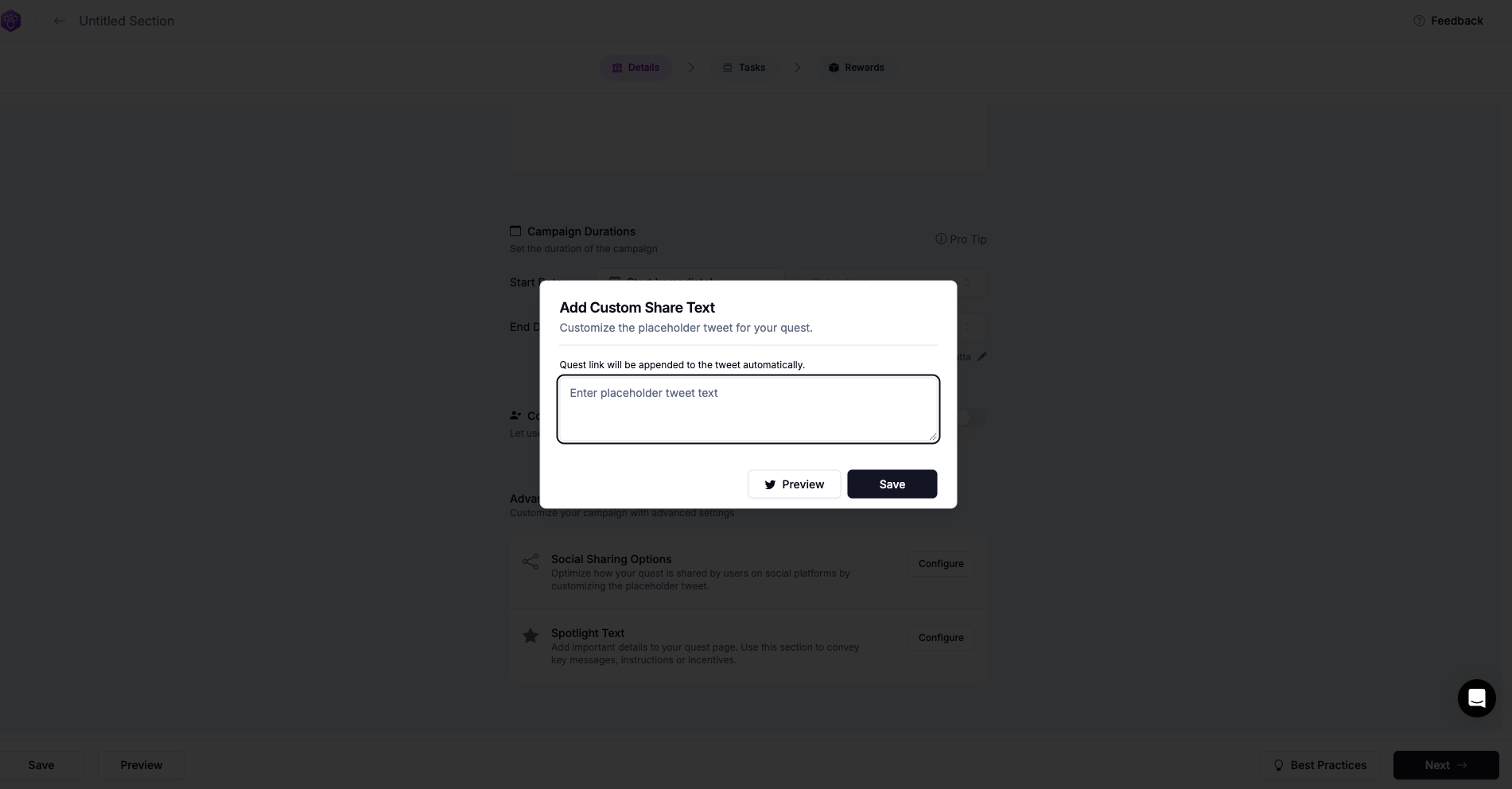
<figure><img src="https://1130498538-files.gitbook.io/~/files/v0/b/gitbook-x-prod.appspot.com/o/spaces%2FKGgeahEPgCyenKG4Y7ib%2Fuploads%2FQL0Pam2Xx8Q8JUu67b7o%2Fimage.png?alt=media&amp;token=59d1cc9e-f982-4f03-bd6f-66e155509366" alt=""><figcaption></figcaption></figure>

You can create a tweet template that will automatically be posted when a user decides to share your campaign. Although users can edit and personalize it to their preferences, many prefer convenience and may not make changes. Consequently, this could boost the likelihood of your campaign being shared.

P.S. If you find yourself needing a break, maybe to watch an episode of Paw Patrol or grab a snack, you can always save your progress as a draft and come back to it later. You can also edit your quest later in case you effed up.


# Setting up Tasks

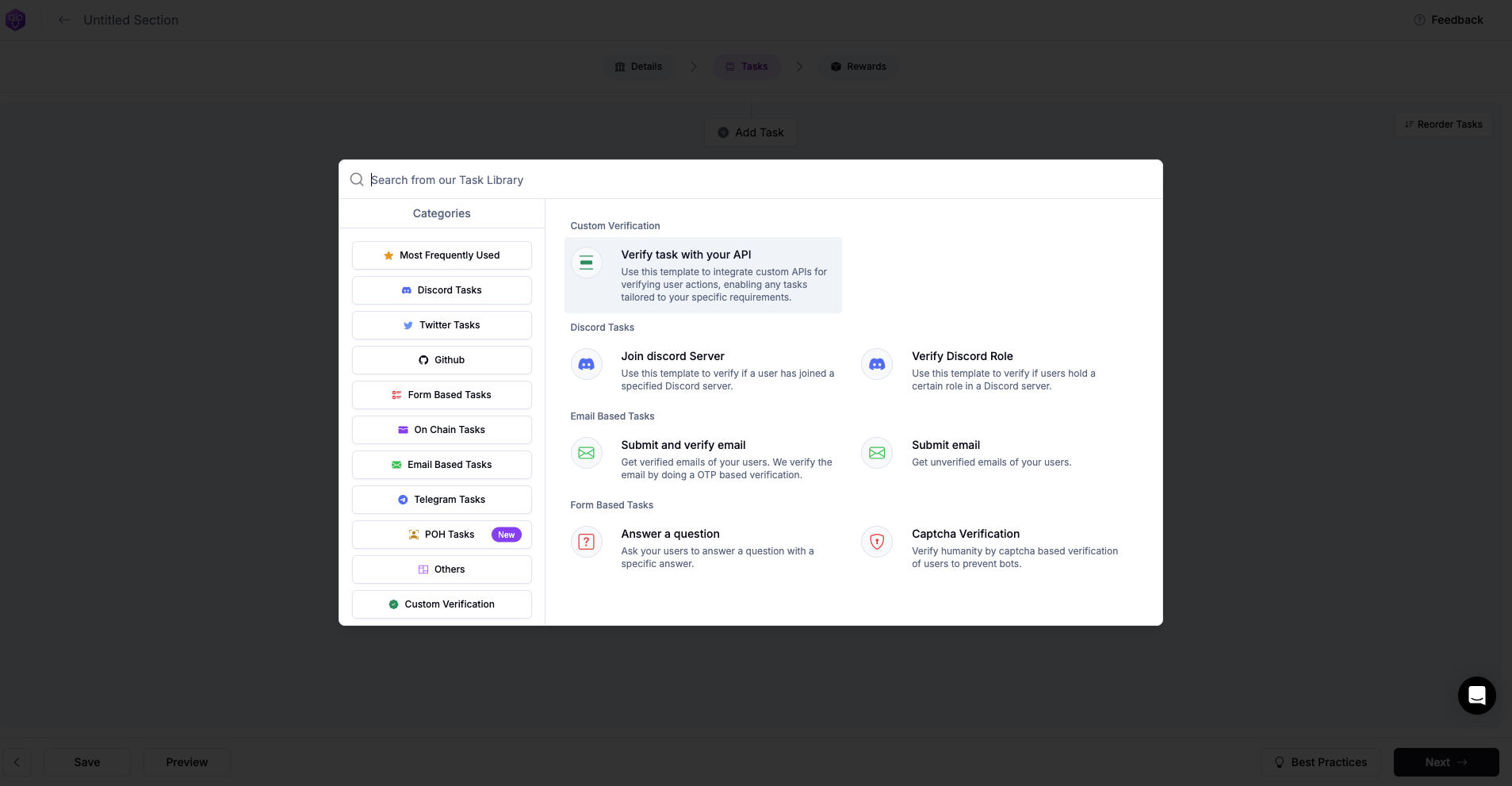
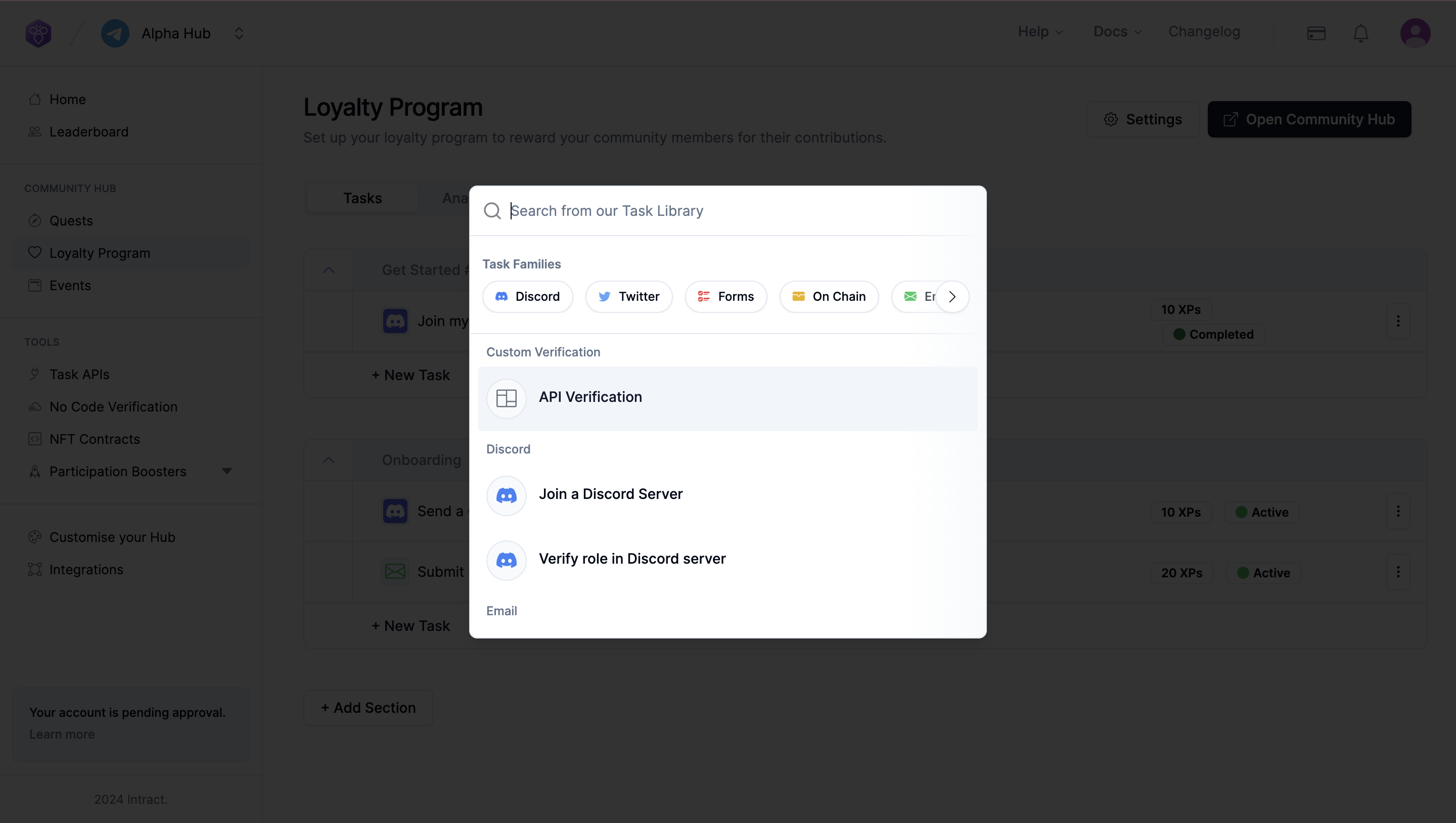
Setting up tasks requires careful planning. However, we've simplified the process to make it easier to execute. There's a wide range of tasks to choose from, don't be overwhelmed. We have task families that can help you sort tasks effectively and pick accordingly.

<figure><img src="https://1130498538-files.gitbook.io/~/files/v0/b/gitbook-x-prod.appspot.com/o/spaces%2FKGgeahEPgCyenKG4Y7ib%2Fuploads%2FRsG15SXLLByT14uHFZvz%2Fimage.png?alt=media&amp;token=3ce9d8cc-dd32-4e97-b2d0-a14ca1cb6d91" alt=""><figcaption></figcaption></figure>

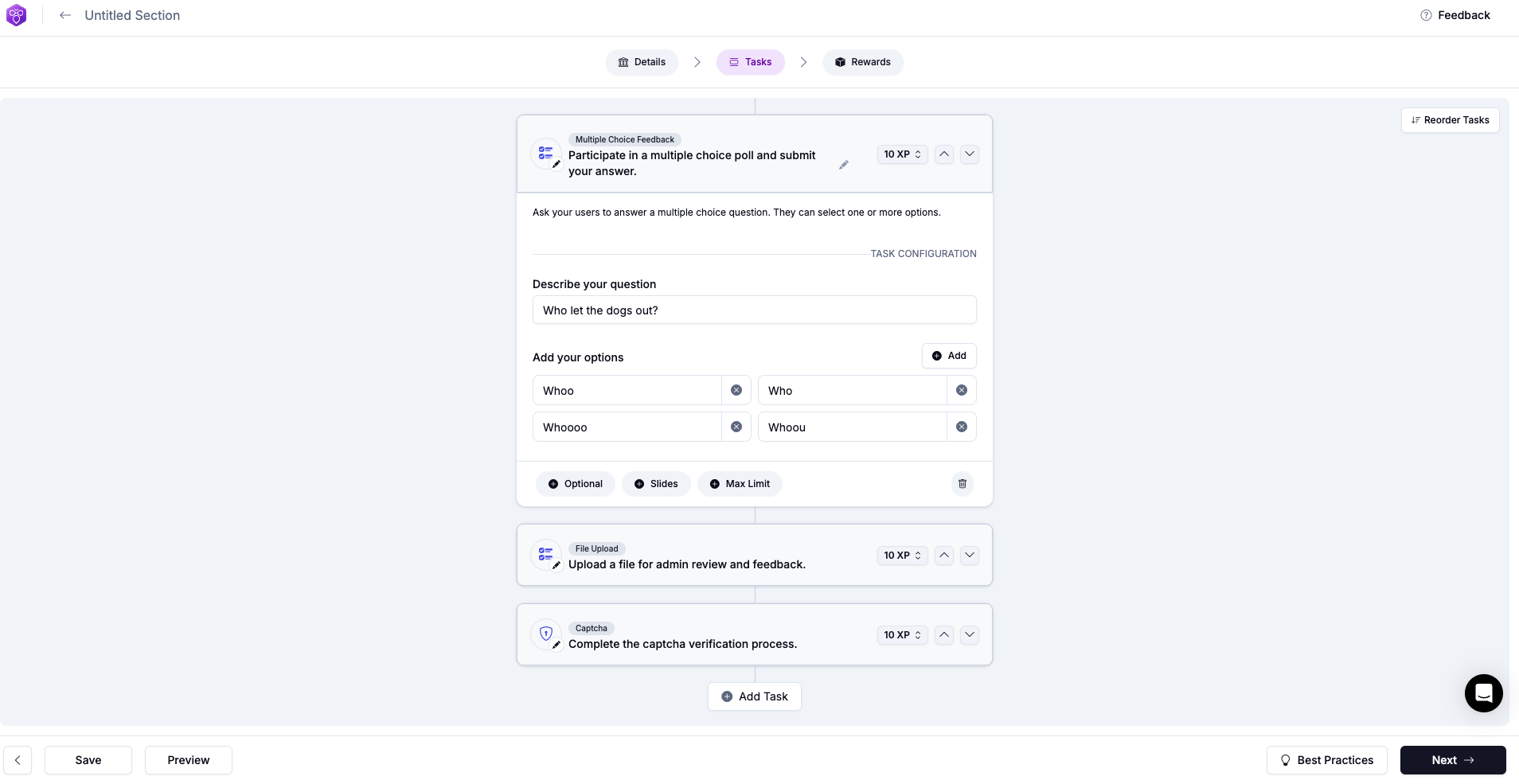
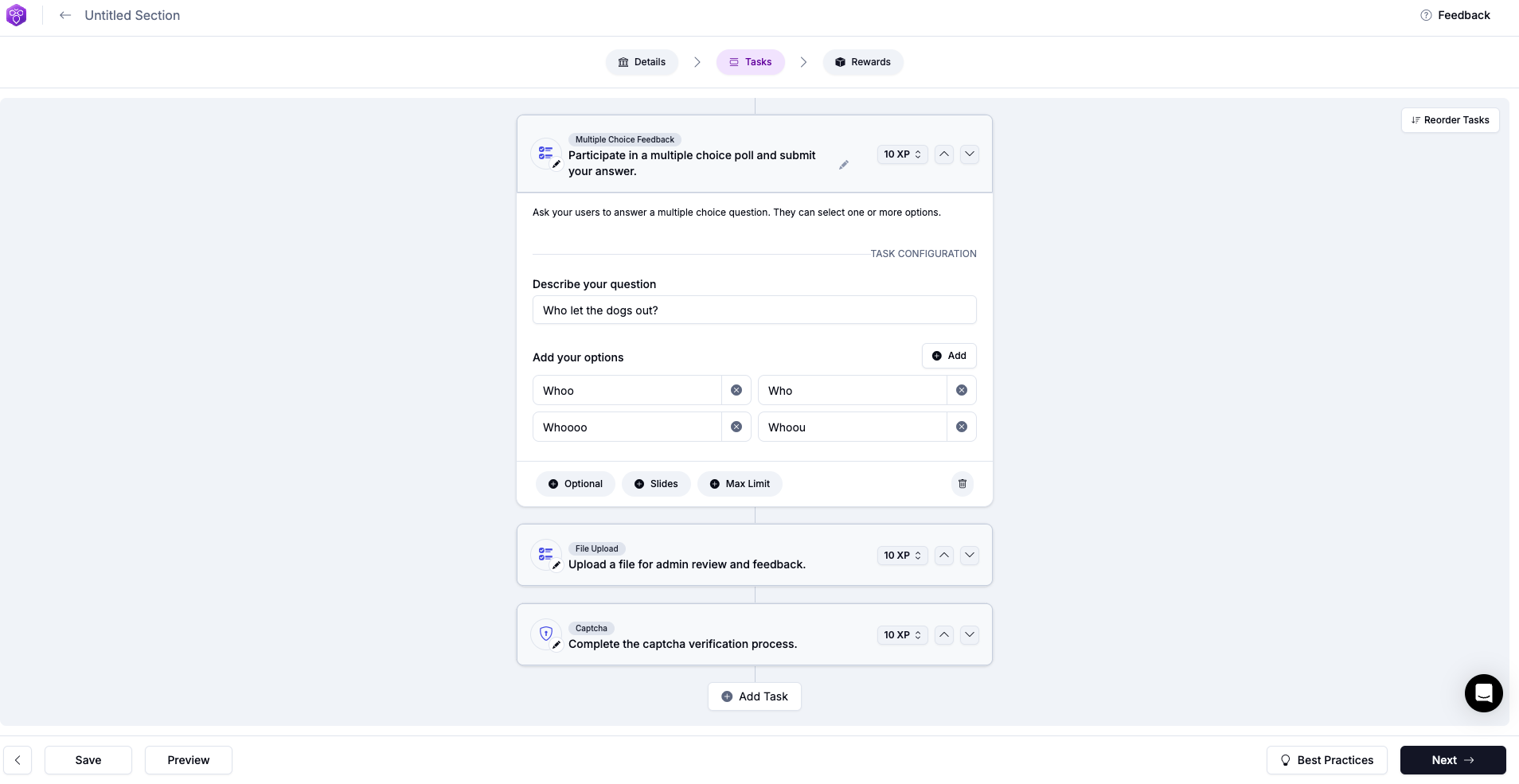
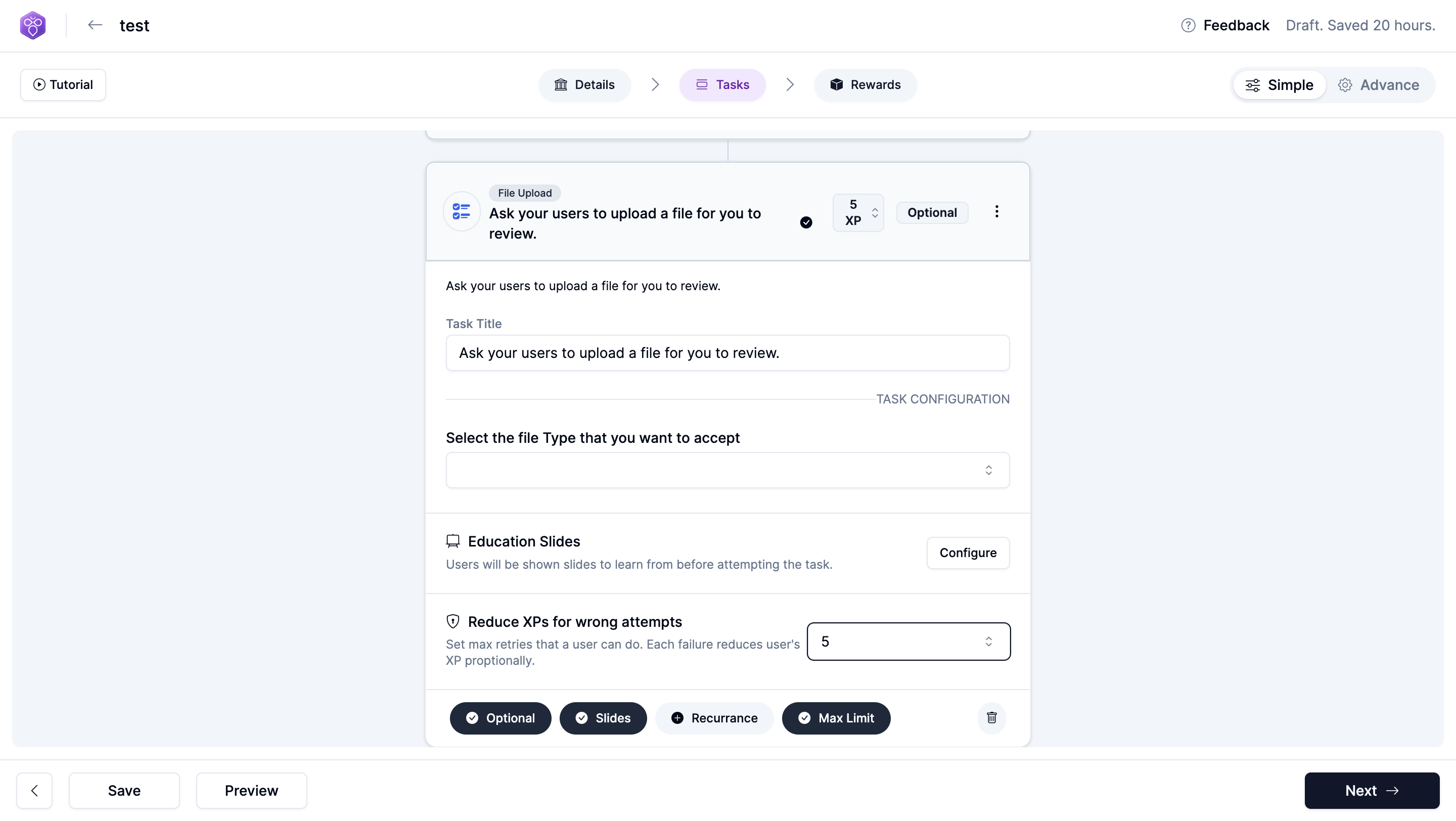
Setting up tasks is generally simple. For example, multiple choice questions. Add your question, provide your options, and determine the XP amount awarded upon user completion. You can make the task optional. The process may become slightly more complex for certain other tasks.

<figure><img src="https://1130498538-files.gitbook.io/~/files/v0/b/gitbook-x-prod.appspot.com/o/spaces%2FKGgeahEPgCyenKG4Y7ib%2Fuploads%2FhUND96KLj23OeDyHdOFJ%2Fimage.png?alt=media&amp;token=5520af0d-eb34-46c6-9838-cae849ed3b0e" alt=""><figcaption></figcaption></figure>

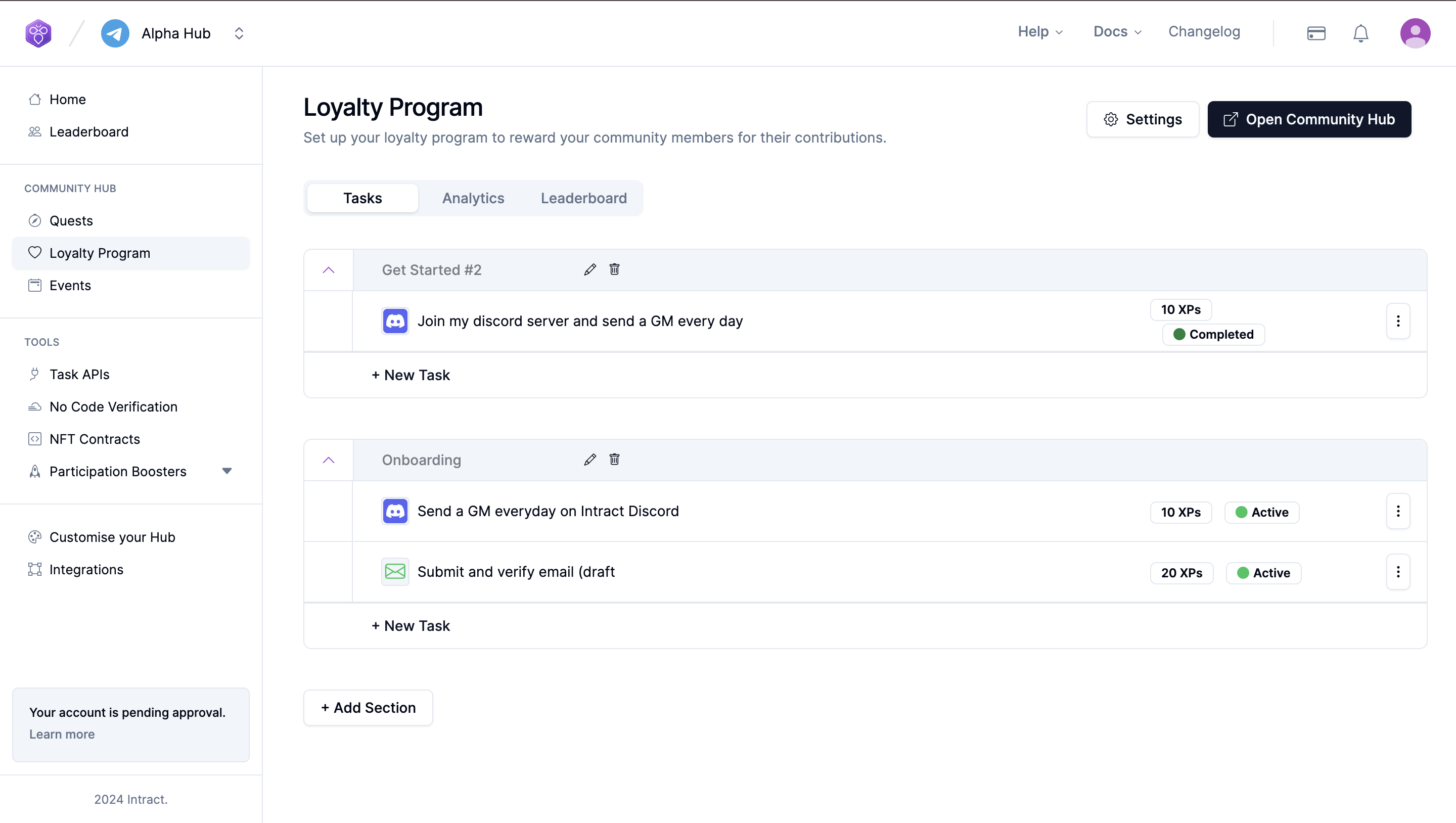
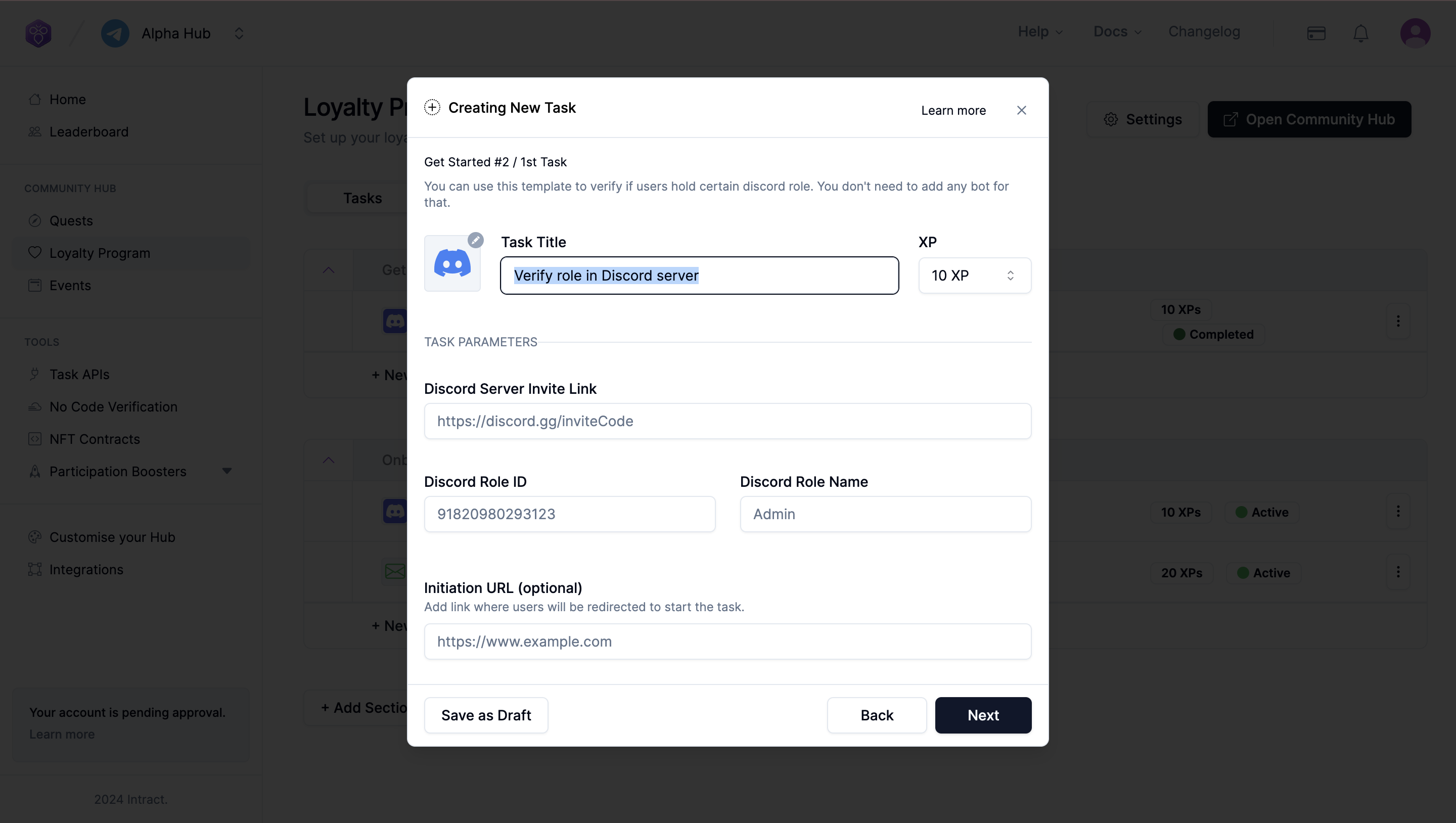
For example this task. While this task may initially appear complex, it essentially involves selecting a task and inputting the requested parameters. These could be as straightforward as "add a username for users to follow," or slightly more complex, such as "NFT chain IDs.”

<figure><img src="https://1130498538-files.gitbook.io/~/files/v0/b/gitbook-x-prod.appspot.com/o/spaces%2FKGgeahEPgCyenKG4Y7ib%2Fuploads%2FPppQ3mN6Wmg1TLGxDU9j%2Fimage.png?alt=media&amp;token=ad98b271-9677-4d2e-a52c-d44330c32407" alt=""><figcaption></figcaption></figure>

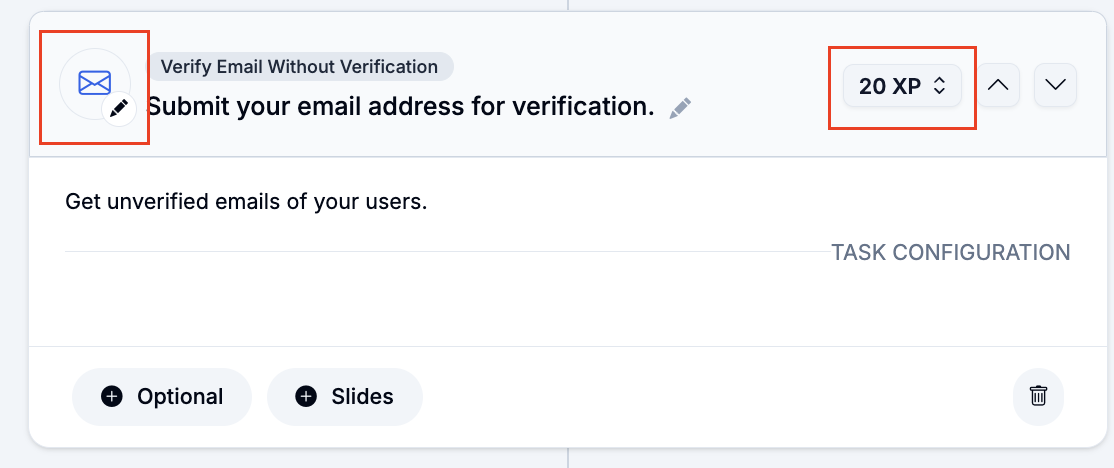
You can also customize task details. For instance you can...

1. Customize icons by clicking on the ✏️ near a task icon on the top-left
2. Customize XP count of each task by clicking on the drop-down on the top-right&#x20;

<figure><img src="https://1130498538-files.gitbook.io/~/files/v0/b/gitbook-x-prod.appspot.com/o/spaces%2FKGgeahEPgCyenKG4Y7ib%2Fuploads%2FyDeakQuLDjf6gftXwCaR%2Fimage.png?alt=media&amp;token=f1eb7d56-97ec-49c1-93b4-385cf746ee9e" alt=""><figcaption></figcaption></figure>

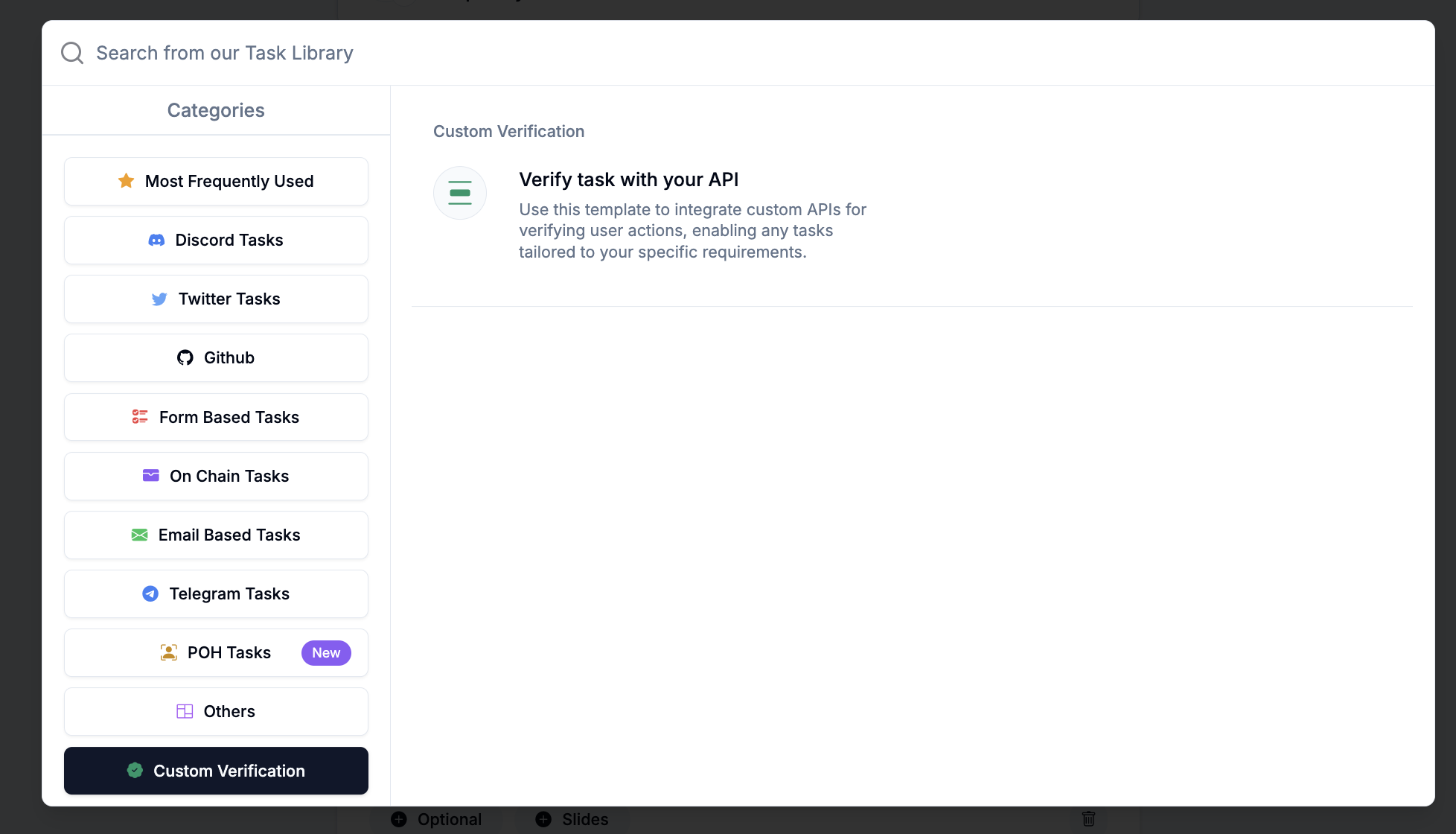
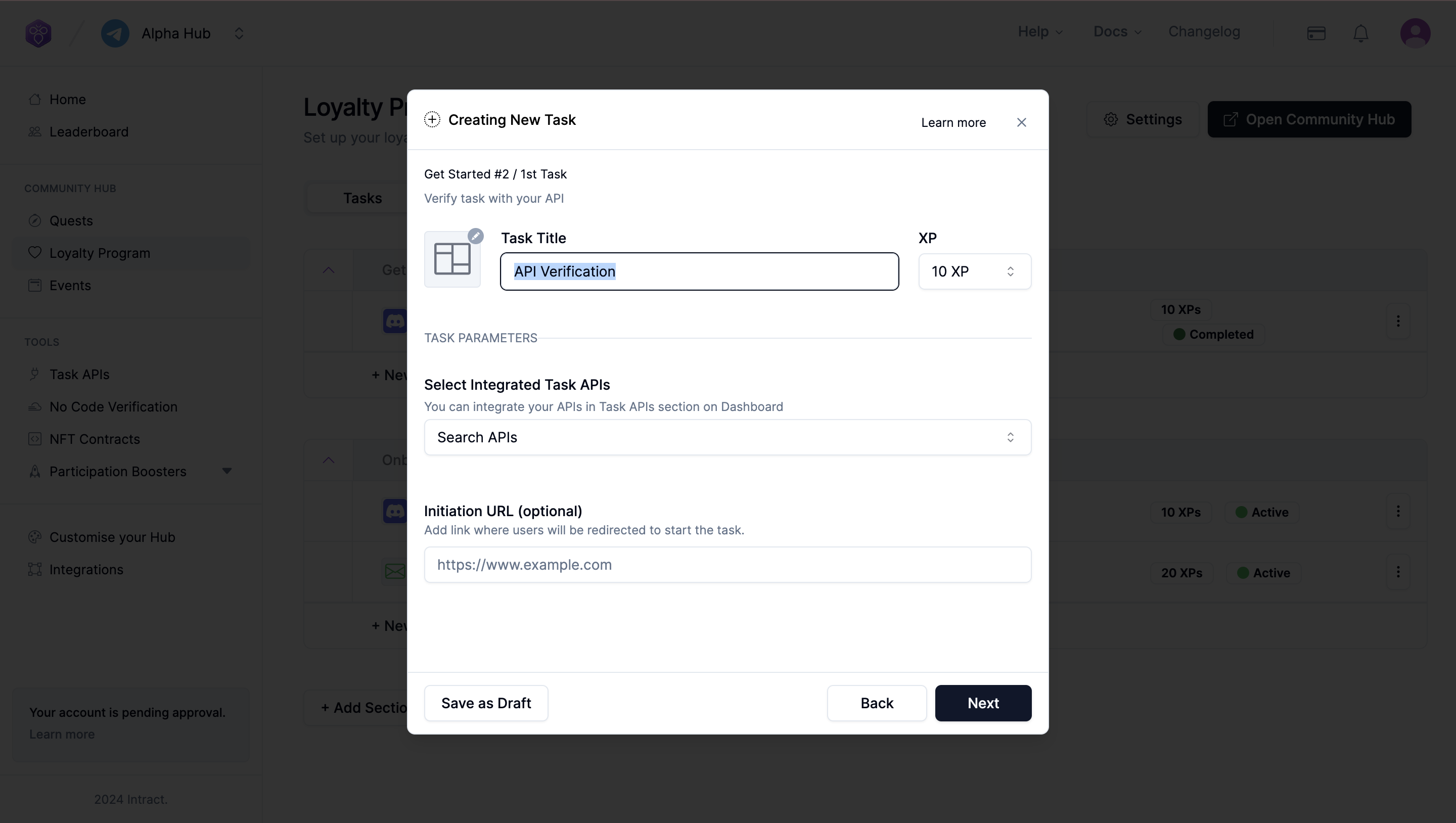
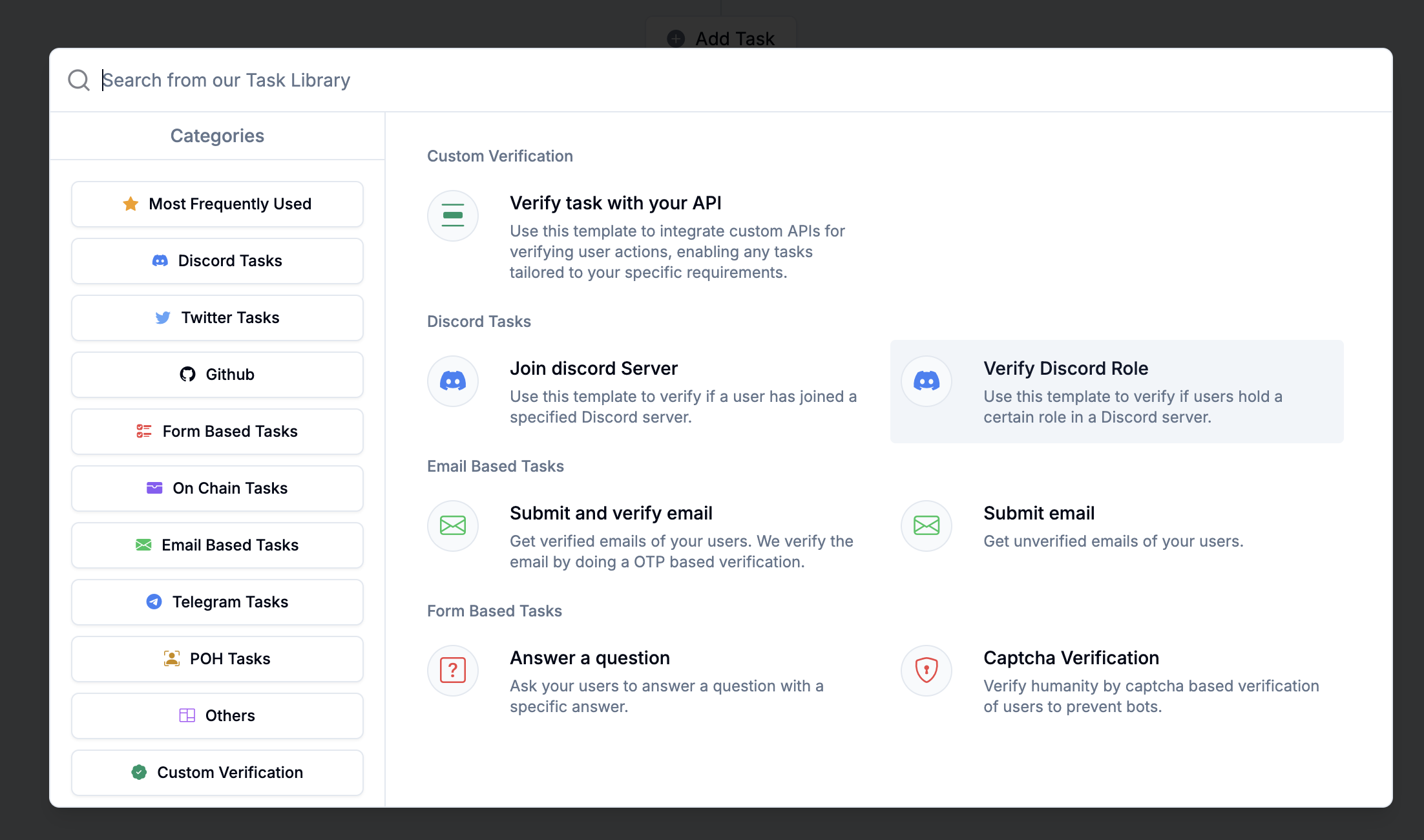
## Custom Verification

<figure><img src="https://1130498538-files.gitbook.io/~/files/v0/b/gitbook-x-prod.appspot.com/o/spaces%2FKGgeahEPgCyenKG4Y7ib%2Fuploads%2FbhcOjM7yjQp75E4LrjTu%2Fimage.png?alt=media&amp;token=164eb9c4-ed08-41bf-b78e-ed3c8968febc" alt=""><figcaption></figcaption></figure>


# Understanding Task Features

Once you have added all the necessary parameters required for a specific task, proceed with the task features.

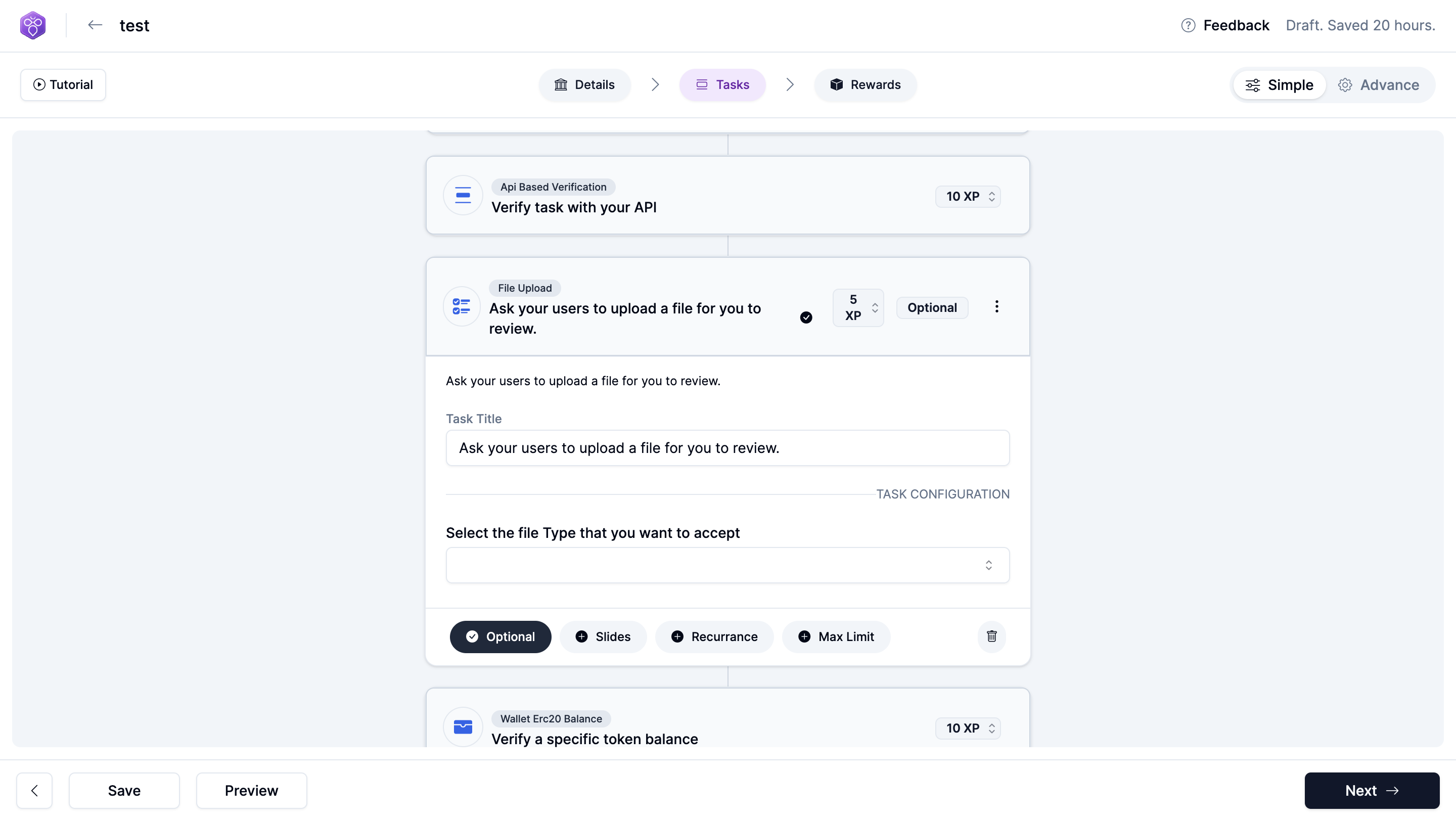
### Optional Tasks

<figure><img src="https://content.gitbook.com/content/KGgeahEPgCyenKG4Y7ib/blobs/jRU9HY9vXiRdPlkMlSHs/Screenshot%202024-04-17%20at%2012.02.12%20PM.png" alt=""><figcaption><p>Make a task option</p></figcaption></figure>

There is an 'optional' feature that can be selected for any given task. Selecting this feature will make the task optional, thus providing the user with the flexibility to skip this task and yet remain eligible for the rewards associated with the quest.&#x20;

This is a particularly useful feature when dealing with tasks that are more challenging or time-consuming, as it encourages a larger number of people to initiate and attempt to complete the quest. By making these more difficult tasks optional, we make the quest more accessible and thereby increase participation rates, without compromising the overall objective of the quest.

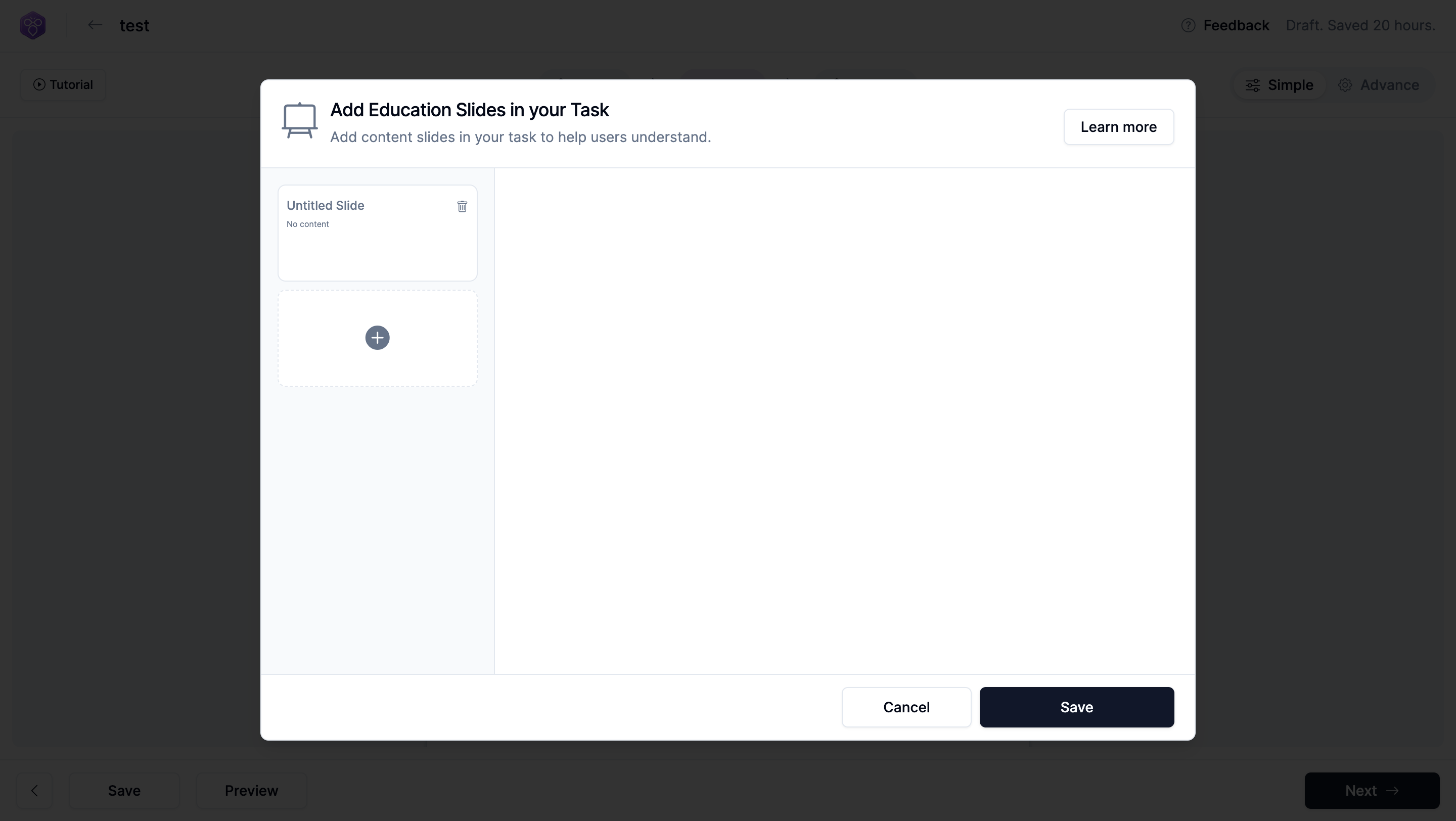
### Educational Slides:

<figure><img src="https://content.gitbook.com/content/KGgeahEPgCyenKG4Y7ib/blobs/yVCTaliAEBm1FhHRiKOy/Screenshot%202024-04-17%20at%2012.02.25%20PM.png" alt=""><figcaption><p>Educational Slides</p></figcaption></figure>

The feature of adding educational slides can significantly enhance user understanding and engagement. These slides can be like a step-by-step guide, simplifying complex tasks. If users struggle with a particular task, these slides can break it down into manageable parts, ensuring no user is left behind.

We've also seen individuals create detailed slides about their projects, followed by engaging users with questions related to the presented material. This method can effectively communicate your project's value and pique user interest. You can use this feature any way that you want to.

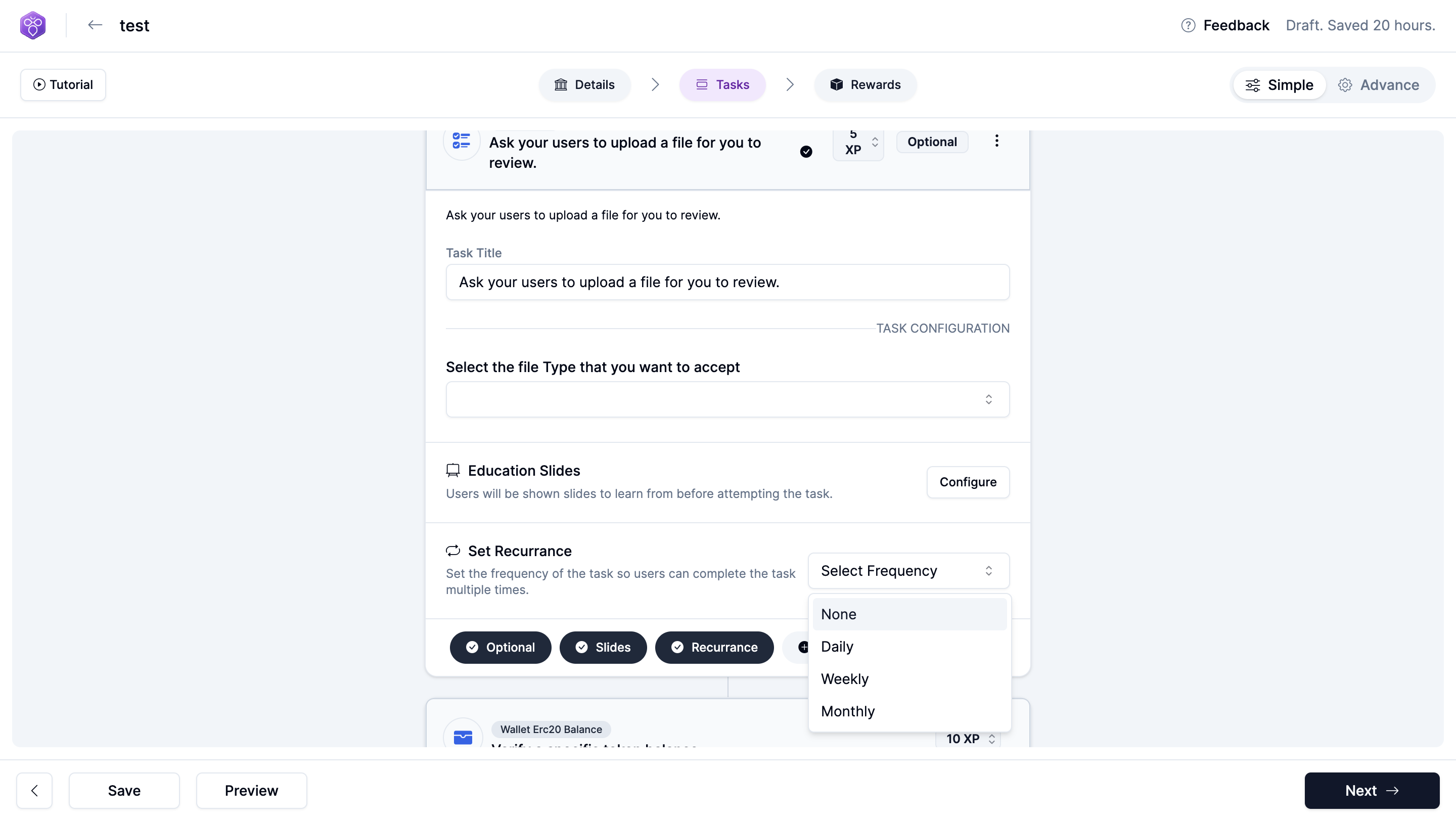
### Recurring Task:

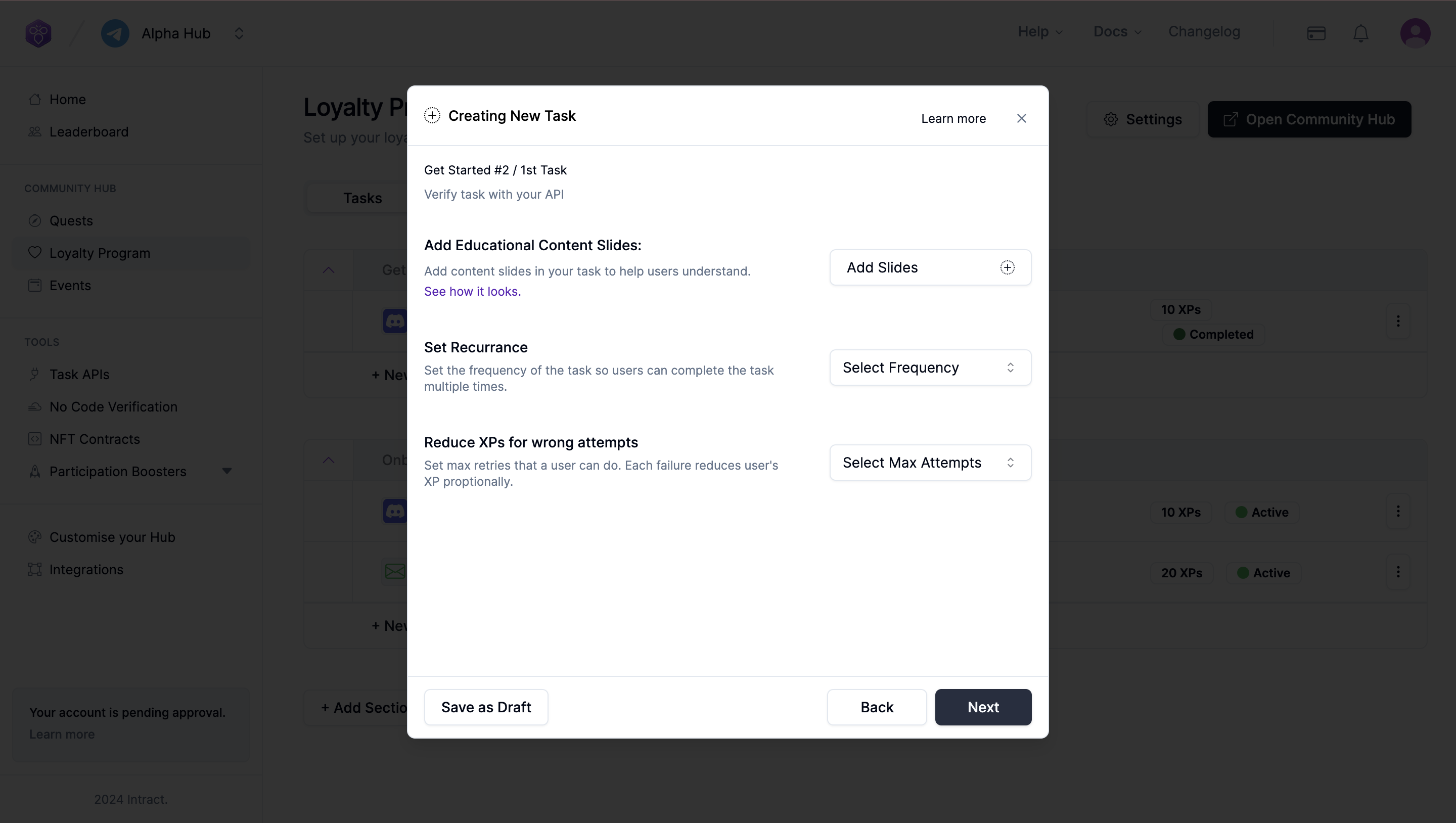
<figure><img src="https://content.gitbook.com/content/KGgeahEPgCyenKG4Y7ib/blobs/XnwPVLo9dJu6jvN7IAHy/Screenshot%202024-04-17%20at%2012.02.36%20PM.png" alt=""><figcaption><p>Recurring Tasks</p></figcaption></figure>

You can set certain tasks to recur. However, keep in mind that not all tasks can be repetitive. For instance, you can request a user to visit a website daily, but you can't ask them to follow the same Twitter handle every day. Some actions can only be performed once. Technically, they can be repeated, but doing so doesn't make a difference. You can set the recurrence frequency, allowing the user to execute the task daily, weekly, or monthly, depending on your selection.

### Max Limit

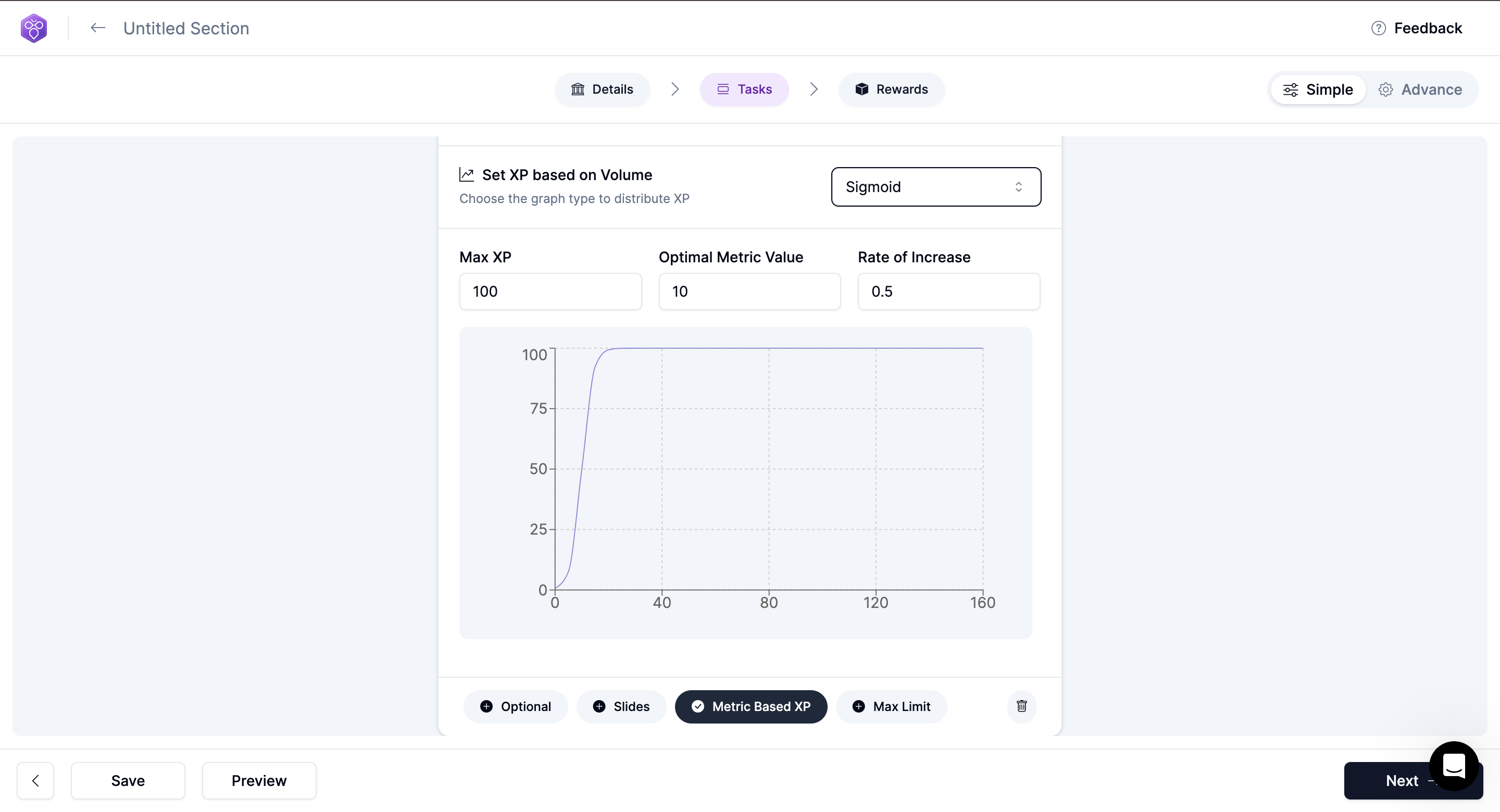
<figure><img src="https://content.gitbook.com/content/KGgeahEPgCyenKG4Y7ib/blobs/Scnk6H0Gb402XEekFKBT/Screenshot%202024-04-17%20at%2012.02.50%20PM.png" alt=""><figcaption><p>Max Limit</p></figcaption></figure>

This task feature is also not available for all tasks. What it does is allow you to set a maximum number of attempts a user can make to complete a task. Each incorrect attempt reduces the amount of XPs they will receive. Therefore, ensure that the XPs allocated for a task are divisible by the maximum limit, as we only distribute whole XPs.

Note that a task cannot be both recurring and have a maximum limit for obvious reasons. Trying to click them both will cause an apocalyse 🧟. Please DO NOT TRY TO DO THAT, positively.


# How to implement On-Chain Tasks

Creating on-chain tasks and acquiring users with specific on-chain activity is made easy with Intract.

Our tasks can help you verify whether your questers...&#x20;

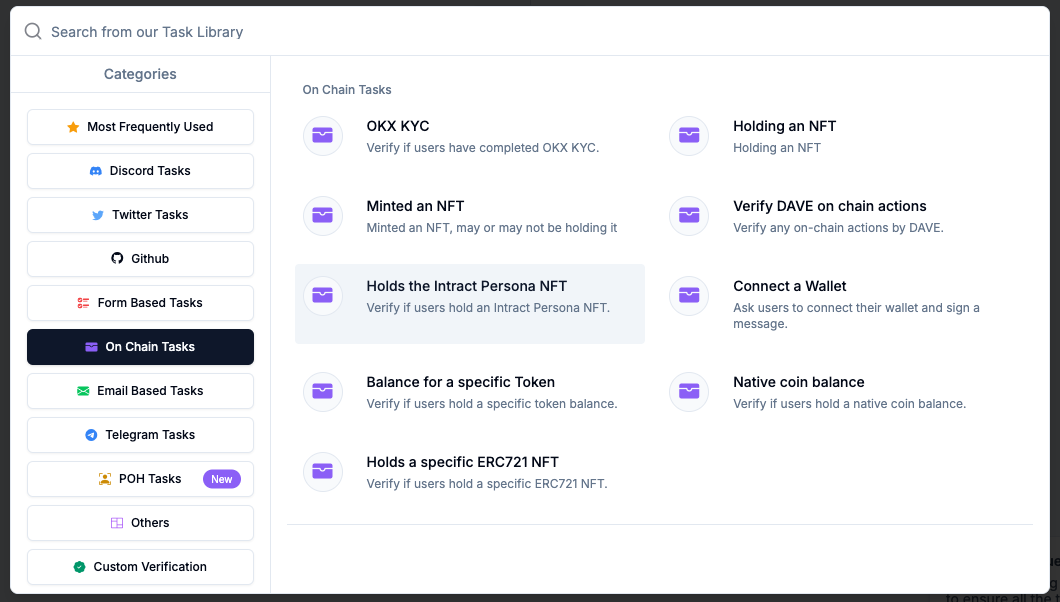
<figure><img src="https://1130498538-files.gitbook.io/~/files/v0/b/gitbook-x-prod.appspot.com/o/spaces%2FKGgeahEPgCyenKG4Y7ib%2Fuploads%2FKKBbSb1R0Dh7T2EoRGwF%2FScreenshot%202024-12-16%20at%2012.10.59%E2%80%AFPM.png?alt=media&amp;token=9a4fde41-6954-45cf-a1f8-4eeb0daceaf9" alt=""><figcaption></figcaption></figure>

## Verify OKX KYC

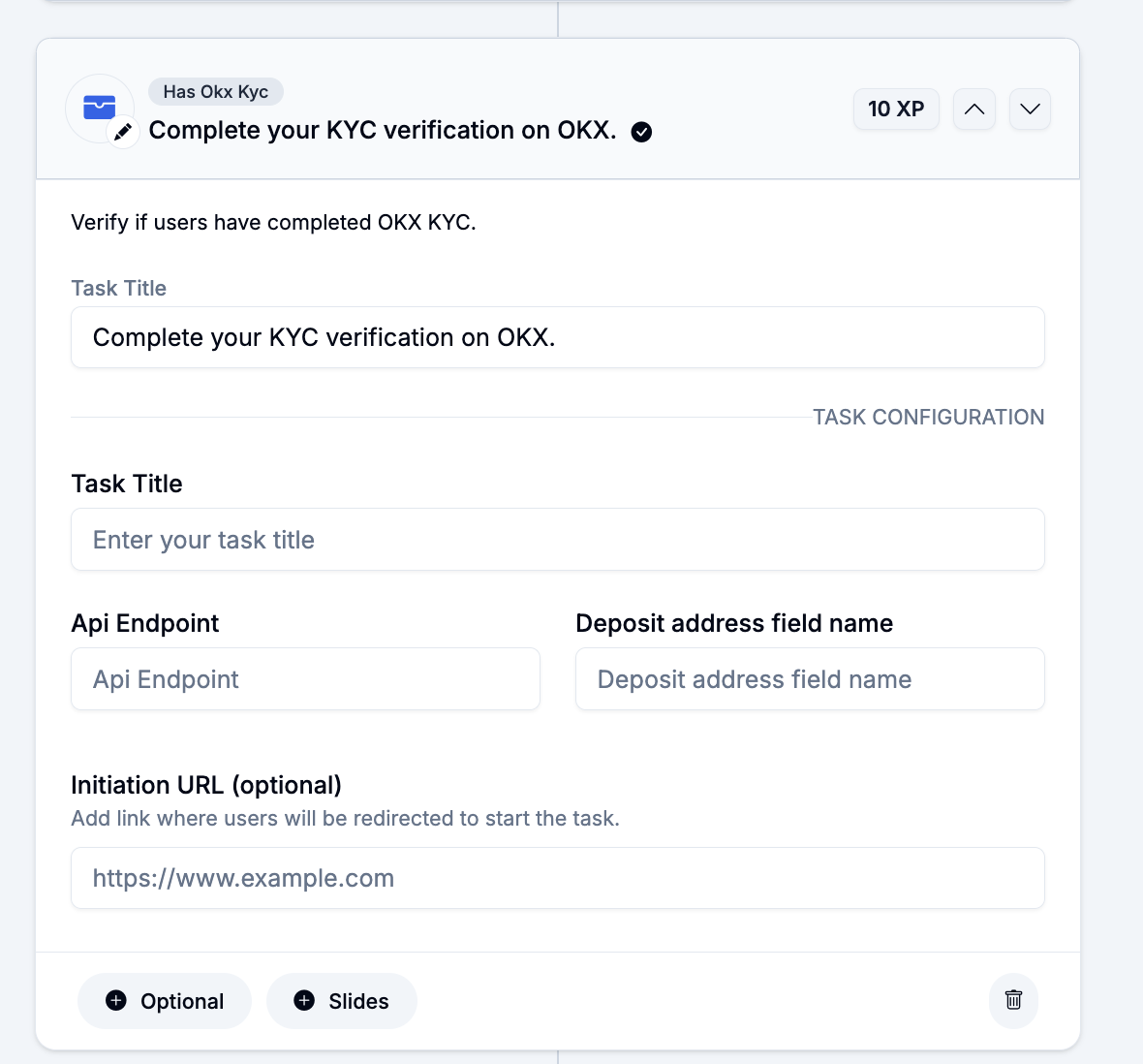
1. Enter the task title to be displayed, Api Endpoint, address, field name, and Initiation URL&#x20;
2. **API Endpoint** is the URL that OKX provides to check if a specific user’s KYC is completed
3. **Address Field Name:** If a user has completed their KYC or other tasks on a platform like OKX, the system may need to match a specific piece of user data (such as a wallet or deposit address) to confirm their identity or transaction
4. **Initiation URL (optional):** If you want the user to do the OKX KYC and verify the task on the go, we suggest that you add the url that redirects the user to its website

<figure><img src="https://1130498538-files.gitbook.io/~/files/v0/b/gitbook-x-prod.appspot.com/o/spaces%2FKGgeahEPgCyenKG4Y7ib%2Fuploads%2FGVLdy3Xle5HZfW57DbGT%2Fimage.png?alt=media&amp;token=50421ccc-ab4f-4ca0-b37e-6e3b29f7fdb6" alt="" width="563"><figcaption></figcaption></figure>

## Holds a Specific Amount of Balance

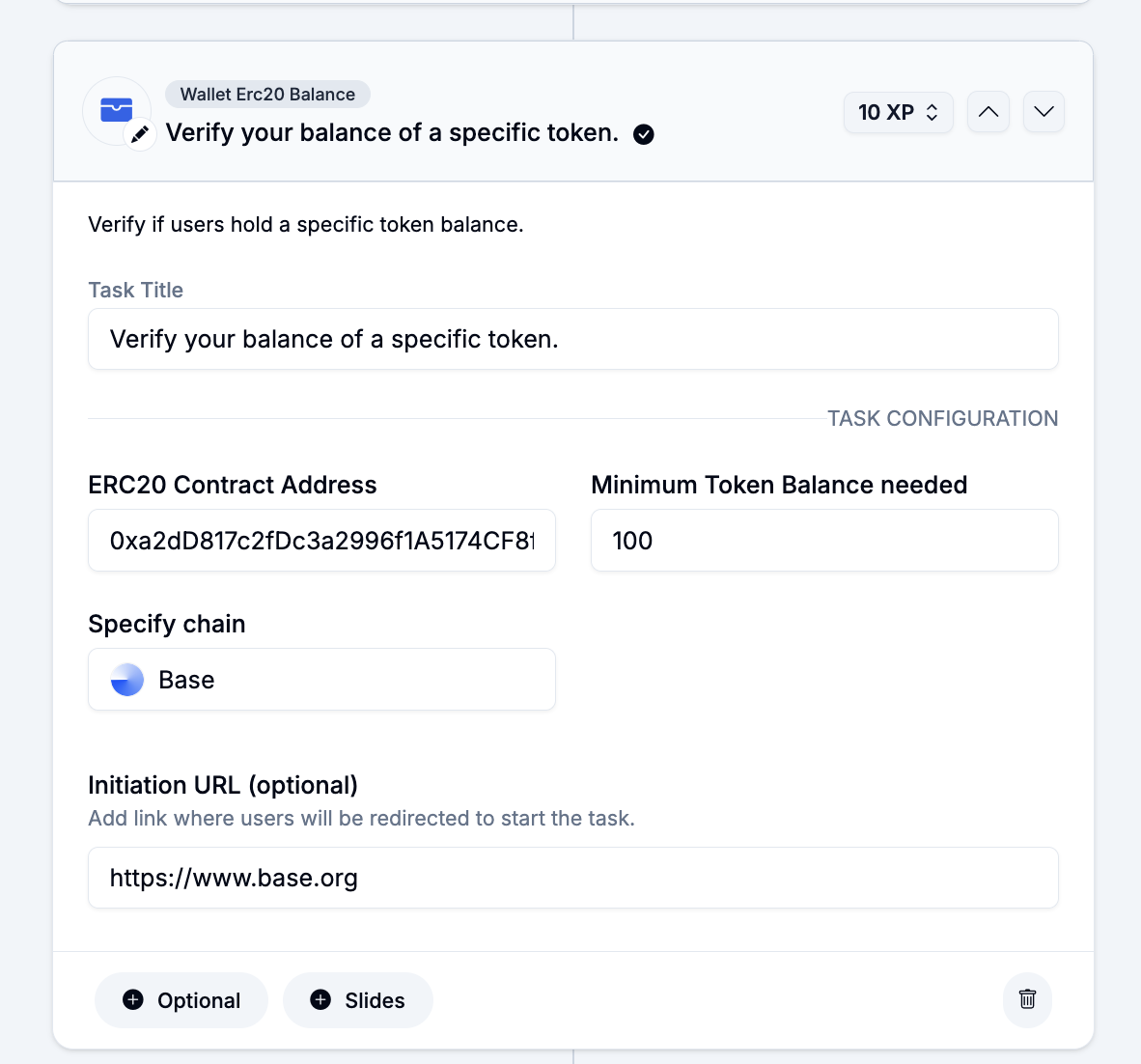
### 1. On a Token

Enter the task title to be displayed, ERC20 contract address of the token, minimum token balance needed to verify the task, the chain on which the token is held, and the initiation URL (optional).

<figure><img src="https://1130498538-files.gitbook.io/~/files/v0/b/gitbook-x-prod.appspot.com/o/spaces%2FKGgeahEPgCyenKG4Y7ib%2Fuploads%2FfH4U3VIBdpzExQM3XHiX%2Fimage.png?alt=media&amp;token=fb9b9d2c-c87f-4e89-b256-23c5e027c4ab" alt="" width="563"><figcaption></figcaption></figure>

### 2. On A Chain's Native Coin

Similar to the previous task template, you can use this task template to confirm the minimum balance on a specific chain's native coin.

<figure><img src="https://1130498538-files.gitbook.io/~/files/v0/b/gitbook-x-prod.appspot.com/o/spaces%2FKGgeahEPgCyenKG4Y7ib%2Fuploads%2FjhpD9jwCgS61yuXqHdUy%2Fimage.png?alt=media&amp;token=3c6f037d-6b67-4b23-880e-73267411c594" alt="" width="563"><figcaption></figcaption></figure>

## Interacted with NFTs

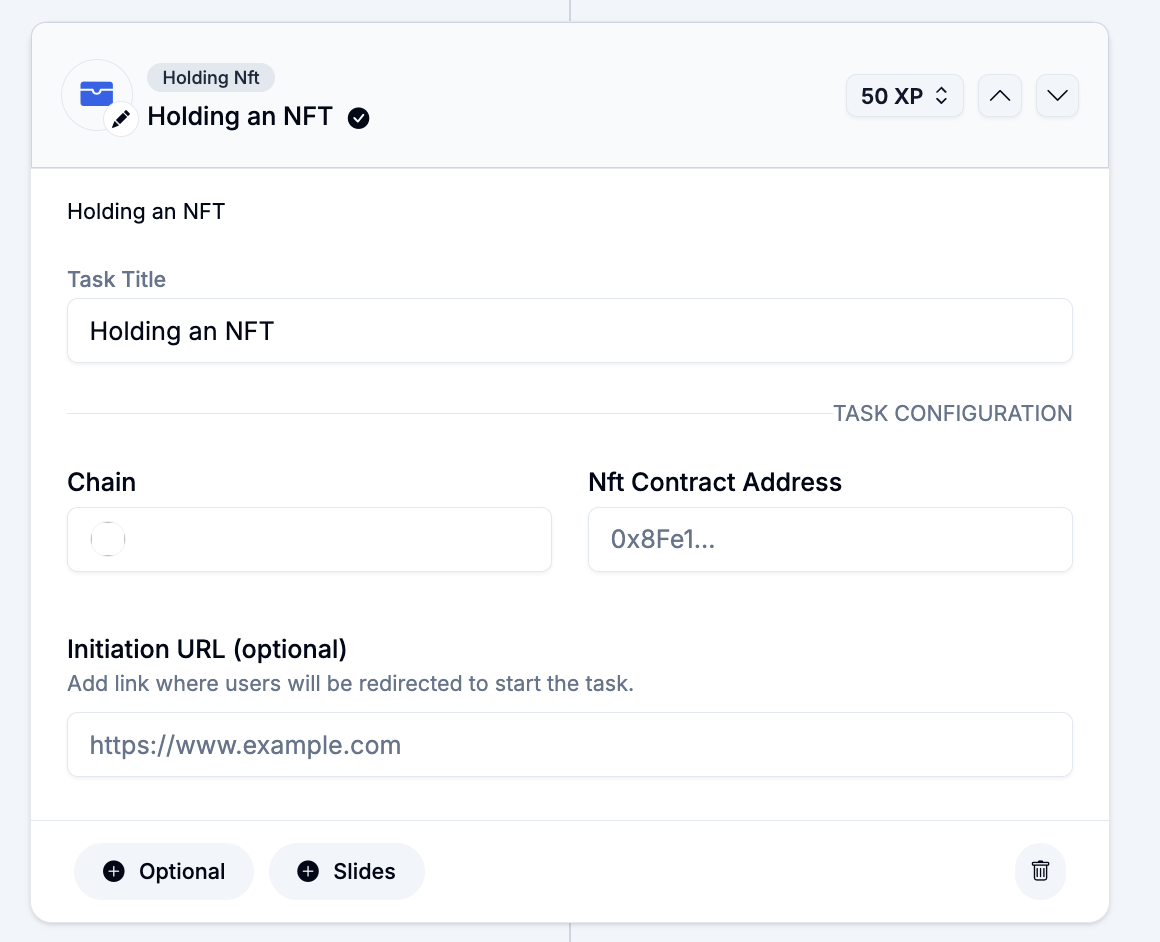
### 1. Holds an NFT

This task template lets you know whether or not the user holds an NFT currently.

1. Add the Task Title to be displayed , the chain on which the NFT is held, NFT's contract address, and the initiation URL

<figure><img src="https://1130498538-files.gitbook.io/~/files/v0/b/gitbook-x-prod.appspot.com/o/spaces%2FKGgeahEPgCyenKG4Y7ib%2Fuploads%2FuT9Kpd4VLkmb6VDMsAm3%2Fimage.png?alt=media&amp;token=02b49bbc-cd5f-41fc-bb3e-62880d40c930" alt="" width="563"><figcaption></figcaption></figure>

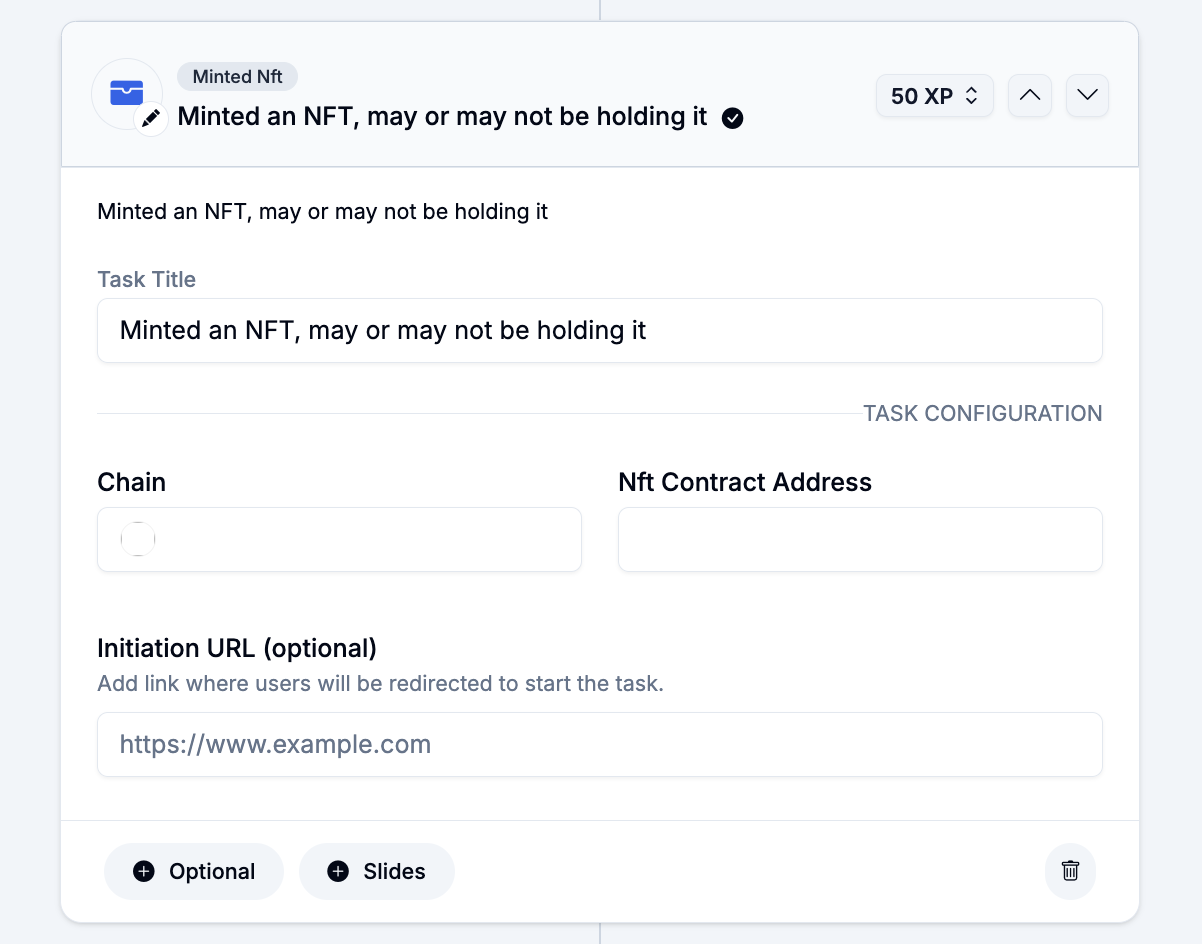
### 2. Minted an NFT

This template lets you additionally target users that minted an NFT but might have sold it.

1. Add the Task Title to be displayed , the chain on which the NFT was held, NFT's contract address, and the initiation URL

<figure><img src="https://1130498538-files.gitbook.io/~/files/v0/b/gitbook-x-prod.appspot.com/o/spaces%2FKGgeahEPgCyenKG4Y7ib%2Fuploads%2Fkdal978VqADbvwpDvQtM%2Fimage.png?alt=media&amp;token=e2447352-a396-492d-8767-0e5bad305eab" alt="" width="563"><figcaption></figcaption></figure>

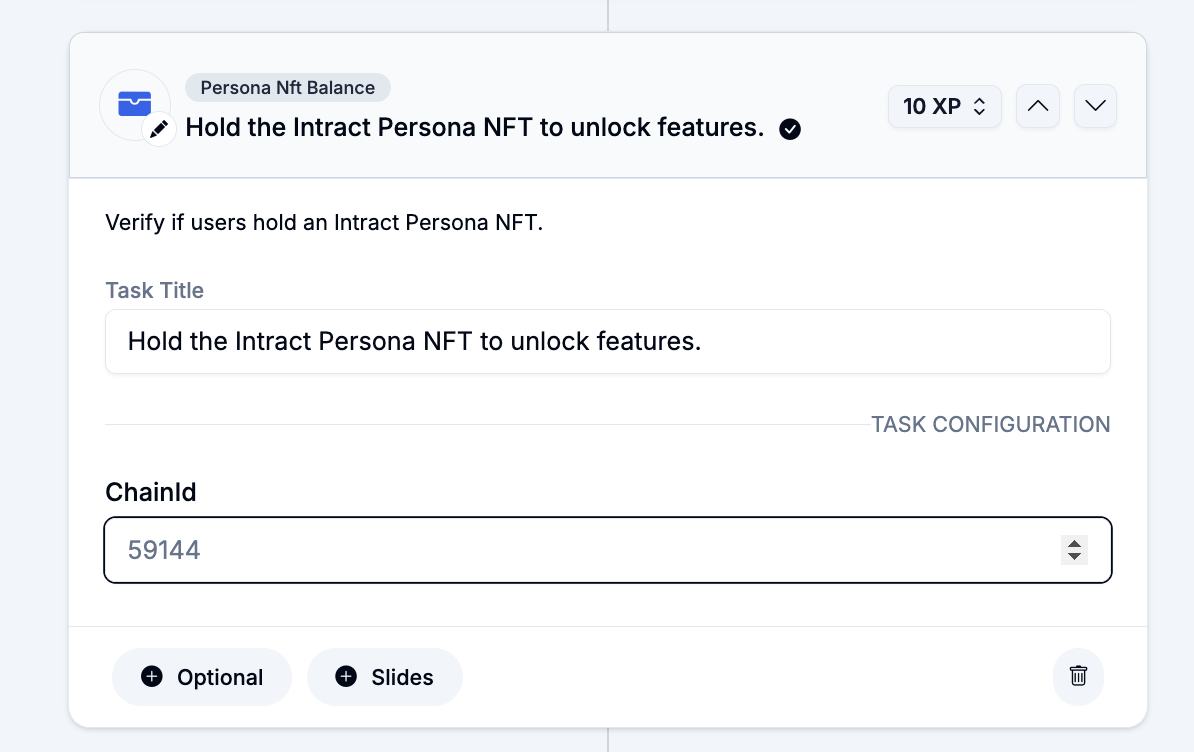
### 3. Holds the Intract Persona NFT

Intract has built its [persona NFT](https://app.intract.io/proof-of-humanity) to ensure that your user base is bot-less without compromising your users' privacy.

1. Add the task title and the specific chainId to continue

<figure><img src="https://1130498538-files.gitbook.io/~/files/v0/b/gitbook-x-prod.appspot.com/o/spaces%2FKGgeahEPgCyenKG4Y7ib%2Fuploads%2FmPxSyWN2tzoojcR1gPUH%2Fimage.png?alt=media&amp;token=2c9f6345-5cda-40c1-936a-fc0b78d4f20a" alt="" width="563"><figcaption></figcaption></figure>

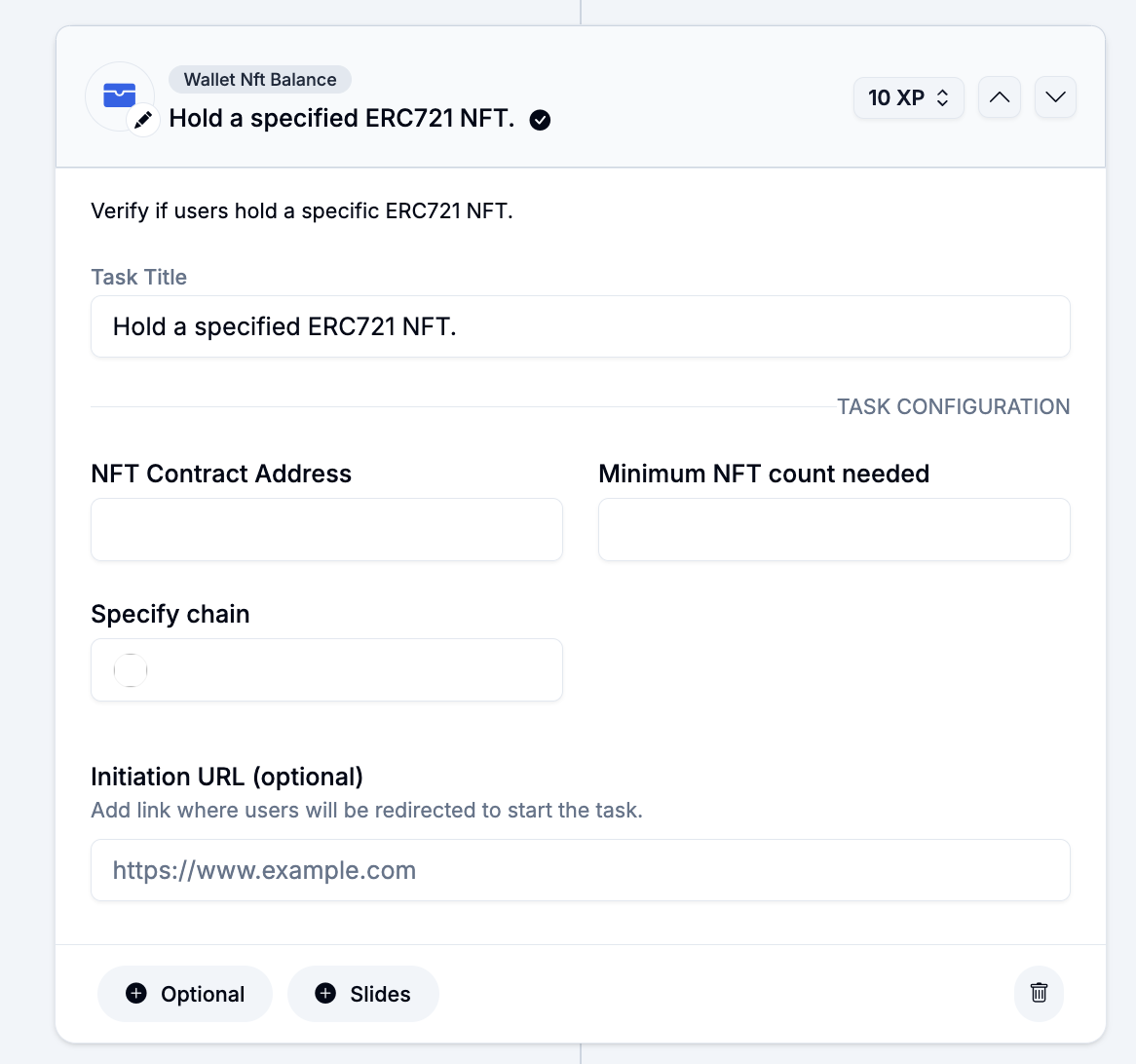
### 5. Holds a Specified ERC721 NFT

This task template lets you know how many NFTs does the user hold out of your specified ERC721 NFT. Add the task title, ERC721 NFT contract address, minimum count, NFT's chain, and initiation URL (optional) to continue

<figure><img src="https://1130498538-files.gitbook.io/~/files/v0/b/gitbook-x-prod.appspot.com/o/spaces%2FKGgeahEPgCyenKG4Y7ib%2Fuploads%2FotOUkZ9y4npfIZDPi58P%2Fimage.png?alt=media&amp;token=4234a2dc-285a-4b64-8af0-e3c56054fc59" alt="" width="563"><figcaption></figcaption></figure>

## Done On-Chain Tasks on [DAVE](/product-guide/tools-guides/dave-no-code-task-verification)

DAVE (Dynamic Auto Verification Engine) is Intract's no-code On-chain task verification feature. Here is how you create a DAVE query and use it verify on-chain tasks without writing any code...

{% embed url="<https://www.youtube.com/watch?t=144s&v=Zr96dD4WaVk>" %}

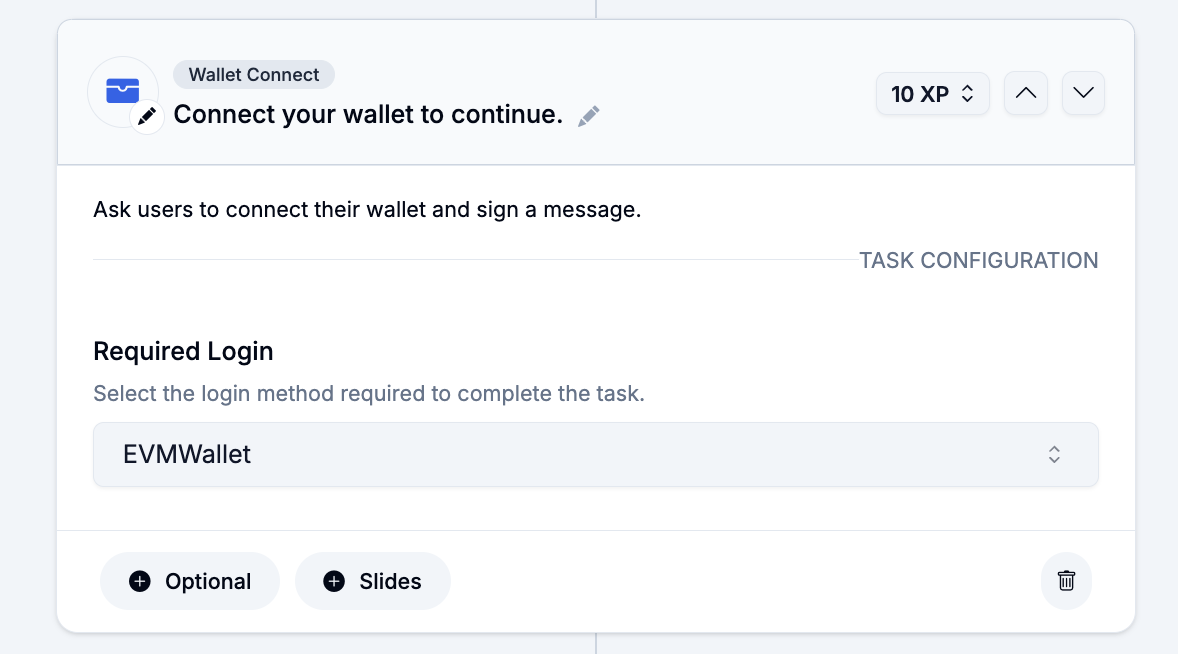
## Connected their Wallet

To ensure that your quest's users have a connected wallet, you can add this task template and specify the kind of wallet among EVM, Starknet, Keplr, Solana, and TON.

<figure><img src="https://1130498538-files.gitbook.io/~/files/v0/b/gitbook-x-prod.appspot.com/o/spaces%2FKGgeahEPgCyenKG4Y7ib%2Fuploads%2FE5lTl1EBjqJ9Gleu9pau%2Fimage.png?alt=media&amp;token=a585d5bc-a979-4191-9586-449ee85aa9c1" alt=""><figcaption></figcaption></figure>


# How to Implement Proof of Humanity Tasks

Intract uses PoH (Proof of Humanity) to keep bots + sybils out of your campaigns, allowing you to know who your real users are. You can add special tasks to only include users who have verified humanity across one or multiple platforms.

To begin with, click on "POH Tasks" among the Task Categories and select the appropriate POH task.

<figure><img src="https://1130498538-files.gitbook.io/~/files/v0/b/gitbook-x-prod.appspot.com/o/spaces%2FKGgeahEPgCyenKG4Y7ib%2Fuploads%2FPzO7ab1cWh7FT9gLOC0n%2FScreenshot%202024-10-13%20at%2012.18.56%E2%80%AFAM.png?alt=media&amp;token=af22b4a8-f265-4088-8806-90217ec107bd" alt=""><figcaption></figcaption></figure>

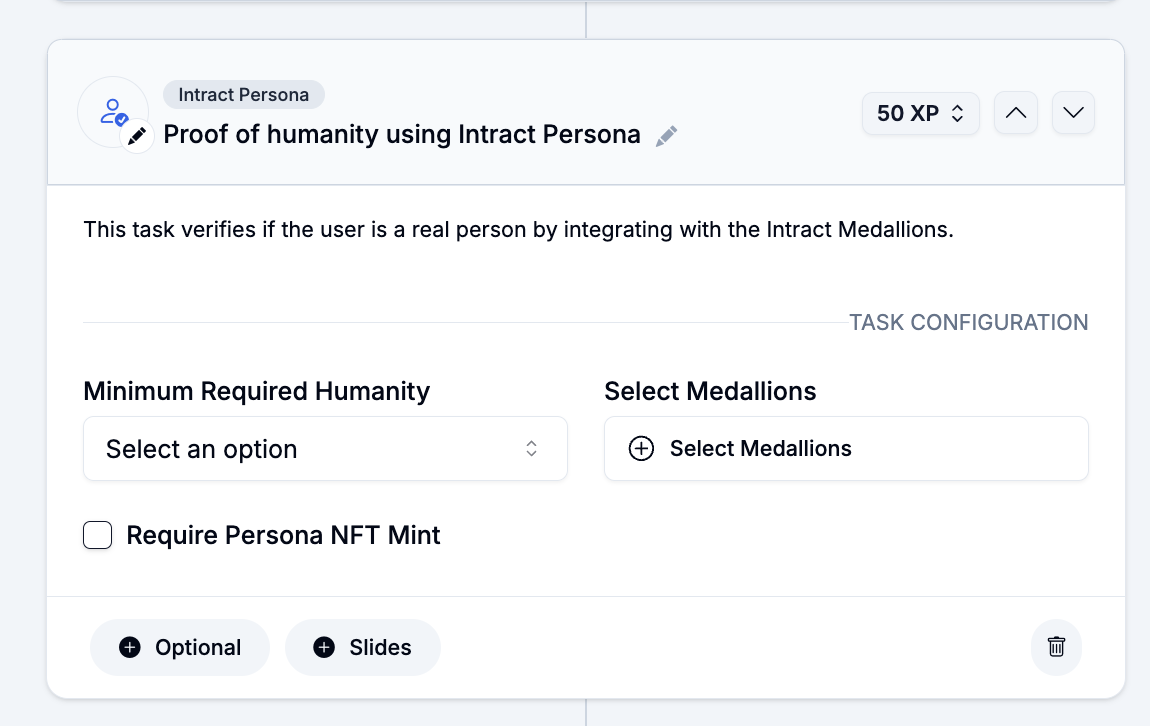
## Proof of Humanity Using [Intract Persona](https://app.intract.io/proof-of-humanity)

Intract has its own Proof of Humanity solution to verify if the user is a real person and give specific attributes to the questers based on their behaviour.

1. Select the Minimum Required Humanity. Higher the score, higher the chances of the superuser being a real human
2. Select the specific medallions that the users should have claimed. Medallions are the verifiable credentials that Intract PoH allows users to collect and manage to prove their humanity&#x20;
3. Choose whether or not the user should have minted the Persona NFT, for ensuring participation of the users who have medallions but haven't used them to mint the Persona NFT

<figure><img src="https://1130498538-files.gitbook.io/~/files/v0/b/gitbook-x-prod.appspot.com/o/spaces%2FKGgeahEPgCyenKG4Y7ib%2Fuploads%2FUWNHnuCC1GEJ6n48pA10%2Fimage.png?alt=media&amp;token=b0ec1954-1867-4cb2-802f-33303f87b837" alt="" width="563"><figcaption></figcaption></figure>

For more information about Intract Persona, click [here](https://app.intract.io/proof-of-humanity).

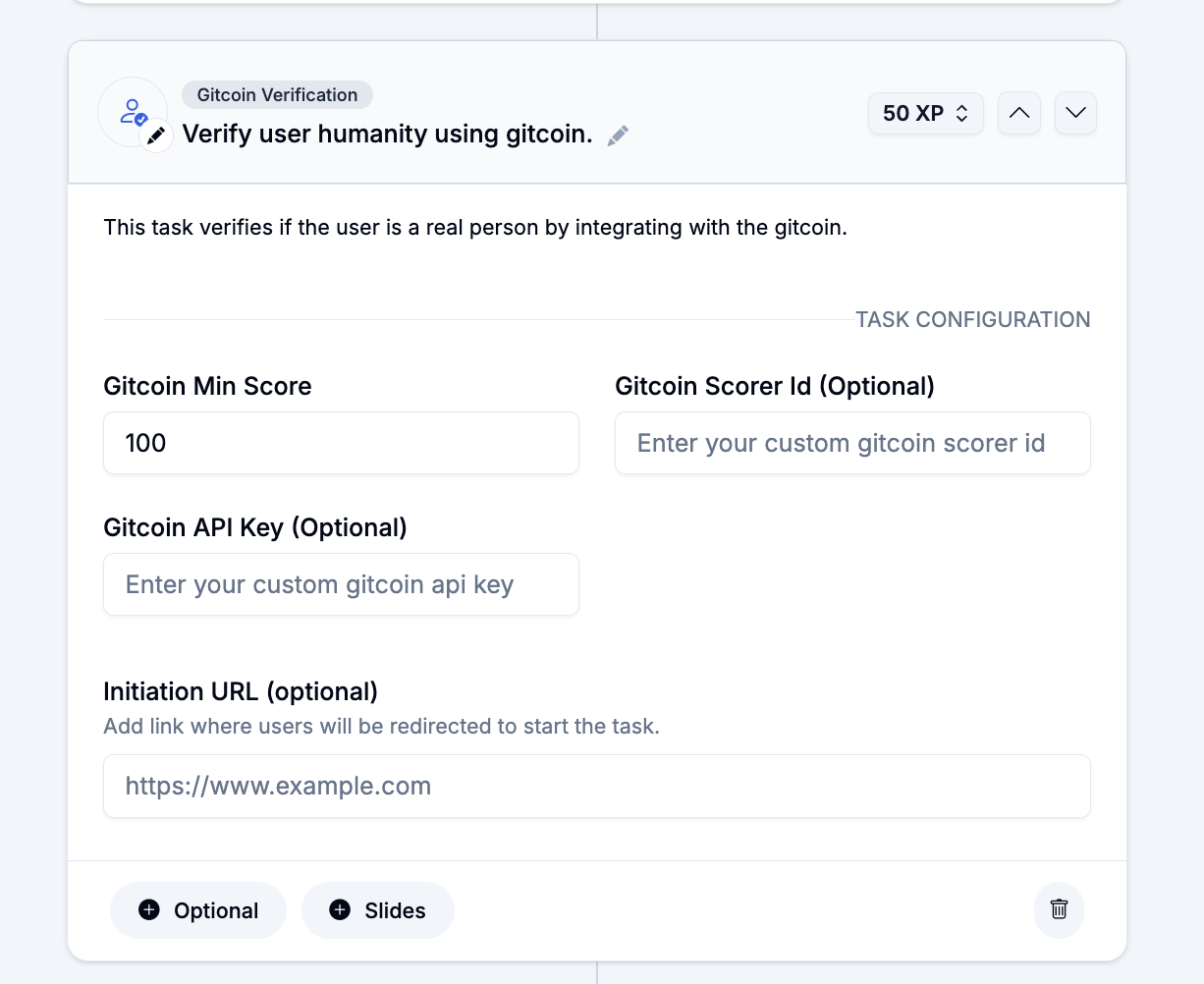
## Verify Humanity Using Gitcoin

Intract lets you verify users using Gitcoin passport. All you need to do is add the minimum Gitcoin Score that you expect. Leave the rest to Intract!  🤝

Still, you can add Scorer Id to customize the score and API Key to authenticate the verification request.&#x20;

<figure><img src="https://1130498538-files.gitbook.io/~/files/v0/b/gitbook-x-prod.appspot.com/o/spaces%2FKGgeahEPgCyenKG4Y7ib%2Fuploads%2FEkz38shEQMOHh67R3BJ3%2Fimage.png?alt=media&amp;token=355415ef-1e6f-47c9-b437-d8ae869eafea" alt="" width="563"><figcaption></figcaption></figure>

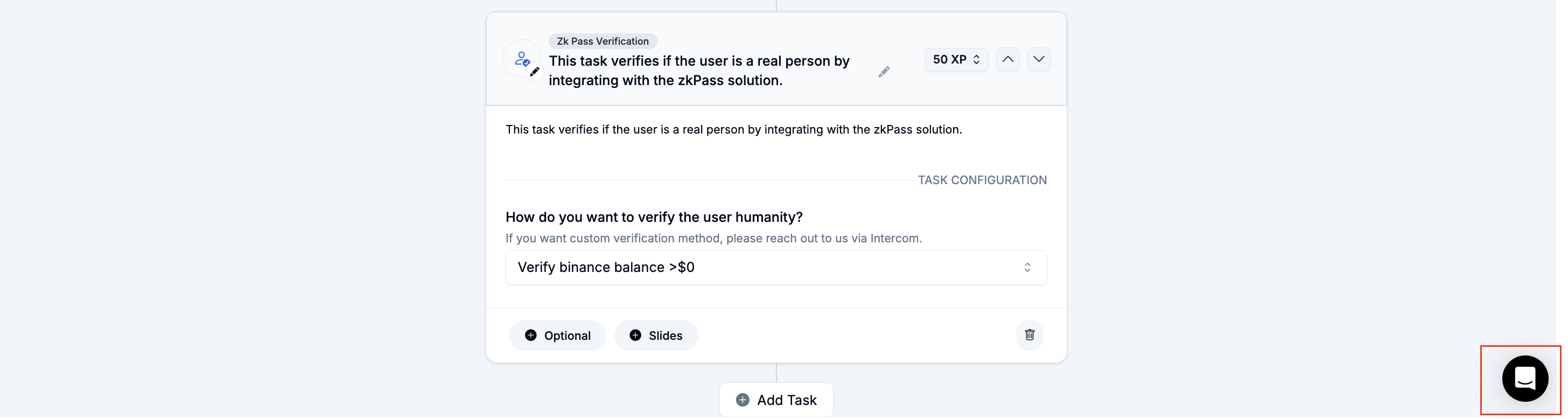
## Verify Humanity Using zkPass

zkPass helps verify tasks without exposing the user’s private credentials. Choose from the list to verify user humanity.&#x20;

1. Binance balance > $0
2. Discord Account Ownership
3. Coinbase KYC
4. Binance Future Trading Volume > $1000 (30 days)
5. OKX Future Trading Volume > $1000 (30 days)
6. Bybit Future Trading Volume > $1000 (30 days)

If you want to a custom verification method in addition to these methods, you can contact us on intercom by clicking on the chat icon on the bottom right. 👇

<figure><img src="https://1130498538-files.gitbook.io/~/files/v0/b/gitbook-x-prod.appspot.com/o/spaces%2FKGgeahEPgCyenKG4Y7ib%2Fuploads%2Fji2zbmeaf2icbR8As8Mu%2FScreenshot%202024-10-13%20at%201.05.09%E2%80%AFAM.png?alt=media&amp;token=fc3f536d-383f-42b8-b78e-9d88fa972540" alt=""><figcaption></figcaption></figure>


# Setting up Rewards

Once you are done setting up the tasks you will need to set rewards fro your campaign. You can set one or multiple rewards. You can choose to rewards users with ERC20 tokens(users love this cuz 🤑🤑🤑), NFTs, Discord Roles or you can make your own custom reward.

<figure><img src="https://1130498538-files.gitbook.io/~/files/v0/b/gitbook-x-prod.appspot.com/o/spaces%2FKGgeahEPgCyenKG4Y7ib%2Fuploads%2FCsQ6tYQcyD9Jbod5UaN9%2Fimage.png?alt=media&amp;token=306ede25-5f01-499b-b169-828b798580d6" alt=""><figcaption></figcaption></figure>

## Reward Methods:

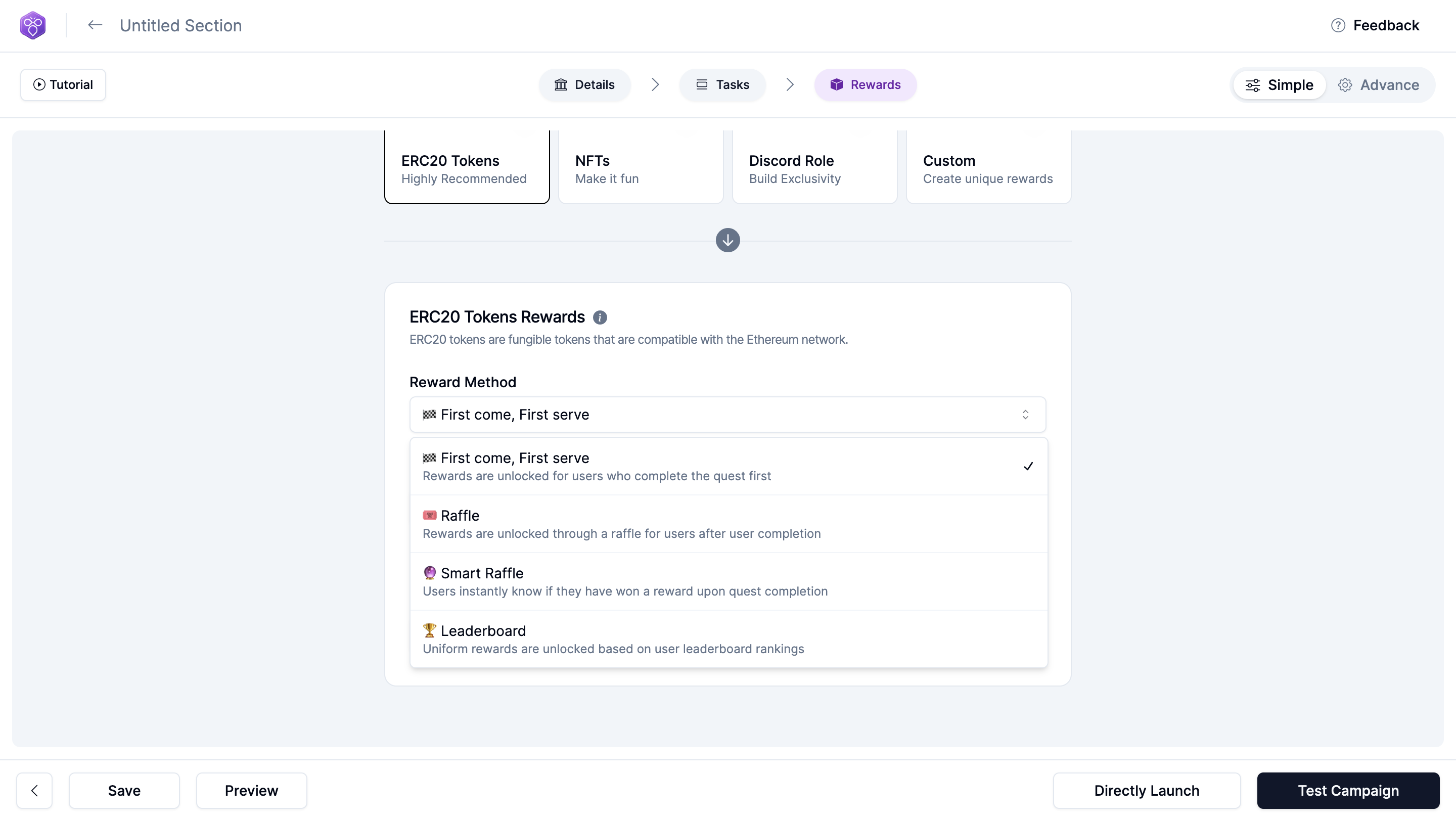
<figure><img src="https://content.gitbook.com/content/KGgeahEPgCyenKG4Y7ib/blobs/v9ClmdKNutV2eHheOoQI/Screenshot%202024-04-17%20at%2012.54.53%20PM.png" alt=""><figcaption><p>Reward Methods</p></figcaption></figure>

### First Come, First Serve&#x20;

The sooner a user completes tasks, the higher their chances of receiving a reward. This method encourages users to engage with the tasks quickly and efficiently.

### Raffle

Rewards are distributed a raffle draw, which takes place once the campaign is completed. All participants have an equal chance of winning, regardless of when they completed their tasks, which adds an element of suspense and excitement to the process.

### Smart Raffle&#x20;

The Smart Raffle system is designed for those who prefer immediate gratification. With this system, users no longer have to wait until the end of the campaign to find out if they've won a reward. As soon as they finish all tasks, they will know straight away whether they have won or not.

### Leaderboard&#x20;

The leaderboard system rewards users based on their ranking. Users accumulate scores or points through their participation, and those with the highest scores or top positions on the leaderboard are rewarded. This system encourages competitiveness and ongoing engagement.

### Unlimited Rewards&#x20;

In the unlimited rewards approach, every participant who completes the quest is guaranteed a reward. This approach seeks to acknowledge and appreciate the efforts of all participants, ensuring that everyone who completes the quest feels valued and rewarded..&#x20;

### ERC 20 Tokens

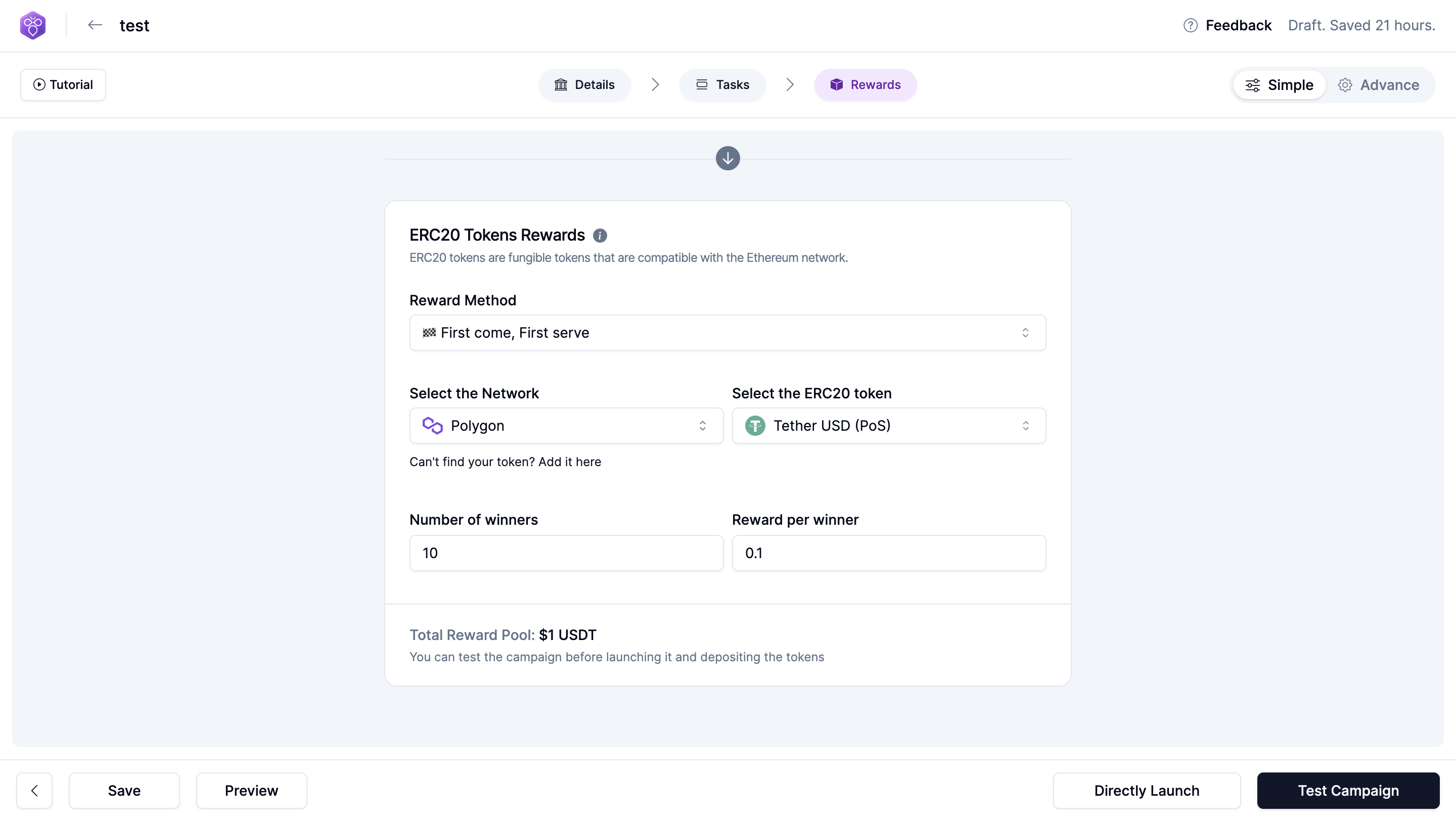
<figure><img src="https://content.gitbook.com/content/KGgeahEPgCyenKG4Y7ib/blobs/USsD6Y6sIcthQctPs4xW/Screenshot%202024-04-17%20at%2012.52.08%20PM.png" alt=""><figcaption><p>ERC20 Tokens as Rewards</p></figcaption></figure>

IIf you wish to reward questers with ERC20 tokens, you must first choose the reward method. Select the network, then the token. Specify the number of winners and the amount of token(s) a winner will receive.

Note: If you can't find your token in the list, [you can add it as follows](/product-guide/community-hub-guides/quests/launching-your-quests/setting-up-rewards/adding-custom-token-as-reward). After adding your tokens, you'll be asked to deposit them with us for automatic distribution of the rewards. [Learn more.](/product-guide/community-hub-guides/quests/launching-your-quests/setting-up-rewards/submitting-tokens-for-automatic-distribution)

### NFTs

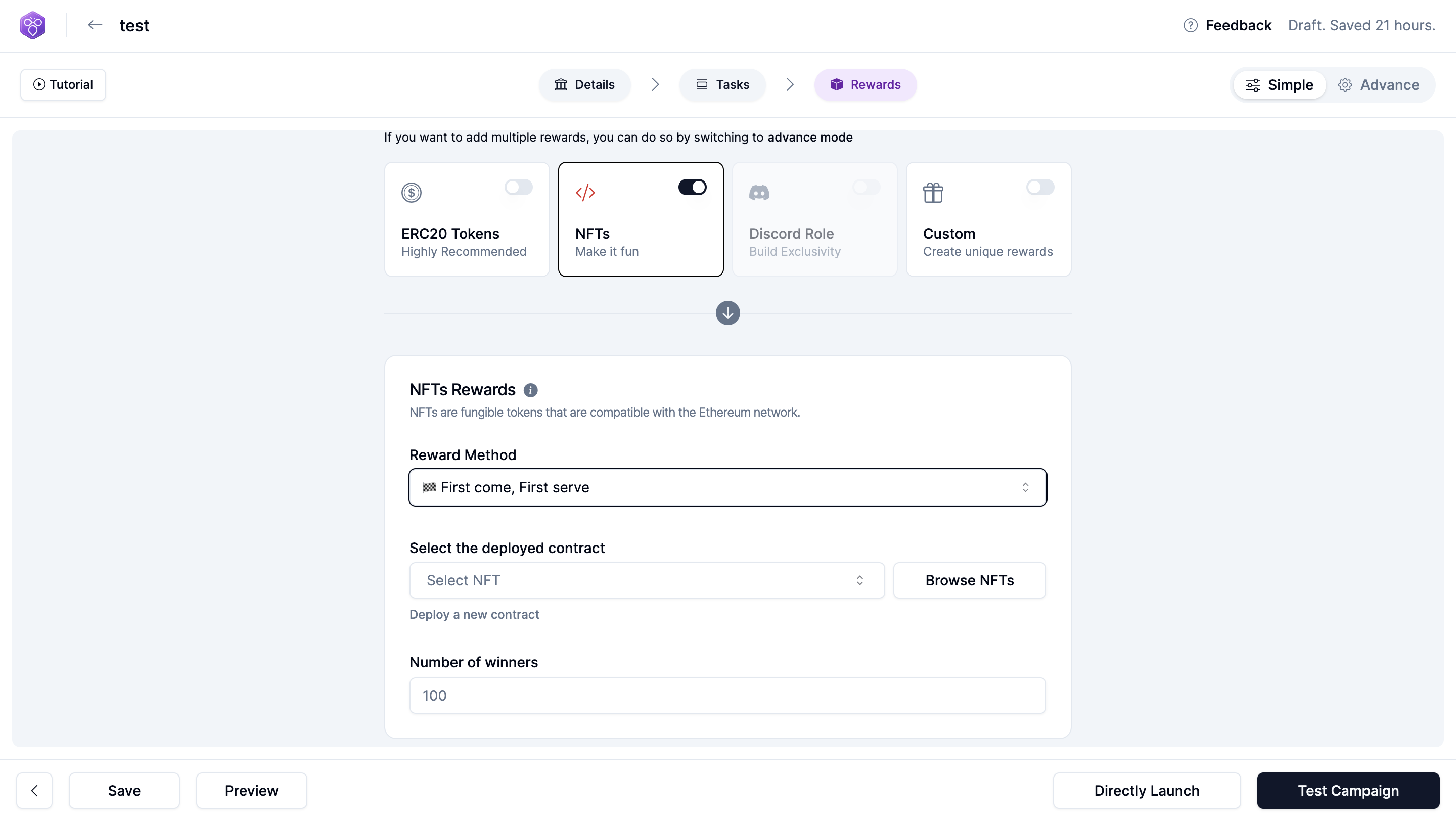
<figure><img src="https://content.gitbook.com/content/KGgeahEPgCyenKG4Y7ib/blobs/1JED9QQ4Vree3N4AkHXa/Screenshot%202024-04-17%20at%2012.52.31%20PM.png" alt=""><figcaption><p>NFTs as rewards</p></figcaption></figure>

If you wish to reward questers with NFTs, [you must first deploy them.](https://www.notion.so/o/SrcwIkxFz8ANP3gFXj5Z/s/hlgaDZTRrg2LILRmXJso/~/changes/9/tools/nft-rewards) Once done, simply select the reward method, choose the deployed NFT, decide on the number of winners, and you're all set.

### Custom rewards

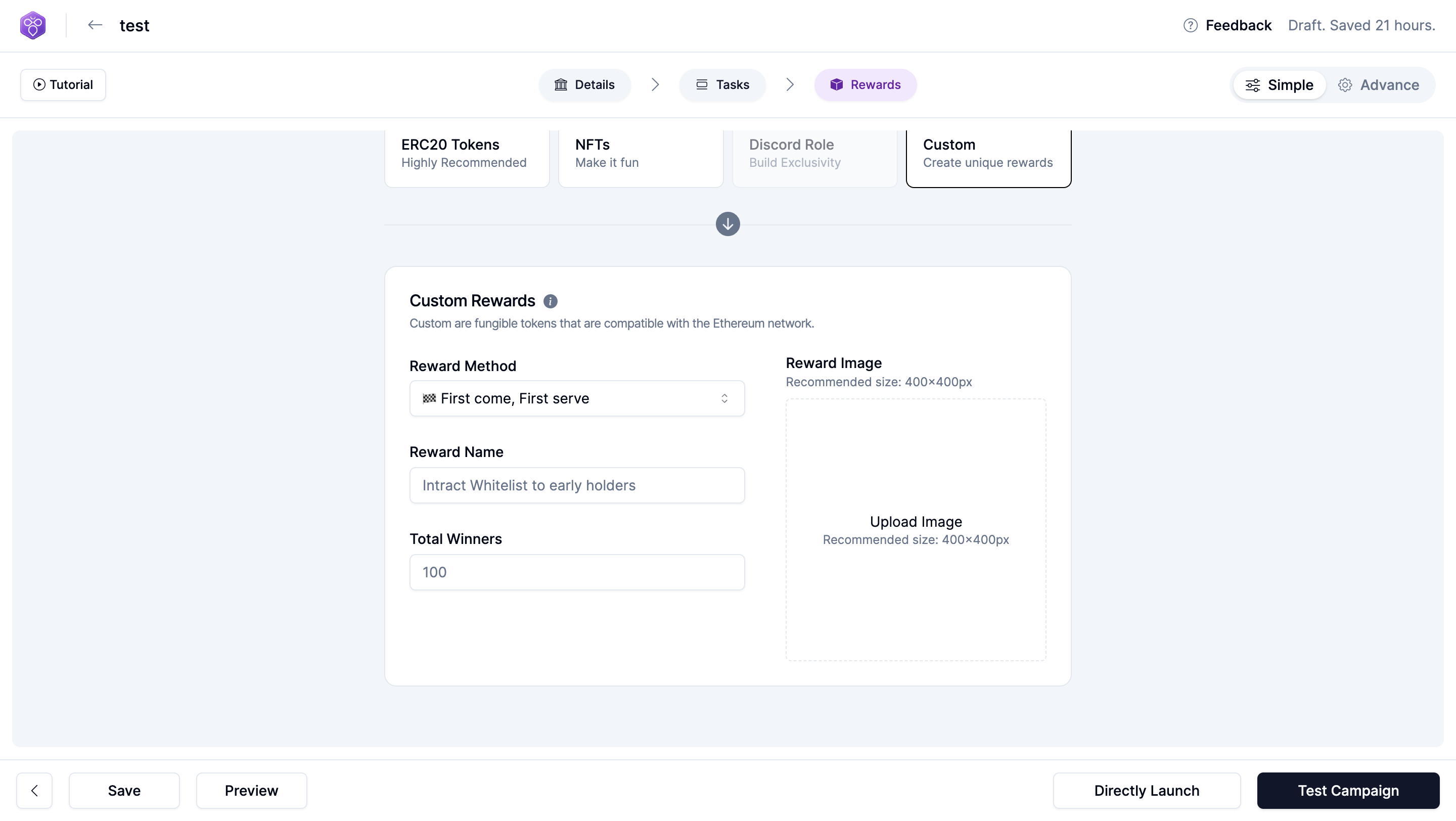
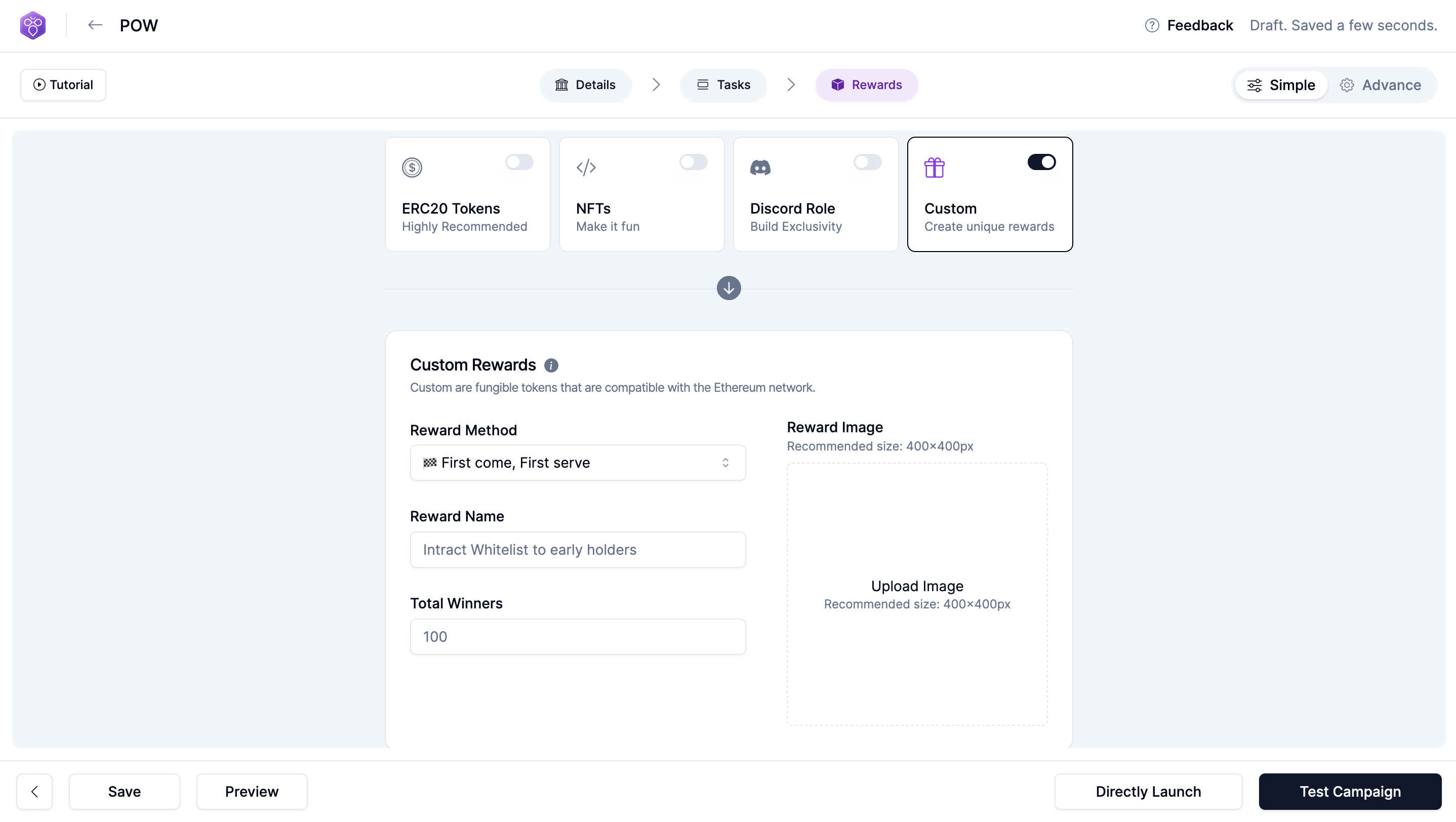
<figure><img src="https://content.gitbook.com/content/KGgeahEPgCyenKG4Y7ib/blobs/8rc2gifNkYttYgALECpC/Screenshot%202024-04-17%20at%2012.52.40%20PM.png" alt=""><figcaption><p>Custom Rewards</p></figcaption></figure>

You can also create your own rewards for quest participants. To do this, choose the reward method. Give your reward a name, specify the total number of winners, and upload a reward image. Ensure that the image is 400\*400px. Drag and adjust the image to prevent unflattering cropping. After these steps, you're ready to go.

### Discord Roles

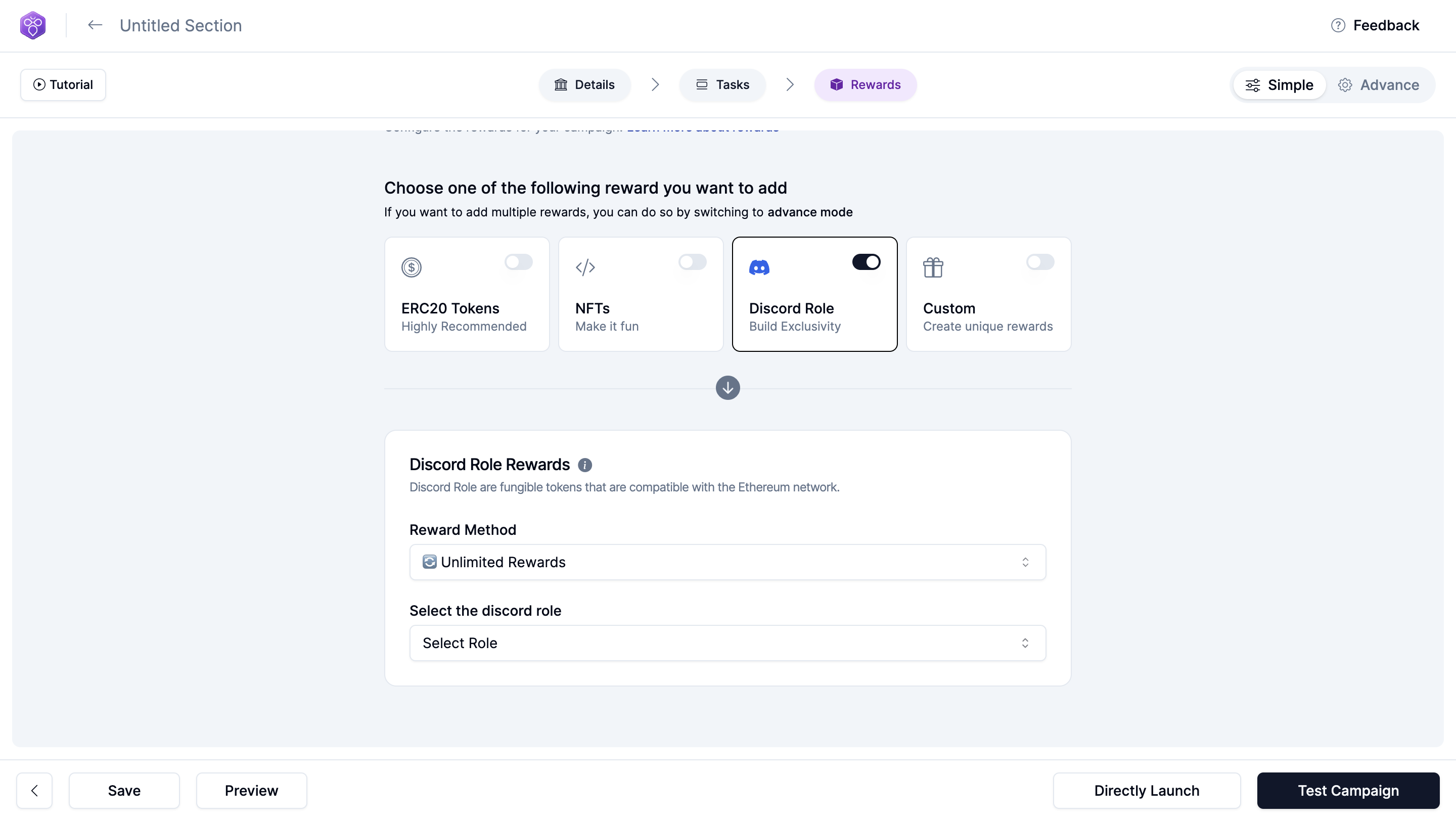
<figure><img src="https://content.gitbook.com/content/KGgeahEPgCyenKG4Y7ib/blobs/T5irXWDRy7iNeCuDu3Vf/Screenshot%202024-04-17%20at%2012.54.37%20PM.png" alt=""><figcaption><p>Discord Roles as rewards</p></figcaption></figure>

To assign Discord roles as rewards, you must first connect your Discord account. If you have not done that, do it, and  once that is done simply choose your reward method and then select the Discord role you wish to assign to people.

### Official Points

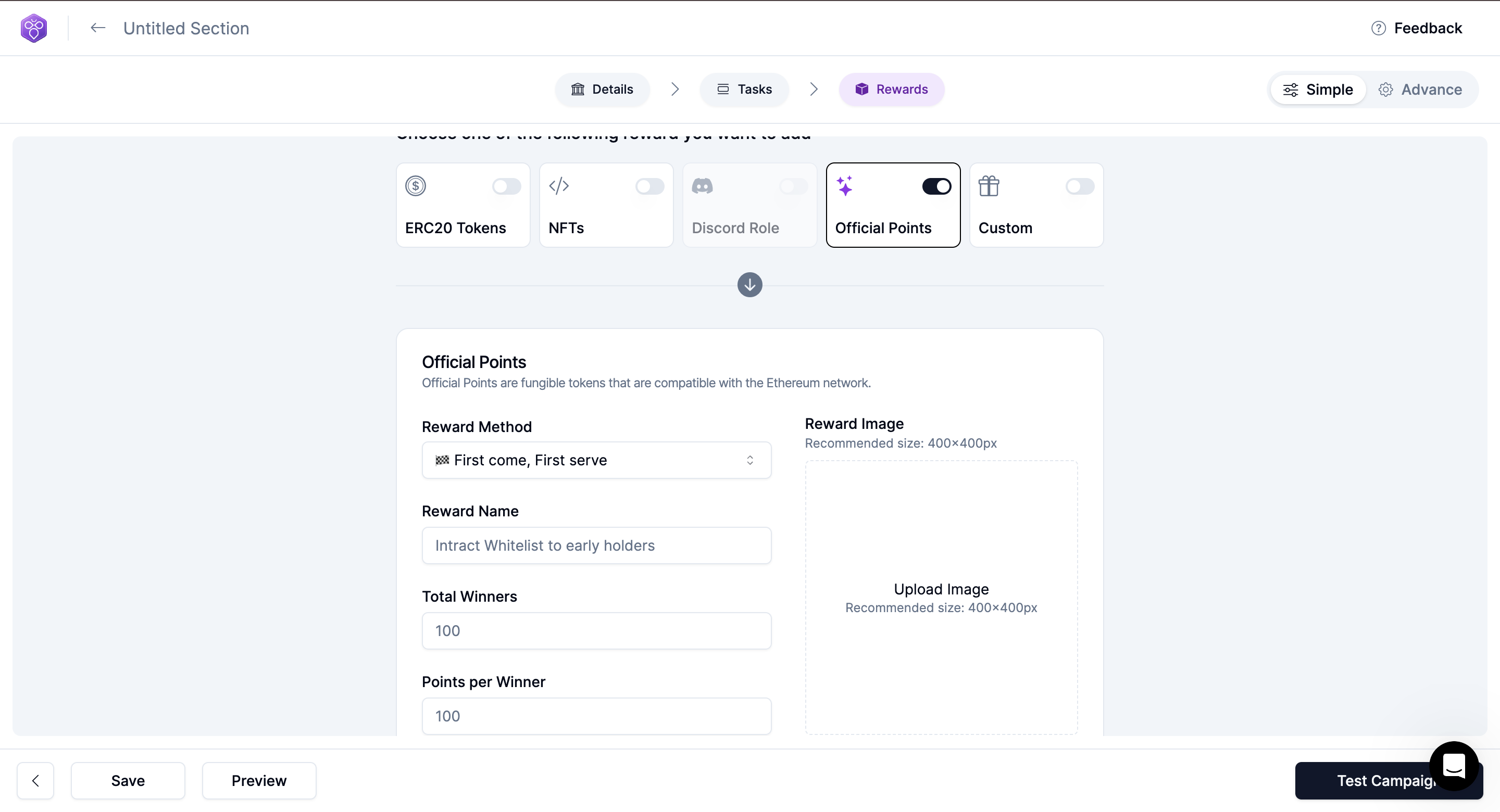
<figure><img src="https://content.gitbook.com/content/KGgeahEPgCyenKG4Y7ib/blobs/Qh6rnz7uFTtCewNcCZ4U/Screenshot%202024-07-24%20at%206.19.32%E2%80%AFAM.png" alt=""><figcaption><p>Official Points</p></figcaption></figure>

Choose the option to set up official points as a reward.

1. Give your reward a distinctive name.
2. Indicate the total number of winners.
3. Specify the number of points each winner will receive.
4. Upload Reward Image
   * Ensure the image is 400x400px.
   * Drag and adjust the image to prevent unflattering cropping.

After completing these steps, your reward setup is ready to go!


# Submitting Tokens for Automatic Distribution

If you plan on rewarding your questers with ERC20 tokens, you'll first need to submit those tokens to us. You give is tokens and we give it to questers.

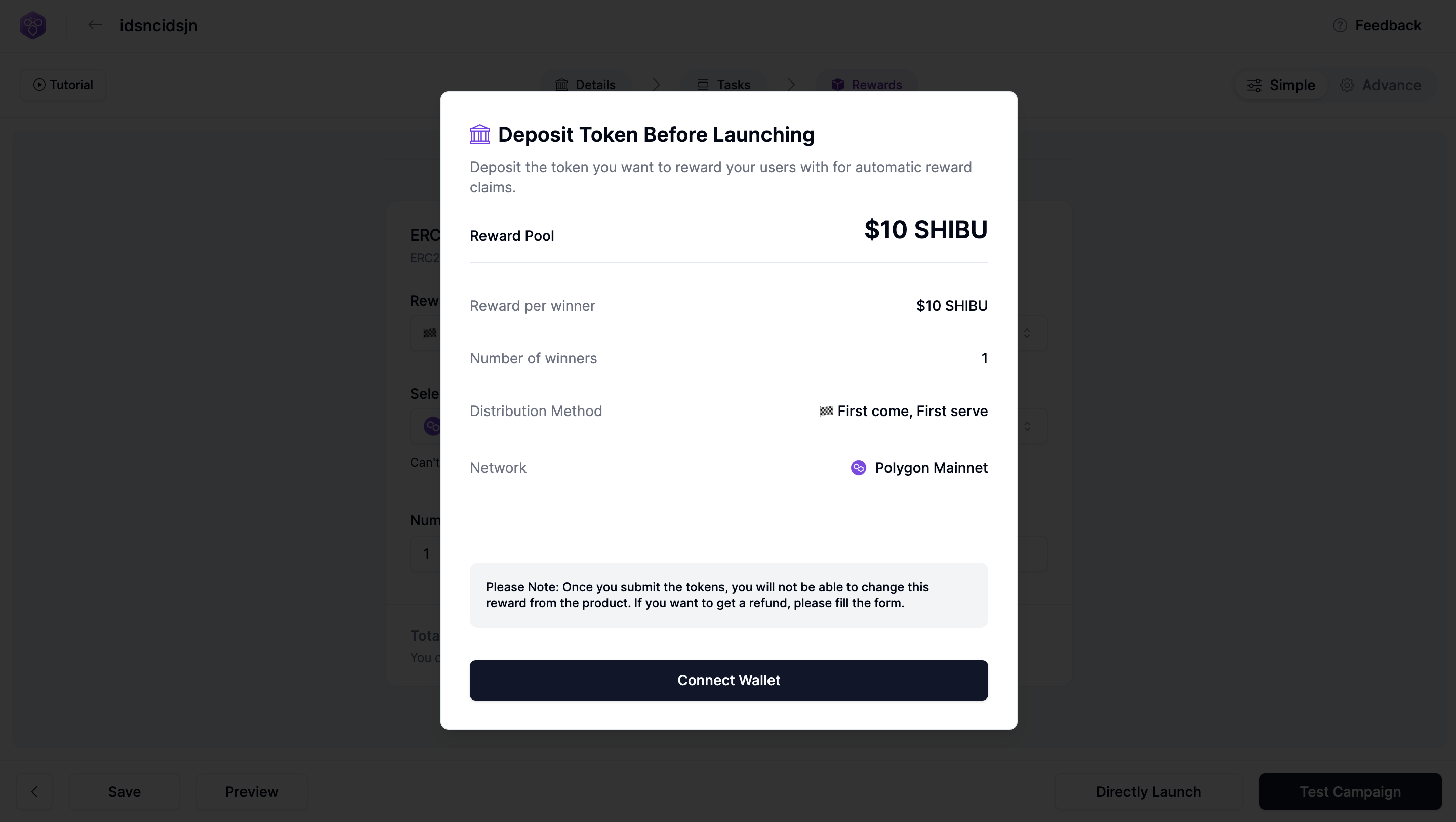
<figure><img src="https://content.gitbook.com/content/KGgeahEPgCyenKG4Y7ib/blobs/ayidwvzsABLiywDaeXCA/Screenshot%202024-04-22%20at%209.42.00%20AM.png" alt=""><figcaption><p>Deposit Tokens</p></figcaption></figure>

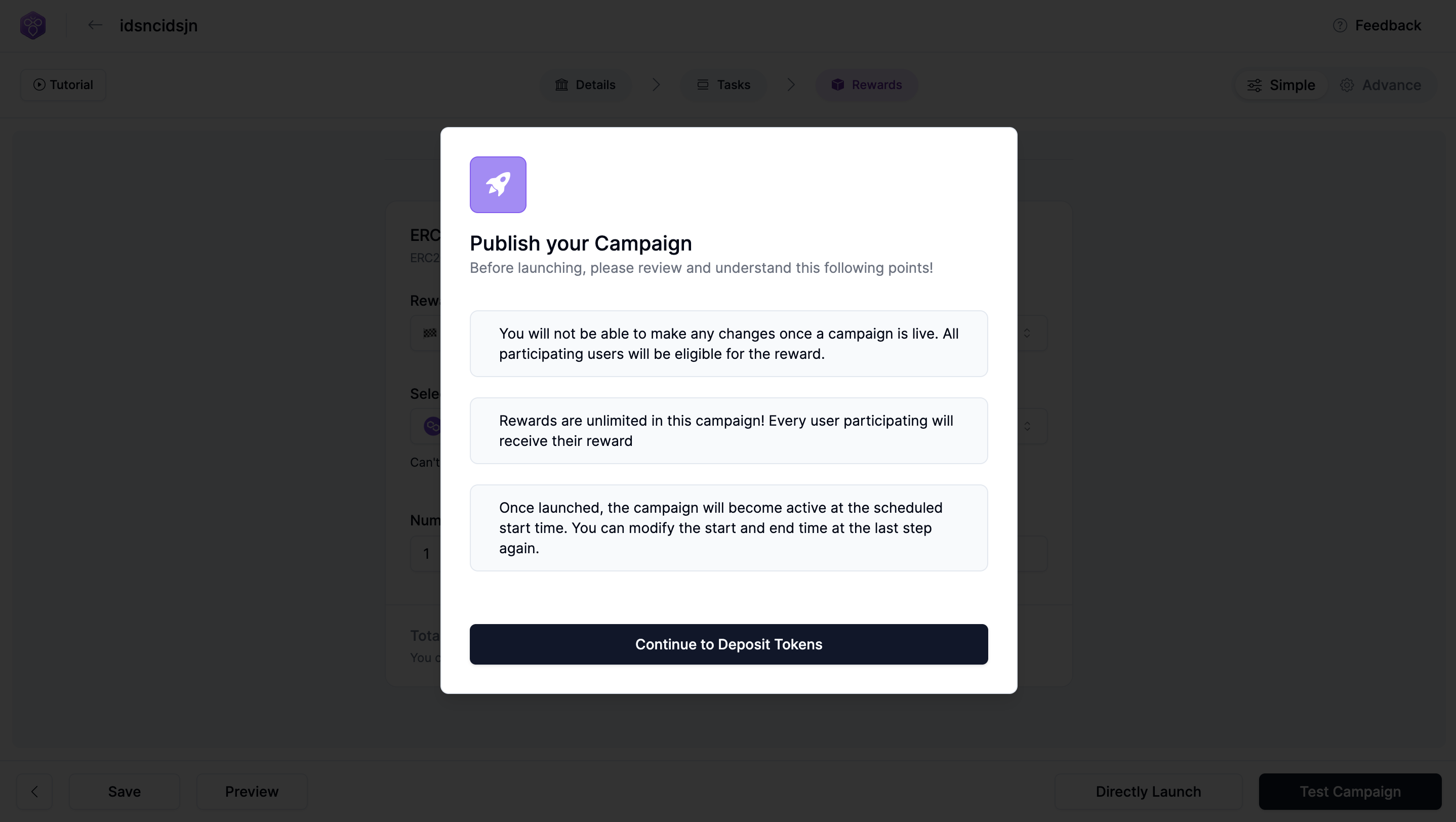
Hit 'Launch Quest' with an ERC20 token as the reward. You'll then be asked to deposit those tokens. Please note, once you've made this move, you cannot make any changes to the campaign. This includes campaigns that are scheduled for a later date.

Before moving forward, check if you're sure about everything in the campaign. Review everything and make any changes that may be required.

<figure><img src="https://content.gitbook.com/content/KGgeahEPgCyenKG4Y7ib/blobs/wiSwcZO6bT0UfNsLjdnr/Screenshot%202024-04-22%20at%209.42.06%20AM.png" alt=""><figcaption><p>Connect Wallet</p></figcaption></figure>

&#x20;If you're sure about everything, click 'Continue to Deposit Tokens'. You'll then see an overview of the reward pool, the reward per winner, the number of winners, the distribution method, and the network.

Once you're happy with everything, connect your wallet. Select your account, sign the transaction, and you're good to go.

Please note, once you've submitted the tokens, you won't be able to change the reward. If you want a reward, be prepared to fill out a form and go through several procedures.


# Adding Custom Token as Reward

If you can't find your ERC token in the dropdown menu while setting your rewards, you'll need to add it manually. Here's how to do it:

<figure><img src="https://content.gitbook.com/content/KGgeahEPgCyenKG4Y7ib/blobs/lp4wcq7yvQLXJOA1a48G/Screenshot%202024-04-22%20at%209.43.25%20AM.png" alt=""><figcaption></figcaption></figure>

1. Click on the small text located below the "Select your network" drop-down menu.
2. Upload your token logo. Make sure it's 200px by 200px.
3. Enter your token address, the token name, the chain your token is on, a token symbol, and token decimals.
4. Finally, press "Import token".

We'll verify the imported token, which usually takes up to 6 hours. Once verified, it will be available for your campaign. Please note that you won't be able to start the campaign until your token is verified.


# Volume Based XPs

Follow these steps to set up volume based XP:

<figure><img src="https://content.gitbook.com/content/KGgeahEPgCyenKG4Y7ib/blobs/m7HFuRErFCR3XkcJ9MbP/Screenshot%202024-07-24%20at%205.47.03%E2%80%AFAM.png" alt=""><figcaption></figcaption></figure>

1. **Set Up the API**:
   * Follow the usual steps to integrate your API. If you need assistance, refer to our [detailed guide](/product-guide/tools-guides/integrate-apis).
   * Ensure you select the option specifying whether your API returns the value of the action.
2. **Test Your API**:
   * Run tests to verify the API is functioning correctly. This is the crucial step that ensures everything else will work seamlessly.
3. **Set Up Tasks**:
   * In the task setup section, choose "verify task with your API" and select the API you just integrated.
   * Fill in all the required fields and check the "metric-based XP" option.
4. **Choose XP Distribution Method**:
   * You will be presented with three options for XP distribution: Linear, Sigmoid, and Tiered.
   * Select the method that best suits your needs and complete the task setup.

### Linear Volume based XPs

<figure><img src="https://content.gitbook.com/content/KGgeahEPgCyenKG4Y7ib/blobs/Zafj7a3a1UONI19J4ubJ/Screenshot%202024-07-24%20at%205.55.08%E2%80%AFAM.png" alt=""><figcaption><p>Linear Volume based XPs</p></figcaption></figure>

Max XP: This is a cap on the total XP a user can earn. No matter how active a user is, they cannot earn more than this set amount of XP. This ensures that there's a limit to the rewards any user can accumulate within a given timeframe or activity set.

XP Multiplier: This multiplier is applied to the user's activity volume to calculate the XP they earn. The formula is simple:

Rewarded XP = Activity Volume \* XP multiplier

For example, if the activity volume is 10 and the XP multiplier is 2, the user earns 20 XP.

### Tiered Volume Based XPs

<figure><img src="https://content.gitbook.com/content/KGgeahEPgCyenKG4Y7ib/blobs/dz5SNxKxcrvMtWn0x4Dn/Screenshot%202024-07-24%20at%206.02.01%E2%80%AFAM.png" alt=""><figcaption><p>Tiered XPs</p></figcaption></figure>

With the tiered option, you can create multiple tiers and set specific rewards for each tier. You can set as many tiers as you want.&#x20;

**Tier Min Metric:** This is the minimum volume a user needs to have to be included in that tier.&#x20;

**Tier Max Metric:** This is the maximum volume a user can have to be included in the tier.&#x20;

**Tier XP:** This is the amount of XP the users in that tier earn for completing the task.

### Sigmoid XPs

<figure><img src="https://content.gitbook.com/content/KGgeahEPgCyenKG4Y7ib/blobs/27e0lCbcW4xvRQD6NHRw/Screenshot%202024-07-24%20at%206.08.52%E2%80%AFAM.png" alt=""><figcaption><p>Sigmoid XPs</p></figcaption></figure>

Set an optimal value for the volume, the Max XP a user can earn for the task, and a rate of increase.

* **Optimal Value for the Volume**: The target activity volume at which a user earns the maximum XP.

* **Max XP**: The maximum XP a user can earn for the task, capping the reward.

* **Rate of Increase d**etermines how quickly XP increases as volume approaches the optimal value. A higher rate means XP rises quickly near the optimal value; a lower rate means a gradual increase.

For transactions with lower volumes, users will earn proportionally less XP.

For higher volumes, users will earn more XP, but the increase will slow down and plateau at the maximum XP.


# Managing Your Quests

Once a quest goes live, you cannot significantly alter it. This is primarily to avoid being unfair to the questers, as significant changes could render their efforts futile. There are only a few aspects that you can amend.

Here's what you cannot change:

* The tasks. While you can modify details like the Twitter handle to be followed or the discord channel to be joined or the website to be visited, you cannot entirely remove the task and replace it with something else.
* The start date or end date of the campaign. Even if it's only scheduled and not live yet, you can't modify these dates.
* The rewards. You can't alter the tokens, the NFTs, the number of winners, the reward pool, or even the amount of XPs a user will receive for a particular task.

What can you change?

* You can update the campaign name, description, banner, and logo. Essentially, you can change anything that users wouldn't have spent time on.

However, for loyalty tasks, which typically run for a longer duration, you can change any of the aspects mentioned above.


# Campaign Analytics

On the Quests page, you have access to a comprehensive list of all the quests you have created. This includes:

* **Live Quests**: These are quests that are currently active and being participated in by users.
* **Scheduled/Draft Quests**: These are quests that are planned for future release and are not yet live.
* **Past Quests**: These include all quests that have been completed.

By clicking on any live or completed quest, you can get into detailed quest-specific data. This includes:

1. **Overview**: A general summary of the quest.
2. **Analytics**: A range of metrics that provide in-depth insights into the quest's performance. These analytics include:

   * **Number of Quest Initiations**: The total number of users who started the quest.
   * **Completion Rate**: The percentage of users who completed the quest.
   * **Bounce Rate**: The rate at which users abandoned the quest before completion.
   * **User Demographics**: Information about the users who participated in the quest including locations.
   * **Task Engagement Analytics**: Data on how users interacted with each task within the quest.

<figure><img src="https://1130498538-files.gitbook.io/~/files/v0/b/gitbook-x-prod.appspot.com/o/spaces%2FKGgeahEPgCyenKG4Y7ib%2Fuploads%2Fq2XjpEwfmOtfURID1Xsk%2FScreenshot%202024-10-24%20at%201.24.28%E2%80%AFPM.png?alt=media&amp;token=220aff73-fb21-4c60-918c-e17952de19d2" alt=""><figcaption><p>Example of a campaign analytics dashboard on Intract</p></figcaption></figure>

These insights are invaluable for planning and optimizing your future quests. You can identify what worked well and what didn’t, enabling you to improve engagement and success rates in your upcoming quests.

Additionally, you can view a detailed list of winners for each quest. This includes user names and any rewards they have earned. For further analysis or record-keeping, you can also download the leaderboard, which provides a comprehensive ranking of all participants based on their performance in the quest.


# Loyalty Quest Analytics

The analytics of loyalty program are similar to those of quest, but with additional insights specific to ongoing engagement. In loyalty programs, you will receive detailed tables showing initiation counts, completion rates, and other relevant metrics for all tasks within the program. This allows you to track user engagement and task performance comprehensively.

<figure><img src="https://1130498538-files.gitbook.io/~/files/v0/b/gitbook-x-prod.appspot.com/o/spaces%2FKGgeahEPgCyenKG4Y7ib%2Fuploads%2FGJNT3wmX86SShYuOOnze%2FScreenshot%202024-10-24%20at%2012.49.27%E2%80%AFPM.png?alt=media&amp;token=82891bbf-256c-4276-9f73-2bf1951b6b0f" alt=""><figcaption></figcaption></figure>

Key Analytics in Loyalty Programs:

* **Initiation and Completion Data**: Provides detailed information on how many users initiate and complete each task in the loyalty program.
* **Completion Rates**: Metrics to evaluate the effectiveness and difficulty of tasks based on how many users complete them.
* **User Engagement**: Insights into how frequently users interact with the program, helping to identify trends and areas for improvement.

Additionally, loyalty programs often feature leaderboards that rank users based on their participation and performance. These leaderboards can be downloaded and used to incentivize competition and engagement among users.


# Approving PoW Tasks

If you have a "Proof of Work" task in a campaign such as "upload text for admin to review" or "upload file for admin to review," you will see an additional option called "submissions" on your campaign dashboard. Here, you can sort submissions based on whether they are "text" or "file." You can also sort by status: approved, rejected, or pending.

To approve a pending submission, you must review them individually by clicking on each one and then hit 'approve' or 'reject'. There are options for 'approve all' or 'reject all', but be cautious. Once a submission is approved or rejected, this action cannot be undone because once the XP are distributed to a user following approval, they cannot be taken back.

<figure><img src="https://1130498538-files.gitbook.io/~/files/v0/b/gitbook-x-prod.appspot.com/o/spaces%2FKGgeahEPgCyenKG4Y7ib%2Fuploads%2FOLFophjkW964ktqsAkW3%2Fimage.png?alt=media&amp;token=3034b541-7911-417f-87b3-8a20422ba717" alt=""><figcaption></figcaption></figure>


# Leaderboard

[Visit](https://app.intract.io/app/campaign/loyalty) ↗️

The leaderboard serves as a comprehensive representation of your community's activities. It's like a scoreboard that tracks and showcases each community member's progress, detailing their journey through all the quests they engage in within your Community Hub.

<figure><img src="https://1130498538-files.gitbook.io/~/files/v0/b/gitbook-x-prod.appspot.com/o/spaces%2FKGgeahEPgCyenKG4Y7ib%2Fuploads%2FOvJFYhSPiv9IMRKZbVN7%2FScreenshot%202024-10-12%20at%209.09.38%E2%80%AFPM.png?alt=media&amp;token=d22dfad2-8fb1-47b7-9139-2c2b22f03c30" alt=""><figcaption><p>Create and Manage leaderboards for your Campaigns</p></figcaption></figure>

The leaderboard is more than just a list - it's a dynamic record. All quest participants are listed there, and their position is determined by their "Rank". This rank isn't arbitrary. It's relative to all other participants and is determined by the amount of "XP Points" they've accumulated.

XP points are the currency of achievement in your Community Hub. They are awarded when a quest action has been fully verified, ensuring that they represent genuine effort and engagement. This means the XP points earned by your community members are a true representation of their level of engagement with your Community Hub.

<figure><img src="https://1130498538-files.gitbook.io/~/files/v0/b/gitbook-x-prod.appspot.com/o/spaces%2FKGgeahEPgCyenKG4Y7ib%2Fuploads%2F09et1haSBbRlDSTke4W9%2FScreenshot%202024-10-12%20at%209.10.35%E2%80%AFPM.png?alt=media&amp;token=dd30ba8f-f4d1-4e6a-bc72-0abe490081f5" alt=""><figcaption></figcaption></figure>

By simply clicking download, all of these details will be sent to your email as a PDF. If you want, you can also filter it campaign-wise.<br>

<figure><img src="https://1130498538-files.gitbook.io/~/files/v0/b/gitbook-x-prod.appspot.com/o/spaces%2FKGgeahEPgCyenKG4Y7ib%2Fuploads%2FPyIK8O6PmjNo40H7FBmm%2FScreenshot%202024-10-12%20at%209.11.44%E2%80%AFPM.png?alt=media&amp;token=9c9dd113-b5bb-497a-928e-60883134fbd9" alt=""><figcaption><p>Individual User Tab</p></figcaption></figure>

The leaderboard is also a gateway to more detailed information about each participant. By clicking on a particular user, you can see the amount of XPs they hold, the number of quests they have completed, their social IDs, their action history, and even their wallet address.


# Loyalty Program

[Visit](https://app.intract.io/app/campaign/loyalty) ↗️

For Visual Learners:

{% embed url="<https://youtu.be/1pXpLaHtqNM>" %}

Our loyalty program is a fantastic way to keep your existing community engaged! It allows you to create tasks, analyze your loyalty programs, and even provides a dedicated leaderboard for this. We'll talk more about all of these  later, but first, let's talk about your loyalty URL.

<figure><img src="https://1130498538-files.gitbook.io/~/files/v0/b/gitbook-x-prod.appspot.com/o/spaces%2FKGgeahEPgCyenKG4Y7ib%2Fuploads%2FYxlrsMN3bJiQiCHI8hGs%2Fimage.png?alt=media&amp;token=12108ac0-75e0-4776-8fa8-20c75f282064" alt=""><figcaption><p>Loyalty Program</p></figcaption></figure>

This unique identifier is what sets your loyalty program apart. You can customize it by clicking on settings in the loyalty screen. Just make sure it's unique, because if it's not, we'll add a random hash to ensure it is - it might not look as pretty, but it'll get the job done!

<figure><img src="https://1130498538-files.gitbook.io/~/files/v0/b/gitbook-x-prod.appspot.com/o/spaces%2FKGgeahEPgCyenKG4Y7ib%2Fuploads%2FqJUT17aZvB3Nqo92ymbm%2Fimage.png?alt=media&amp;token=c43ae7a1-9d2d-4b96-9215-1573524307f1" alt=""><figcaption><p>Create your Loyalty URL</p></figcaption></figure>

While you're setting this up, you can also choose if you want to hide tasks once they're completed by users and if you want to send out an automatic announcement when a task is launched. This feature is great because it keeps your users in the loop and aware of tasks ready to be completed.


# Setting up Tasks

<figure><img src="https://content.gitbook.com/content/KGgeahEPgCyenKG4Y7ib/blobs/1XkZs78Oinqz6gEgQqPr/Screenshot%202024-04-12%20at%2012.58.56%20PM.png" alt=""><figcaption><p>Loyalty Program</p></figcaption></figure>

You've got a ton of options here to make this as fun as possible. You can set up tasks individually or group them together, it's totally up to you. For instance, you could create sections like 'onboarding' or 'try our product features'; Or you can just have a long list of tasks with no sections. Once you've figured out your task flow, you can easily select and add tasks.

<figure><img src="https://content.gitbook.com/content/KGgeahEPgCyenKG4Y7ib/blobs/tleX30Nu03PECt9jse0q/Screenshot%202024-04-12%20at%201.59.36%20PM.png" alt=""><figcaption><p>Select a Task</p></figcaption></figure>

Our Task Library is neatly organized into task families for your convenience. Picking a task like "join discord server" is super simple. All you need to do is add the required task parameters, which will vary depending on the task, and set the rewards.

<figure><img src="https://content.gitbook.com/content/KGgeahEPgCyenKG4Y7ib/blobs/v1ntIzBh0VhJL7wY0jRG/Screenshot%202024-04-12%20at%202.05.09%20PM.png" alt=""><figcaption><p>Add Required Parameters</p></figcaption></figure>

For tasks requiring API verification, you'll first need to integrate APIs. If you're not sure how to do that, just click here, we've got you covered.

<figure><img src="https://content.gitbook.com/content/KGgeahEPgCyenKG4Y7ib/blobs/y980euNSpkVce8Jh91bq/Screenshot%202024-04-12%20at%201.59.42%20PM.png" alt=""><figcaption><p>API verification for tasks</p></figcaption></figure>

If you've already integrated the APIs, that's fantastic! Now you just need to add a task title, decide how many XPs you want to award per completion, select the API for task verification, and add an optional initiation link. This is where your users will be directed to complete the task.

Once you've finished this step, you're all set to add educational content slides! These will help your users understand the task better. Also, you can set recurrence for tasks. This means you can decide how often a user can perform the same task. Just remember, this option is only available for recurring tasks and not for one-time tasks like 'follow this account'. Because, you know, how many times can you follow the same account?

<figure><img src="https://content.gitbook.com/content/KGgeahEPgCyenKG4Y7ib/blobs/ehwL3S8PwAnengndlKke/Screenshot%202024-04-12%20at%201.59.50%20PM.png" alt=""><figcaption><p>Setting recurrences and Reducing XPs for wrong attempts</p></figcaption></figure>

You can also reduce XP for incorrect attempts. So, if a user gets it right in the first attempt, they could get X number of XPs, but on the second attempt, they could get X minus a few XPs, and so on.

Next up, just pick your task duration. Your task needs to have a start date and time. It can have an end date and time, but it doesn't have to - this task could continue till the end of time if you want it to!

<figure><img src="https://content.gitbook.com/content/KGgeahEPgCyenKG4Y7ib/blobs/cnasqk6ps5VsznZe7qOW/Screenshot%202024-04-12%20at%201.59.58%20PM.png" alt=""><figcaption><p>Setting task Duration</p></figcaption></figure>

Once all of this is done, you're ready to publish your task. And don't worry if you're not ready just yet, you can save it as a draft at any step and edit it later when you're ready to publish. You'll find it super easy to drag and adjust the tasks and segment them better later. Plus, you can edit and duplicate tasks if you need to. Happy tasking!


# Events

[Visit](https://app.intract.io/app/campaign/events) ↗️

A  guide for our visual learners👇🏽

{% embed url="<https://youtu.be/CTPpvCWdEcM>" %}

On the events page, you can view all your events, including active, scheduled, and draft events, as well as a record of completed events. You can also see the status of each event, the number of initiations and completions, and the number of campaigns in an individual event. Use the search bar to find a specific event.


# Creating Events

**Here are steps to create an event:**

1. Click on "Create Event" to begin setting up a new event.
2. Fill in the required details. These include:
   * The event name
   * A description of the event
   * An event banner (recommended size is 1200\*400px). Ensure the banner is of high quality and visually appealing. Adjust the banner by dragging it around until it fits well within the frame.
3. Decide on the event duration. You can either:
   * Start the event immediately
   * Set a specific start date and time
4. Determine the end of the event. You can either:
   * Set a specific end date and time
   * Leave the event deadline open-ended
5. Use the sequential completion toggle to decide if you want users to complete campaigns in a set order or if they can do it randomly.
6. Once all these steps are done, your event is almost ready. The final step is to add a few campaigns.

## Adding Campaigns:

First up, make sure you've got some campaigns ready to go. If you're scratching your head about how to do that, click [here](/product-guide/community-hub-guides/quests).

1. You can add campaigns directly without any section, or create a layout with sections and campaigns within those sections.
2. Note: You cannot add a completed campaign to an event.
3. You can also add draft or scheduled campaigns to the event. If a campaign is in draft, it will appear as a 'coming soon' card which is not clickable. If the campaign is scheduled, it will appear as a 'coming soon' card which is clickable.
4. After adding all the campaigns of your choice, you can drag and adjust their order if you want a specific sequence for your users.
5. Once you are satisfied with how everything looks, hit the 'Go Live' button and your event will go live.

### Coming Soon 🎯

1. Event Reward

Currently, you can only set rewards for individual campaigns, and the user will receive these rewards upon completion of each campaign within the event. However, soon you will be able to set a reward for the overall completion of an event.


# Reward Store

[Visit](https://app.intract.io/app/campaign/reward-store) ↗️

The Reward Store is an excellent way to incentivize your users beyond the standard quest rewards. You can now set up various rewards for users who complete a specific number of quests, loyalty tasks, referrals, and even specific quest completions.

<figure><img src="https://content.gitbook.com/content/KGgeahEPgCyenKG4Y7ib/blobs/EzPMF9Go9ljYNAIQ6XUd/Screenshot%202024-06-14%20at%209.42.49%E2%80%AFAM.png" alt=""><figcaption></figcaption></figure>

Organizing rewards into sections is simple. Just create a section, name it, and add rewards by clicking on "Set Reward." Specify the reward name, description, and eligibility parameters. Rewards can be NFTs, custom items, or Discord roles. You can select the type of reward and its specifics, such as which NFT or role is being awarded.

<figure><img src="https://content.gitbook.com/content/KGgeahEPgCyenKG4Y7ib/blobs/tdxQoDf7v7VMbiGDpfrw/Screenshot%202024-06-14%20at%209.43.05%E2%80%AFAM.png" alt=""><figcaption></figcaption></figure>

Once everything is set up, it will be reflected in your Reward Store. Users can then claim the rewards they are eligible for.


# Reward Store - Analytics

Reward Store Analytics provides valuable insights into user engagement. You can track how many people have claimed each reward and identify who has claimed specific rewards. This data helps you understand user preferences and the effectiveness of your reward offerings.

For each reward, you can check the total claims. You can also filter/sort rewards by reward status, type, and reward section name.

<figure><img src="https://1130498538-files.gitbook.io/~/files/v0/b/gitbook-x-prod.appspot.com/o/spaces%2FKGgeahEPgCyenKG4Y7ib%2Fuploads%2FAMu9IAZX7HCXmeI0v4B1%2FScreenshot%202024-10-24%20at%2012.34.26%E2%80%AFPM.png?alt=media&amp;token=1c66a19e-7704-4294-9f2b-4a4df849d8da" alt=""><figcaption></figcaption></figure>


# Community Settings

[Visit](https://app.intract.io/app/community-settings/profile) ↗️

### 1. Project Profile

<figure><img src="https://1130498538-files.gitbook.io/~/files/v0/b/gitbook-x-prod.appspot.com/o/spaces%2FKGgeahEPgCyenKG4Y7ib%2Fuploads%2F7NBWlNorjH5SSqaX1jq6%2FScreenshot%202024-10-24%20at%2012.11.32%E2%80%AFPM.png?alt=media&amp;token=60e8597d-cec0-49f9-96ce-ed693ce54e8a" alt=""><figcaption></figcaption></figure>

Change the project name and description as needed in case your project evolves. You can replace your current logo or add a new banner to visually represent your project. Primary chains can be added or removed according to your requirements. We also support the addition of custom chains.

### 2. Project Socials

<figure><img src="https://1130498538-files.gitbook.io/~/files/v0/b/gitbook-x-prod.appspot.com/o/spaces%2FKGgeahEPgCyenKG4Y7ib%2Fuploads%2FZ0G2U7Cc3RR7ReGdan9I%2FScreenshot%202024-10-24%20at%2012.12.05%E2%80%AFPM.png?alt=media&amp;token=a4e3c7b2-6186-4e88-86b5-b9921ab6c2b6" alt=""><figcaption></figcaption></figure>

Manage your project's social presence. You can remove or edit any pre-existing socials, or add more if you expand your social media presence. You can add a wide range of links to visit: Twitter, Discord, Telegram, and our own website, ensuring all your social channels are connected to your project.

### 3. Community Referral

Intract's Community Referral Program lets users invite friends to join your community. "Community Referral" -> Set up Referral Program&#x20;

<figure><img src="https://1130498538-files.gitbook.io/~/files/v0/b/gitbook-x-prod.appspot.com/o/spaces%2FKGgeahEPgCyenKG4Y7ib%2Fuploads%2Fc7vbVwEXJFonWaMifirR%2Fimage.png?alt=media&amp;token=08ca00bc-39a3-426c-9842-221f4e9f3651" alt=""><figcaption></figcaption></figure>

You can track the number of referrals and successful conversions made by your eligible users. The program also allows for the setting of eligibility criteria, such as requiring minimum XP (experience points), completion of a certain number of campaigns/loyalty tasks, or specific campaigns completed before users can become referrers.&#x20;

You can distribute rewards, such as XP, when referral conditions are met.&#x20;

<figure><img src="https://1130498538-files.gitbook.io/~/files/v0/b/gitbook-x-prod.appspot.com/o/spaces%2FKGgeahEPgCyenKG4Y7ib%2Fuploads%2FKiGCG79jGQ3O4stSyo1R%2Fimage.png?alt=media&amp;token=427f819d-d592-4245-8102-ad310360d9e9" alt=""><figcaption></figcaption></figure>

### 4. Manage Your Team

If you are looking to add a new member to your team, start by going to the Community Settings, and find the 'Manager Your Team' section there. Here, you will see an option 'Add Team Member'.

<figure><img src="https://1130498538-files.gitbook.io/~/files/v0/b/gitbook-x-prod.appspot.com/o/spaces%2FKGgeahEPgCyenKG4Y7ib%2Fuploads%2F5J4bOvkUhgRO4hHMgbO1%2Fimage.png?alt=media&amp;token=cbe7859a-43a7-46bd-9dc9-cfec7829f51a" alt=""><figcaption></figcaption></figure>

After clicking on "Invite Team", you'll need to enter some details about the person you're inviting. This includes their name and their email ID. These details ensure that the invitation is sent to the correct person.

In addition to these basic details, you'll also need to define the role of the new member. The roles are structured in a hierarchy as follows: Owner, Admin, Developer, Member, and Guest. Each role has different capabilities.

<figure><img src="https://1130498538-files.gitbook.io/~/files/v0/b/gitbook-x-prod.appspot.com/o/spaces%2FKGgeahEPgCyenKG4Y7ib%2Fuploads%2FoXSAD8xNzL1nAsbrfTnM%2Fimage.png?alt=media&amp;token=2f09d177-a678-4a37-a62e-38671cd2f401" alt=""><figcaption></figcaption></figure>

The Owner, as the highest role, has the most power and can remove anybody from the team. The Admin, while also powerful, cannot remove the Owner, but can remove anyone else. Developers, Members, and Guests do not have the authority to add or remove anybody.

Apart from these, permissions for specific actions can be assigned based on these roles. This adds an extra layer of control and security to your team management. However, this specific feature is not currently available. But rest assured, it is on its way and will be included in an upcoming update to the platform.

### 5. Data Exports

Our platform provides the capability to export a variety of data according to your needs in any file type that you want. This includes but is not limited to campaign data, but also event data, overall leaderboards, and leaderboard specific to a particular campaign.&#x20;

<figure><img src="https://1130498538-files.gitbook.io/~/files/v0/b/gitbook-x-prod.appspot.com/o/spaces%2FKGgeahEPgCyenKG4Y7ib%2Fuploads%2FUz0Exg6MDMlj6BkQ325A%2Fimage.png?alt=media&amp;token=5ced2a5d-4b92-4f2f-95ac-c001d752849d" alt=""><figcaption></figcaption></figure>

You can also export submission data from PoW tasks. You can also download information about winners along with their detailed profiles and other relevant details.

We understand that data can be extensive, and handling large files can be a challenge. Therefore, in situations where the file size gets too large for a single export, our system is designed to split the data into several files. This makes the data more manageable and easier to export. Rest assured, despite the division of data, all your information will be intact and readily available for your convenience.


# Integrations

[Visit](https://app.intract.io/app/community-settings/integrations) ↗️

Integrating Discord or Telegram is a must if you've got tasks related to them in your quests. These integrations make it super easy to verify actions by tracking real-time data, so you're not just guessing. And when it comes to Discord tasks, rewarding users with roles becomes automated through this integration.

Here are some other cool perks of these integrations:

1. Community Monitoring and Growth: You can keep an eye on how your community's doing and how it's growing over time. That way, you can make smart decisions about managing it.
2. Member Analysis: Get hold of member activity, messages, and interactions to figure out what's working and what's not.
3. Website User Tracking: Get the scoop on what your website users are up to and even peek into their wallet profiles. This info helps you tailor your campaigns and keep them engaged.
4. Campaign Optimisation: Use real-time data to fine-tune your campaigns, so you're getting the most bang for your buck. It's all about boosting those conversion rates and giving your community even more value.

Pretty soon, you'll be able to automatically reward different user groups with custom Discord roles based on message counts and sentiments. This means your community is gonna be even more lively and fun, with everyone feeling appreciated in their own way.


# Discord

If you're using Discord roles as rewards for completing quests, it's essential to integrate your Discord server with our system. Here's how to do it:

### 1. Connecting to Discord:

* Simply click on "Connect to Discord" to start the process.
* To authenticate your community Discord and connect your account, ensure that you have "Manage Server" permissions.
* Select the server you want to add the bot to and then click "Continue".
* Make sure to check the box asking you to give Admin access to your Intract bot. You'll need it to help make use of this!

<figure><img src="https://1130498538-files.gitbook.io/~/files/v0/b/gitbook-x-prod.appspot.com/o/spaces%2FKGgeahEPgCyenKG4Y7ib%2Fuploads%2Fd4TyDEZvxQEJ7BXIkA50%2FScreenshot%202024-10-24%20at%2011.35.12%E2%80%AFAM.png?alt=media&amp;token=355c4e65-7eb1-49d6-ade0-a085a22e7759" alt=""><figcaption><p>Step 1: Connect your community Discord</p></figcaption></figure>

### 2. Confirm Imported Channels

Once you've given Admin access to your bot to help manage the server, choose the channels that you want us to import for you.

<figure><img src="https://1130498538-files.gitbook.io/~/files/v0/b/gitbook-x-prod.appspot.com/o/spaces%2FKGgeahEPgCyenKG4Y7ib%2Fuploads%2Fovxxk1438J38hlJJq79d%2FScreenshot%202024-10-24%20at%2011.37.16%E2%80%AFAM.png?alt=media&amp;token=1d41668a-cc3b-4f74-aef4-d61d82b39fc1" alt=""><figcaption><p>Step 2: Confirm imported channels</p></figcaption></figure>

### 3. Begin Data Import:

We'll import your data for you in a jiffy, and you'll be good to go to set up Discord tasks and rewards for your campaigns!

<figure><img src="https://1130498538-files.gitbook.io/~/files/v0/b/gitbook-x-prod.appspot.com/o/spaces%2FKGgeahEPgCyenKG4Y7ib%2Fuploads%2F4TTRgvcvvvSoIbIvNjij%2FScreenshot%202024-10-24%20at%2011.48.15%E2%80%AFAM.png?alt=media&amp;token=dab5e9f1-1aee-4944-be26-6fdce825dec8" alt=""><figcaption><p>Step 3: Begin Data Import</p></figcaption></figure>


# Telegram

Our bot plays a crucial role in verifying tasks related to Telegram. Here's how to add our bot to your channel. Please note that you can add our bot only in public channels.

<figure><img src="https://1130498538-files.gitbook.io/~/files/v0/b/gitbook-x-prod.appspot.com/o/spaces%2FKGgeahEPgCyenKG4Y7ib%2Fuploads%2FzVbDgLtnSa37SQ54klhR%2FScreenshot%202024-10-24%20at%2011.31.08%E2%80%AFAM.png?alt=media&amp;token=f7dfadd3-7ea6-4d0d-9e4e-1e79673f890a" alt=""><figcaption></figcaption></figure>

1. **Add Intract Telegram Bot:**

* Click this or search for @intract\_quest\_bot in Telegram to add the bot to your group.

2. **Grant Bot Permissions:**

* Choose "Edit" in the top-right corner, then navigate to the "Administrators" options.
* Click "Add Admin" and search for the intract\_quest\_bot.
* Once added as an admin, proceed to the next step.

3. **Connect the Bot to Your Group:**

* Copy the command and unique code from the Intract dashboard.
* Paste the command provided to you into your Telegram group.

<figure><img src="https://1130498538-files.gitbook.io/~/files/v0/b/gitbook-x-prod.appspot.com/o/spaces%2FKGgeahEPgCyenKG4Y7ib%2Fuploads%2FVAqZTRSva7CXWQv2V69R%2Fimage.png?alt=media&amp;token=bc513241-ea33-4599-8f5d-19eca9885a78" alt=""><figcaption></figcaption></figure>

After following these steps, the integration will be added automatically!


# KOLs Marketplace

[Visit](https://app.intract.io/app/boosters/kol-marketplace) ↗️

If you already know who you want to collaborate with, search for the KOL. Alternatively, you can filter KOLs based on their followers and channels, then make your selection and reach out to our KOL Manager, [Ashish](https://t.me/Growth_Intract) on Telegram to take the process forward.

As the next step, Intract will facilitate your interactions with the right KOLs suited to your growth strategy and needs.

<figure><img src="https://1130498538-files.gitbook.io/~/files/v0/b/gitbook-x-prod.appspot.com/o/spaces%2FKGgeahEPgCyenKG4Y7ib%2Fuploads%2FT4MI0CO1PBTmMZFtjaGT%2FScreenshot%202024-10-24%20at%2010.54.13%E2%80%AFAM.png?alt=media&amp;token=58ab524d-4ffc-4594-aa37-e4bf1864433e" alt=""><figcaption><p>KOLs Marketplace</p></figcaption></figure>


# Your Contracts

Intract's contract capabilities give you full control over your Token and NFT rewards and their associated smart contracts. You can deploy and manage NFT rewards, import custom tokens, and handle smart contracts for your project.&#x20;


# NFT Rewards Contracts

To enable the rewarding of your questers with NFTs, you'll need NFTs. Here's how you deploy one.

But first, let's get familiar with ERC-1155.

We're all about efficiency here, and that's why we use ERC-1155 to create your NFTs. With ERC-1155, you can launch multiple collections from the same smart contract. Each token is endowed with a unique identifier called token ID, complete with its metadata, symbol & supply.

Now, the deployment process.

### Accessing NFT Rewards Section

Navigate to the NFT rewards section where you can view all the NFTs you have already created. You can click on each NFT to learn more about them.

<figure><img src="https://content.gitbook.com/content/KGgeahEPgCyenKG4Y7ib/blobs/rozyBIHYRERvRDhuif5p/Screenshot%202024-04-03%20at%201.14.39%20PM.png" alt=""><figcaption><p>NFT Reward Contracts</p></figcaption></figure>

### Deploying a New NFT

Click on "Deploy NFT" to initiate the deployment process.

<figure><img src="https://content.gitbook.com/content/KGgeahEPgCyenKG4Y7ib/blobs/V8Uhum19brXN5VJenUGE/Screenshot%202024-04-03%20at%201.14.56%20PM.png" alt=""><figcaption><p>Deploying a New NFT</p></figcaption></figure>

* **Add an NFT name:** This will be the name that will be visible on the blockchain.
* **Add an NFT symbol:** Assign a symbol to your NFT.
* **Upload your NFT image/video:** Ensure that it is of the highest quality possible. The file size should not exceed 2MB. Although the preferred aspect ratio for NFTs is 1:1, you have the flexibility to adjust the image positioning during upload. This allows you to drag and reposition the image to ensure it looks ✨aesthetically pleasing✨ within the 1:1 aspect ratio.

### Finalising Deployment

* After inputting the necessary details, click on "Deploy Contract" to proceed.
* You will encounter a prompt asking you to connect your wallet. If so, select the desired wallet/account and proceed.
* If you're on a different blockchain than the one selected, you'll receive a prompt to switch to the correct chain.&#x20;
* Once you've switched to the appropriate chain, you'll need to initiate a transaction to launch the NFT collection.&#x20;
* The associated gas fees for this transaction are minimal. Confirm the transaction to deploy your NFT on the blockchain.

By following these steps, you'll successfully deploy your NFT and be ready to reward your questers with unique tokens<br>

### Best Practices

1. GIF formats are preferred over video. If you can convert your videos to GIF using one pf the many tools available online. We do this because videos can be heavy to load in a lot of browsers.&#x20;
2. Avoid deploying on Ethereum due to potentially prohibitive gas fees that users may encounter when claiming their NFTs.&#x20;
3. Use GIFs, they're more fun.&#x20;


# Imported Tokens

If you want to reward your users with tokens that are not already in our token menu, you can import them. Once the tokens are imported, you can manage them from your hub, editing and deleting them as desired.

<figure><img src="https://content.gitbook.com/content/KGgeahEPgCyenKG4Y7ib/blobs/qswLc6Fy3CIplUOvTk5p/Screenshot%202024-04-22%20at%209.38.28%20AM.png" alt=""><figcaption></figcaption></figure>


# Imported Contracts

All the imported smart contracts that appear here are solely for DAVE.

Manage your imported smart contracts here. If a smart contract is no longer relevant, you can delete it. If you want to add more contracts, you can do so. You can also update existing contracts or view their ABIs, giving you full control over the contracts associated with your project.&#x20;

Add smart contracts along with their ABI so that we can understand your transactions and then DAVE can auto-verify relevant transactions :)

<figure><img src="https://content.gitbook.com/content/KGgeahEPgCyenKG4Y7ib/blobs/uRXG2lbFlWJmbcY7RGEp/Screenshot%202024-04-22%20at%209.38.33%20AM.png" alt=""><figcaption></figcaption></figure>


# Integrate APIs

When a quester engages with a custom task, Intract triggers the necessary APIs with the required parameters to verify the task. You have the option to integrate your API using cURL or manually connect it. If you're unsure about creating an API, fret not, we also have a [section on generating your own API-based template.](/product-guide/tools-guides/integrate-apis/for-devs)

First, go to "Task APIs" from your community dashboard and click on "Connect your API"

<figure><img src="https://1130498538-files.gitbook.io/~/files/v0/b/gitbook-x-prod.appspot.com/o/spaces%2FKGgeahEPgCyenKG4Y7ib%2Fuploads%2F9PxjYxZLRXLCDGxBe4Yw%2FScreenshot%202024-10-09%20at%203.05.09%E2%80%AFPM.png?alt=media&amp;token=f19c53ec-bd2e-4de9-a5e3-4d8bbaecbb57" alt=""><figcaption><p>Connect Your API</p></figcaption></figure>

## Adding API Details:

1. Add API Name and select API Type from REST/GraphQL

<figure><img src="https://1130498538-files.gitbook.io/~/files/v0/b/gitbook-x-prod.appspot.com/o/spaces%2FKGgeahEPgCyenKG4Y7ib%2Fuploads%2FikGmI2fjScF2lbCBOqQp%2FScreenshot%202024-10-11%20at%205.46.35%E2%80%AFPM.png?alt=media&amp;token=524de52c-8895-475f-b1b0-34111080dd6e" alt="" width="563"><figcaption></figcaption></figure>

2. Select what actions your API will verify. Additionally if your API is for a special kind of task like the one with Dynamic XP or with recurrence, select appropriate check boxes. then click "Next".

<figure><img src="https://1130498538-files.gitbook.io/~/files/v0/b/gitbook-x-prod.appspot.com/o/spaces%2FKGgeahEPgCyenKG4Y7ib%2Fuploads%2FJ9Y9meQIoXbFtkkgrS4S%2FScreenshot%202024-10-11%20at%205.51.57%E2%80%AFPM.png?alt=media&amp;token=ccd4dbef-cefa-4fc6-8de3-666338ae15d2" alt="" width="563"><figcaption></figcaption></figure>

3. Paste your API cURL or click skip to add the details manually. Then click "Next".

<figure><img src="https://1130498538-files.gitbook.io/~/files/v0/b/gitbook-x-prod.appspot.com/o/spaces%2FKGgeahEPgCyenKG4Y7ib%2Fuploads%2FwIMtoxRlPFyImptwK1na%2FScreenshot%202024-10-11%20at%205.57.46%E2%80%AFPM.png?alt=media&amp;token=f9555169-a006-4bb4-849a-36a6f0a8a80c" alt="" width="563"><figcaption></figcaption></figure>

3. If you prefer to connect your API manually, you'll need to input the following details:

* **Endpoint:** Provide the endpoint URL of your API.
* **API Method:** Indicate whether the method is POST or GET.
* **Payload Method:** Specify how payloads are handled, whether using Query Params or Body.
* **Payload:** Pick between Wallet Address, Twitter Id, Twitter Handle, Discord Id, Discord Username, Telegram Id, and Email.
* **Constant Values:** You can also add constants not mentioned in the above Payloads
* **Custom Headers:** Use headers for additional authentication or to access private APIs.

<figure><img src="https://1130498538-files.gitbook.io/~/files/v0/b/gitbook-x-prod.appspot.com/o/spaces%2FKGgeahEPgCyenKG4Y7ib%2Fuploads%2FjkwOppuwakosQZnxdLyv%2Fimage.png?alt=media&amp;token=75e1e208-7de6-4409-83a9-4ca627e99d1c" alt="" width="563"><figcaption></figcaption></figure>

4. Click "Test API" for testing with sample payloads.

<figure><img src="https://1130498538-files.gitbook.io/~/files/v0/b/gitbook-x-prod.appspot.com/o/spaces%2FKGgeahEPgCyenKG4Y7ib%2Fuploads%2FiOEKUYmEAIRTekOxD1f9%2Fimage.png?alt=media&amp;token=63ccd6dc-5c4c-45f9-a37f-33656b528229" alt="" width="563"><figcaption></figcaption></figure>

4. If everything goes well, you can click SAVE API here.

<figure><img src="https://1130498538-files.gitbook.io/~/files/v0/b/gitbook-x-prod.appspot.com/o/spaces%2FKGgeahEPgCyenKG4Y7ib%2Fuploads%2FiYockC9V3utoprqAgtAD%2FScreenshot%202024-10-12%20at%205.45.00%E2%80%AFPM.png?alt=media&amp;token=cbb7b662-e5e7-4da9-b961-6cb711c38f40" alt="" width="563"><figcaption></figcaption></figure>

4. If not, click on "Format API Response" to evaluate the API response data.
   1. You can write code in JavaScript for the expressions for response Result, Code, Error Message, Task Metric,  and Task Metric Data Type.

<figure><img src="https://1130498538-files.gitbook.io/~/files/v0/b/gitbook-x-prod.appspot.com/o/spaces%2FKGgeahEPgCyenKG4Y7ib%2Fuploads%2FvqcLuV7GSjDCkoK6Hm6u%2FScreenshot%202024-10-11%20at%206.15.46%E2%80%AFPM.png?alt=media&amp;token=53bb7ef1-b57f-491a-9fdd-97e58ae66113" alt="" width="563"><figcaption></figcaption></figure>

<figure><img src="https://1130498538-files.gitbook.io/~/files/v0/b/gitbook-x-prod.appspot.com/o/spaces%2FKGgeahEPgCyenKG4Y7ib%2Fuploads%2FAfenGe5gXOBXs96zfP7H%2FScreenshot%202024-10-11%20at%206.19.01%E2%80%AFPM.png?alt=media&amp;token=923ac3dd-7333-4d69-9f02-6fb9a6b2ce0f" alt="" width="563"><figcaption></figcaption></figure>

Contact us by pressing on the Chat button if you face any issues with the API Integration process.

<figure><img src="https://1130498538-files.gitbook.io/~/files/v0/b/gitbook-x-prod.appspot.com/o/spaces%2FKGgeahEPgCyenKG4Y7ib%2Fuploads%2F2wYCgBue1wxVW5c5pOIL%2FScreenshot%202024-10-11%20at%206.28.03%E2%80%AFPM.png?alt=media&amp;token=e5b8e49f-d8c7-44e6-aa6d-cc7a13c3117a" alt=""><figcaption></figcaption></figure>


# For Devs

## Create your OWN API based template

Intract's team offers enterprises the ability to create, test, and use their own customised API templates.

***

### Getting started with API:

> <mark style="color:orange;">This section is intended for technical individuals.</mark>

#### Summary:

To create a custom API verification task, Intract requires an API developed according by our standards. When a quester interacts with this task, Intract will call the API with the required parameters and check if the task is verified.

This API will first be verified by Intract’s development team to check if all the standards are met

#### Keys Supported:

When we connect with your projects API for verification we will send some keys in payload body. We support the following keys for verification:

1. Address

   User’s wallet address.\
   🚨 We support EVM compatible addresses and NON EVM addresses (Solana, Keplr, Ton and Starknet).
2. Twitter ID

   User account ID of user’s Twitter account.
3. TwitterHandle\
   User's Twitter account handle.
4. Discord ID\
   User account ID of user’s Discord account.
5. Discord

   Discord user name of user’s discord account.
6. Telegram

   User ID of user’s telegram account.
7. Email

   User’s email address.

You can also add constants not already mentioned above

#### API Signature

* The API can be a POST or GET request.
* URL format:

  ```jsx
  https://<domain>/<serverpath>
  ```

  > ✅NOTE: We only support https requests.
* Payload

  The API should support payload with this format.

  ```jsx
  {
  	"address": "user's evm address in lowercase",
  	"twitter": "twitter account ID",
  	"discord": "Discord username",
  	"telegram": "Telegram user ID",
  	"email":    "email address"
  }
  ```

  > ✅NOTE: We will only include keys in the payload that are defined in the task template. For example, if the task template only mentions "address" as input, then only the "address" key will be present in the payload.

  When the task is **recurring** in nature two additional keys will be sent along with the above mentioned details. The following keys will be sent: startTimestamp and endTimestamp which are the start and end brackets of when the task is being verified.

  Example payload in this case:

  ```jsx
  {
  	"address": "user's evm address in lowercase",
  	"startTimestamp":"2024-03-20T00:00:00.000Z",
  	"endTimestamp":"2024-03-20T23:59:59.000Z"
  }
  ```
* Headers

  We will send security headers if mentioned.

#### Response Structure

We require the API response structure in a defined format. Failure to return data in this format will result in automatic rejection of the API approval.

**Format**:

```jsx
{
    "error": {
        "code": 0,
        "message": "error message"
     },
     "data": { // required, whether success or error
         "result": <true | false> // bool, the user has done the task.
     }
}
```

**Status Code:**

The API should always return status code 200.

#### Performance Requirements

Intract’s campaigns receive a lot of scale. We require that APIs fulfils all performance requirements

These are some of the performance requirements needed for us to verify your API for usage.

* Uptime: The API should meet 99.5% uptime SLA.
* Throughput: The API should be able to handle a minimum of 50 req/sec.
* Response Time: The API should have an average response time on less than 3 seconds. The max response time allowed is 5 seconds. We timeout the verification calls after 5 seconds.
* Error Rate: The average error rate in an hour should be less than 0.5 percent.

  > If in runtime the error rate increases more than the mentioned limit we disable the verification task all together.

✅ All these performance requirements will be tested by load testing before approval.

#### Note: Once the API is created please visit [here](https://app.intract.io/app/tools/task-apis) to integrate.


# API Tokens

### 1. We have a few APIs that you can call to get the following details:

* &#x20;A list of users who have claimed reward in a campaign
* A list of users who have won rewards in a campaign
* A list of all participants in a campaign
* Details for a particular user given their userID
* Returns the enterprise leaderboard.
* Details for your enterprise
* Details of your campaign
* A list of all campaigns created by your enterprise

### **2. Integration Steps:**

1. **You will first have to generate an Auth Token from the intract dashboard.**&#x20;
2. **Remember to copy the token key that is displayed because you will not be able to see it again.**
3. **Then you have to just import your cURL by your prefered method and call it.**

&#x20;:arrow\_up: [Here are the APIs](https://documenter.getpostman.com/view/25023496/2sA3dsmZUS#77abc742-ab4c-4fd6-87df-1c952f745850)

### 3. API Token Usage:<br>

To access our APIs, you need to include the generated token in the request headers as a Bearer token.

**Example:**\
If your generated token is `xxxxxxxx`, you should set it as follows:

Header:

```
Authorization: Bearer xxxxxxxx
```

Make sure to replace `xxxxxxxx` with your actual token.\
\
**Sample Request:**\
Here’s an example of how to include the Bearer token in a request using `curl`:<br>

```
curl -X GET "" \
     -H "Authorization: Bearer xxxxxxxx"
```

This header is required for each API request to authenticate your access. The API will respond with an authentication error if the token is missing or invalid.

If you do not know how to do all of this semi-techy stuff you can [watch this video.](https://youtu.be/l2MBsq8r4uM?si=jSANmsOxn-UFycFW) Congratulations! You’ve successfully fetched the data you need.


# Dave: No Code Task Verification

DAVE, the Dynamic Auto Verification Engine, allows you to verify on-chain actions without the need for writing any code. Traditionally, you would need to integrate an API to verify if a user has completed a task. With DAVE, you can perform these verifications independently, without the need for a developer.

{% embed url="<https://youtu.be/Zr96dD4WaVk>" %}

**Benefits of DAVE**:

* Reduces dependency on developers
* Eliminates the potential for code malfunctions
* No coding knowledge required
* More time-efficient compared to making cURLs

To leverage DAVE effectively, it's important to understand two key concepts: actions and queries.

**Actions**:

An action refers to a decoded on-chain operation or transaction performed on a blockchain. This can include a wide range of operations including swapping, bridging, staking, borrowing, lending, minting, burning, etc. Essentially, any on-chain transaction, qualifies as an action.

But to understand an on-chain transaction, we need some details to decode it. We need the contract ABI, relevant function call/events and also need to identify which parameter contains the user address.  Once we have these details, DAVE can see all on-chain transactions and any transaction that it recognizes will be fetched and stored in the database.

**Queries**:

Queries, as the name states are query on the actions. Once DAVE understands the relevant transactions, those are fetched and stored securely on our servers. Then you can use queries to create more granular criterias like specify what tokens should be involved or the amount of those tokens.&#x20;

To verify on-chain actions using DAVE, you simply need to create actions and then create queries for those actions.&#x20;

#### Example:

Say you want to verify users who have swapped $100 USDC to ETH using your DEX. So first DAVE needs to know how to identify transactions on your DEX.&#x20;

1. Create an action on DAVE to identify relevant transactions:
   1. Specify what chain DAVE needs to look at
   2. Specify what is the smart contract address where the transaction is directed at
   3. Add the contract ABI
   4. Select the relevant event and/or function to identify the swap operation.
   5. Select which parameter in the transaction represents the user address (so that DAVE can accurately decide which users have done the transaction)
2. Once action is done, create a query on the action

   1. The query will select the above action
   2. Select what tokens the users must swap (USDC to ETH in this case)
   3. Specify what should be the minimum amount.
   4. And VOILA! you are done.

   Now just use this query in the task and DAVE will automatically verify all the relevant user transactions.

{% hint style="success" %}
Now suppose you want to verify another user action - Swap $100USDC to DOGE. Here, you don't need to create another action since we have already created an action for swaps before. All you need to do is create another query with different token sets.
{% endhint %}


# Understanding and Creating Actions

## Step 1: Action Details

First, you need to fill in your action details. This includes the action name (basically, the action your user did that you want to verify), the category your action falls under (just pick from the dropdown), a description of the action, and the type of transaction you want to validate (like a user interacting with a smart contract or with an address).

### Smart Contract Transactions

If you're verifying a user interacting with a smart contract, you'll need to add that contract. Just copy and paste your contract address, choose the network it's on and name the contract if you want. Don't worry, you can add both verified and unverified contracts.

Once you've done that, we'll fetch contract details. We'll check if the contract is a proxy and fetch contract ABI from the block explorer.  However, If the contract is not a proxy, you can manually input the ABI. If you're not a developer, all you need to know is that you need two green checks!

With two green ticks, you can edit and preview the proxy contract ABI and implementation ABI. You can see all the functions and events.

* **Functions:** These are actions that smart contracts can perform. Think of them as tools that a smart contract can use to do things, like transferring tokens or updating data.
* **Events:** These are notifications that smart contracts send out when something happens. They're like messages that tell other parts of the system what's happening, like when a transaction is completed or a condition is met.

Once you've reviewed/edited the ABI, click on "Add Contract".

### Address Transactions

If an external address is creating a transaction (like in bridges), you just need to add that external address, select the chain, and you're good to go.

<figure><img src="https://1130498538-files.gitbook.io/~/files/v0/b/gitbook-x-prod.appspot.com/o/spaces%2FKGgeahEPgCyenKG4Y7ib%2Fuploads%2Fa4R3WH5uIZPRnwcc8U6I%2FScreenshot%202024-11-05%20at%206.19.50%E2%80%AFPM.png?alt=media&amp;token=7177ccbd-c92b-400a-8a91-750cbdcce2d0" alt="" width="375"><figcaption></figcaption></figure>

## Step 2: Setting Up Interaction Criteria

Next, define what makes a valid transaction for your action.

### **Function Selection**:&#x20;

Choose the function that must be called for the action to be considered valid. You can pick two functions, but you'll need to create two separate actions for them.

### **Event Selection**:&#x20;

Choose the event that must be emitted for the action to be validated. You can add a custom event if yours isn't listed.

### **User Address Field**:&#x20;

This is where the address of a user is stored in a smart contract. It helps identify who's interacting with the contract.

<figure><img src="https://1130498538-files.gitbook.io/~/files/v0/b/gitbook-x-prod.appspot.com/o/spaces%2FKGgeahEPgCyenKG4Y7ib%2Fuploads%2FpW27qJ99clCuwya8f6bP%2FScreenshot%202024-11-05%20at%206.21.30%E2%80%AFPM.png?alt=media&amp;token=2382b99e-a997-4a5f-afb2-530334ef0b50" alt="" width="375"><figcaption></figcaption></figure>

## Step 3: Testing

After setting up the details and criteria, test the action. Add a hash (or multiple hashes separated by commas) of transactions that have interacted with the smart contract or address and hit test. It will show you if the action is valid or not. Then, you can proceed and your action will be added. You'll be prompted to add queries after this.


# Understanding and Creating Queries

You can create a query directly after creating an action, or later through the DAVE Dashboard.

<figure><img src="https://1130498538-files.gitbook.io/~/files/v0/b/gitbook-x-prod.appspot.com/o/spaces%2FKGgeahEPgCyenKG4Y7ib%2Fuploads%2FBVSt4ogve3MqMXs6Xr11%2FScreenshot%202024-11-05%20at%206.25.44%E2%80%AFPM.png?alt=media&amp;token=19de631d-c811-437a-99e8-97de6d7c0835" alt=""><figcaption></figcaption></figure>

1. **Name Your Query and Add Description**: This helps you identify the purpose of the query later.
2. **Specify Action Conditions**: Customize how actions are validated by setting specific conditions. You can add multiple conditions to precisely define when an action counts towards completing a quest task.
3. **Select the Action**: From the drop-down menu, select the action that matches the user activity you want to track. If you can't find the desired action, create a new one. To add another action to the same query, click '+'. If you add two or more actions to a query, use the toggle to set whether to meet all or any of the conditions.
4. **Define Condition Details**: Configure the minimum token transfer requirements. You can set criteria for tokens coming in (to the user), going out (from the user), or both. Ensure you choose the allowed tokens and set a minimum token amount.
5. **Test and Save**: Test your action with transaction hashes. If everything looks good, save the action.

Remember, if you ever feel overwhelmed, don't hesitate to call your developer for assistance.


# Case Studies

<https://pitch.com/v/intract---ecosystem-campaigns-db85k6>


# Best Practices

tl:dr (so that you can get the gist of it in a hurry😉)

* An optimised number of tasks for a campaign would be 4-5 tasks.
* An optimised duration for your campaign would be 2 weeks. This will allow users to get to know your project/tasks well and for word to spread + give time to users to complete it as well.
* Make sure there is a flow to the tasks. from follow to on-chain tasks would be a generalised flow. group together similar tasks, this way the users feels it easier to complete them.
* Plan you quest according to the outcome you want, if its visibility and reach plan for campaigns with simple tasks such as follow, rt, visit a website, sign up, captcha, etc.
* Make sure to opt for accurate twitter verification. this ensures that users are actually doing the tasks.
* Upload all details and rewards correctly. You also have to finish one completion, i.e. you have to complete the campaign at least once as a user to make sure all tasks run smoothly. Then only would you be allowed to launch your campaign.
* Highlight the key aspect of your campaign through the spotlight banner! This helps make quests very popular.
* Announce your quest on your socials to ensure legitimacy for users.
* Use decent reward pools (token / Airdrop opportunities / legit self-tokens etc) for co-marketing support from our side! Due to high demand and limited spots, this has a min requirement of $500 (varies case to case).

### 1. Quest Planning and Strategy

**Start Early:** Begin planning your quest at least two weeks before the intended launch date. Early planning allows for a well-thought-out strategy and the opportunity to refine details.

**Collaborate with Your CSM:** Share your campaign objectives and desired outcomes with your assigned Customer Success Manager (CSM). They are invaluable in providing strategic advice and can assist in promoting your quest across Intract’s platform and social media channels.

**Quest Plan Preparation:** Prepare a comprehensive quest plan that includes:

* **Types of Tasks:** Define the nature of the tasks (e.g., social, educational, on-chain).
* **Timeline:** Outline the timeline, including the launch date and campaign duration.
* **Reward Pool:** Detail the reward pool, specifying the type and total amount of rewards.
* **Marketing Strategies:** Describe your planned marketing endeavours to drive participation.

### 2. The Basics

**Quest Title:** Choose a title that succinctly conveys the campaign's main activity. For instance, if launching a new platform feature, you might use "Owlto Launch on Intract" or for specific actions like "Bridge via Owlto" or "Mint NFT with Owlto." Be creative, make it fun.

**Banner:**

Feature your and your questing partner’s logo (Yours truly, Intract), quest title and do highlight the rewards! Specify the reward type and, if possible, its utility (e.g., "Earn Points," "Win 100 USDT," "Exclusive NFT with Special Access") to attract questers.

**Quest Description:** Provide a thorough description of what the campaign entails, including its purpose and background of the project, any information necessary for understanding the tasks, and rewards- especially rewards! What is the reward , how would the reward to divided, reward eligibility, how would they be distributed, how to claim them- if it’s not clear.

<figure><img src="https://content.gitbook.com/content/KGgeahEPgCyenKG4Y7ib/blobs/NzxDZoOwpBGKDfAiCmMd/Screen%20Shot%202024-08-02%20at%2012.18.31%20PM.png" alt=""><figcaption><p>Quest Description</p></figcaption></figure>

**Quest Duration:** There’s also the option to start and end the quest as you please. You can also set for it to run indefinitely (in the case of loyalty programs and simple social tasks, you can opt for a quest to run indefinitely as this would allow for new users to get onboarded into the community soon as well).

<figure><img src="https://content.gitbook.com/content/KGgeahEPgCyenKG4Y7ib/blobs/tfbpYsOENEist48T2tLQ/Screen%20Shot%202024-08-02%20at%2012.21.03%20PM.png" alt="" width="563"><figcaption><p>How to set Duration</p></figcaption></figure>

<figure><img src="https://content.gitbook.com/content/KGgeahEPgCyenKG4Y7ib/blobs/oLFb4znT0VkRtomOZH0H/Screen%20Shot%202024-08-02%20at%2012.21.13%20PM.png" alt="" width="563"><figcaption><p>The option for a Never-Ending campaign</p></figcaption></figure>

### 3. Design Engaging Tasks

There’s various templates that are already provided from our side to make this whole process simpler and faster. It’s ideal to begin with social cum educational quest to introduce your project to the community.

<figure><img src="https://content.gitbook.com/content/KGgeahEPgCyenKG4Y7ib/blobs/IjFmDtGYX6GWS59yNvN8/Screen%20Shot%202024-08-02%20at%2012.26.30%20PM.png" alt="" width="563"><figcaption><p>After you enter the details, you have set the tasks in the campaign.</p></figcaption></figure>

#### Types of Tasks:

* **Social Tasks:**
  * Ensure links to your social media channels are accurate and legitimate.
  * Avoid prompting users to follow individual accounts; focus on business or project accounts.
  * For accurate telegram verification, don’t forget to integrate telegram: <https://app.intract.io/app/integrations>
  * Make sure your discord invite link does not expire during the duration of the campaign.

[Aethir](https://www.intract.io/quest/6616f26f8b96a1b4b5bd5255)’s social campaign would be a great example.

P.S: Don’t forget to check the box to ‘Opt for Accurate Twitter Verification’ for any of your twitter tasks. This will make sure that users are actually performing your tasks and you’ll get wayy more non-sybil users😌

* **Educational Tasks: -** Create engaging educational slides for users; keep the content simple and easy to understand.
* Provide relevant links to the user to learn more.
* Include quizzes to test your user’s knowledge.

Take reference from [Alpha Hub’s Campaign](https://www.intract.io/quest/6634ca5f7bcdce28ecb1b965?campaign_initiator_type=alphaHubNarratives\&campaign_initiator_id=66421624c1cc7f2544712057) to create engaging educational tasks

* On-chain Tasks -You can include on-chain tasks in subsequent campaigns to boost on-chain activity -Begin with a low transaction amount (<$20), as new users may hesitate to transact high volumes at first.
* Use verification methods (API and no-code verification through DAVE) in on-chain tasks.
* Mention details of the on-chain transaction very clearly- for eg. token and amount to be swapped.

For example, refer to [Kiloex’s](https://www.intract.io/quest/663da0f92181765a941d32f7) campaign

You can go through the templates provided to find tasks which would be appropriate to fit the goals of your campaign, or you also have the option to search for task templates in the search bar above.

<figure><img src="https://content.gitbook.com/content/KGgeahEPgCyenKG4Y7ib/blobs/S2wdovUK98ietozYdPfZ/Screen%20Shot%202024-08-02%20at%2012.26.36%20PM.png" alt=""><figcaption><p>The Task Library</p></figcaption></figure>

### 4. Set Up Reward Pool

Airdrop points and token rewards are highly attractive, obviously the more the better it would be for your engagement. It is essentially to reward users as per the difficulty of the tasks. It’s advisable to reward users more, especially when there are on-chain tasks.

* **Token Rewards:** aim for a reward pool of at least $1000 to incentivise participation. Opt for distribution through the platform to assure users. You will be prompted to deposit the tokens in our smart contract to be auto-distributed to the winners. For rewarding custom **tokens**, import your tokens [here.](https://app.intract.io/app/customise-hub/tracked-tokens) For timely approval, get in touch with your CSM.
* **NFT Rewards:** [Deploy your NFT here](https://app.intract.io/app/tools/nfts) before distributing it as a reward.
* **Discord Role:** For rewarding discord roles, [integrate your discord server](https://app.intract.io/app/integrations) as per instructions. Place the Intract bot above other roles. Discord roles are only claimable if people have joined your discord channel. For such quests, ‘Join discord’ task is a must!
* **Custom Rewards:** Give clear instructions for rewards, claim and distribution. For example, in case of whitelisting for a node sale, give clear instructions as to when the sale starts and how can users participate and later deploy the nodes.
* **Official Points:** If you have a point system for airdrops, you can choose official points for rewards. Do clarify when and how will users receive these points!
*

```
<figure><img src="/files/MNwiFDY4qpiZBybtkCJd" alt=""><figcaption><p>The different types of reward and their distribution mechanisms.</p></figcaption></figure>
```

### 5. Optimize User Journey

* **Optimal Task Number:** Include 5-7 tasks to minimize bounce rates and increase completion rates. Quests with <7 task have 7-20% completion rate, whereas quests with >7 tasks have 40-90% completion rate.
* **Smooth Flow:** Ensure tasks flow logically and are user-friendly to reduce friction and confusion. For example, don’t include a 'Verify Discord Role' task without first prompting users to join your Discord server, as it may confuse users or cause unnecessary friction. Avoid including a 'Verify ownership of an ERC 721 NFT' task without directing users to the website where they can mint it.
* **Spotlight Texts:** Use spotlight texts to highlight important information, such as how to claim rewards, specific instructions for tasks etc. This allows you to emphasize on material information.
*

```
<figure><img src="/files/HwbV1cQkdPwYXYaYEjPy" alt=""><figcaption><p>This is how Spotlight Banner looks like.</p></figcaption></figure>
```

### 6. Implement Robust Verification Mechanisms

#### APIs

[Refer to this guide for creating APIs.](https://intract.gitbook.io/product-guide/tools/integrate-apis/for-devs) Ensure APIs conform to our performance requirements to prevent any problem or delay in task verification:

1. **Uptime:** Ensure the API meets a 99.5% uptime SLA.
2. **Throughput:** The API should handle a minimum of 50 requests per second.
3. **Response Time:** The API should have an average response time of less than 3 seconds, with a maximum of 5 seconds.
4. **Error Rate:** Maintain an error rate of less than 0.5% per hour.

**You have to fill all the Columns.** You also have the option to go for whichever kind of task you require whether off-chain or on-chain (EVM and non-EVM compatible chains as well).

<figure><img src="https://content.gitbook.com/content/KGgeahEPgCyenKG4Y7ib/blobs/8RzCkj9WsGoc2tGyavfs/Screen%20Shot%202024-08-02%20at%2012.33.51%20PM.png" alt="" width="563"><figcaption><p>Details needed for API based tasks</p></figcaption></figure>

<figure><img src="https://content.gitbook.com/content/KGgeahEPgCyenKG4Y7ib/blobs/cFwDAbFFDgkWG3n6hxof/Screen%20Shot%202024-08-02%20at%2012.33.58%20PM.png" alt="" width="563"><figcaption><p>You can have an API for onchain as well as off-chain tasks!</p></figcaption></figure>

#### No-Code Verification:

* Refer to Product Guide for accurately setting up [No-code verification through DAVE](https://intract.gitbook.io/product-guide/tools/dave-no-code-task-verification).
* Consult your dev for determining which functions and events to import.
* Inform users that verification through the Dynamic Auto-Verification Engine takes about 10 minutes to avoid confusion.

### 7. Testing

* Before launching your quest, test the quest thoroughly to ensure all the tasks are being verified for successful completions.
* Share the final draft with your CSM to get it reviewed.

### 8. Promotion and Community Engagement

* Announce the quest on your social media channels to ensure legitimacy of quest and encourage participation.

### 9. Continuous Improvement

* Track participation rates, completion times, and user engagement to optimize future quests.
* Take your CSM’s feedback to ensure success of future quests.


# Brand Kit

[Brand Assets](https://drive.google.com/drive/folders/11bPXU1uiRHXxL5bghCW2ah-cAk6XsCQK)


# Contact Us

[Discord](https://discord.com/invite/faXj8Yzua6/)

[Twitter](https://x.com/IntractCampaign)

[LinkedIn](https://www.linkedin.com/company/intract-io)

[Instagram](https://www.instagram.com/intractcampaign/)\
\
[Spotify](https://open.spotify.com/show/40sCgrg26jFDN3i3WsHB5D)